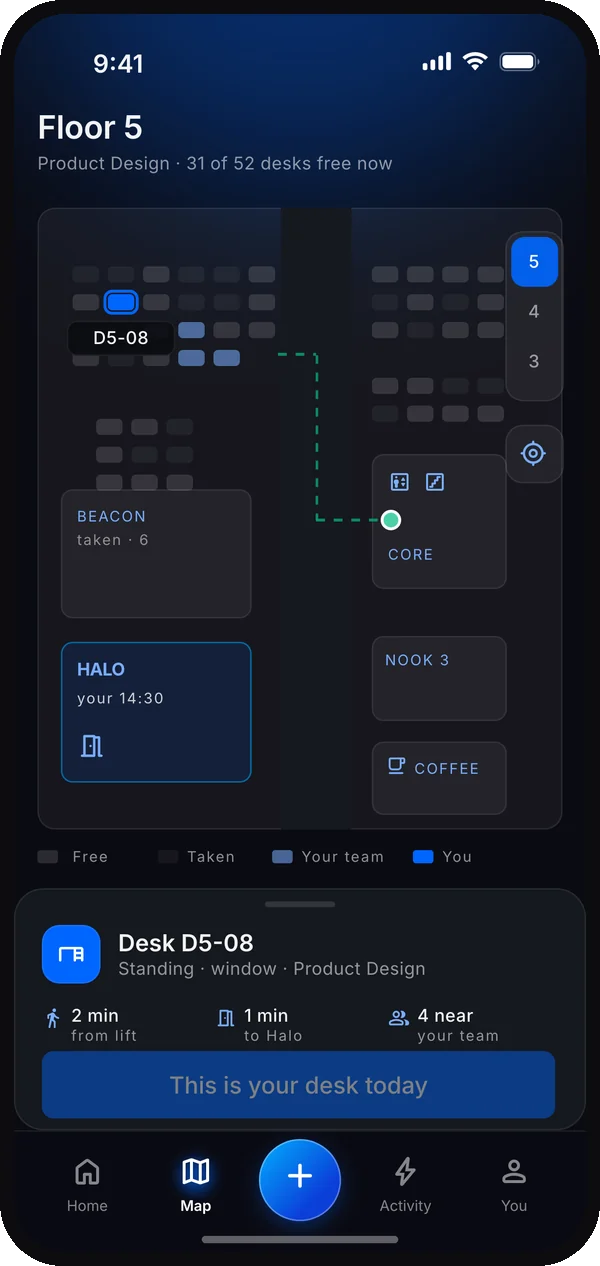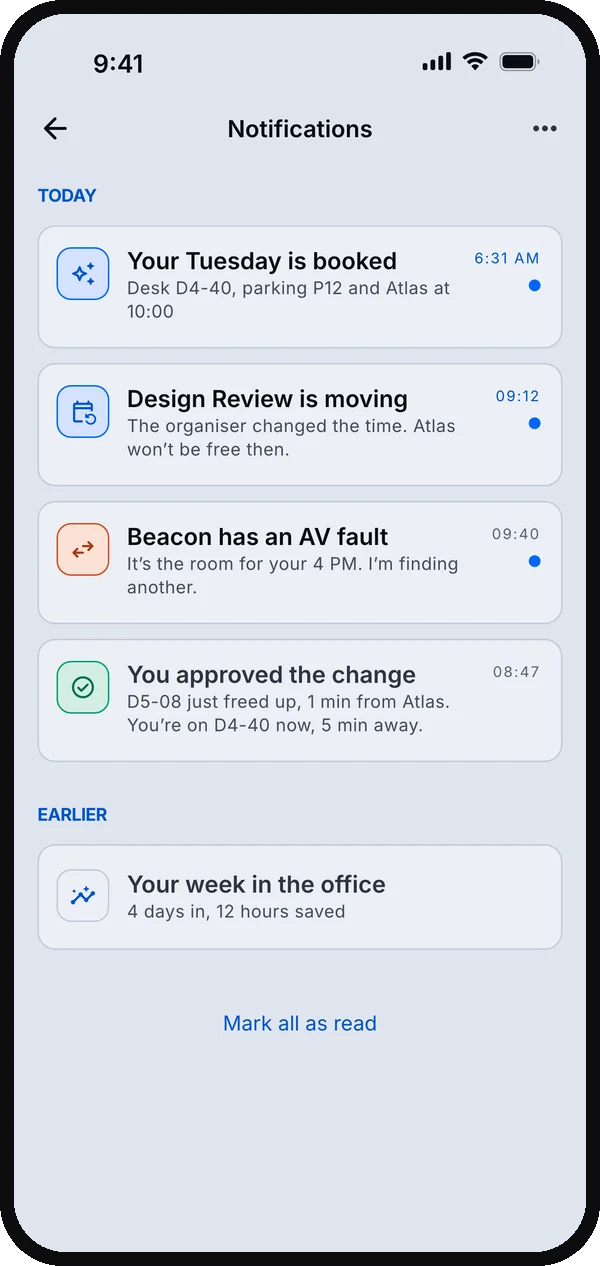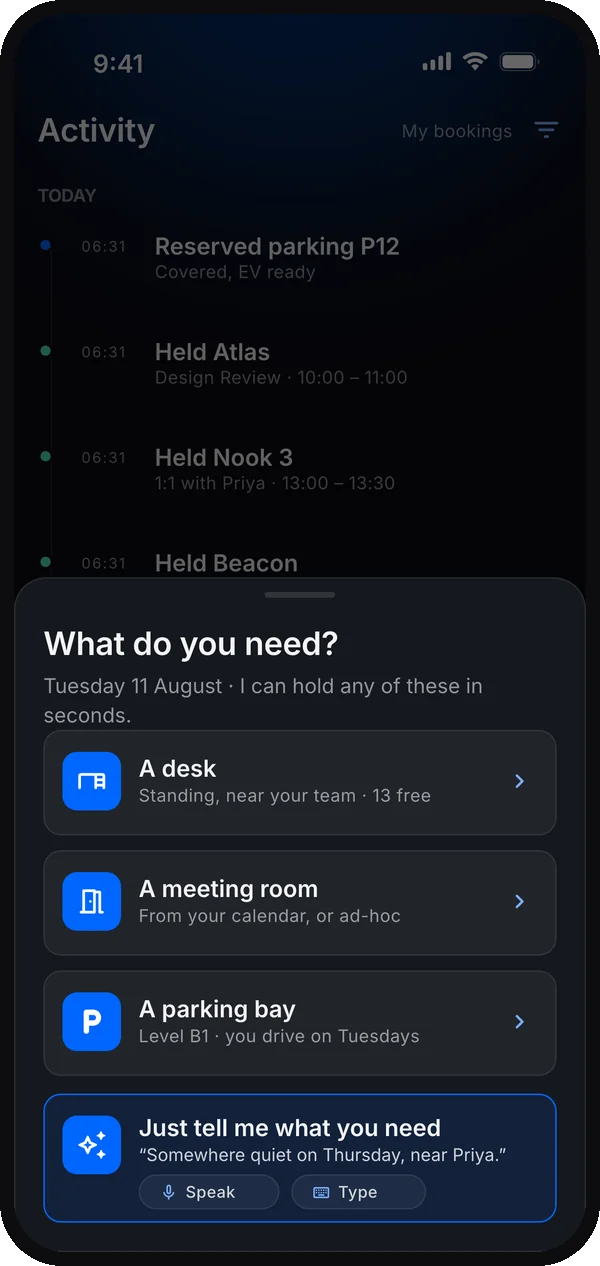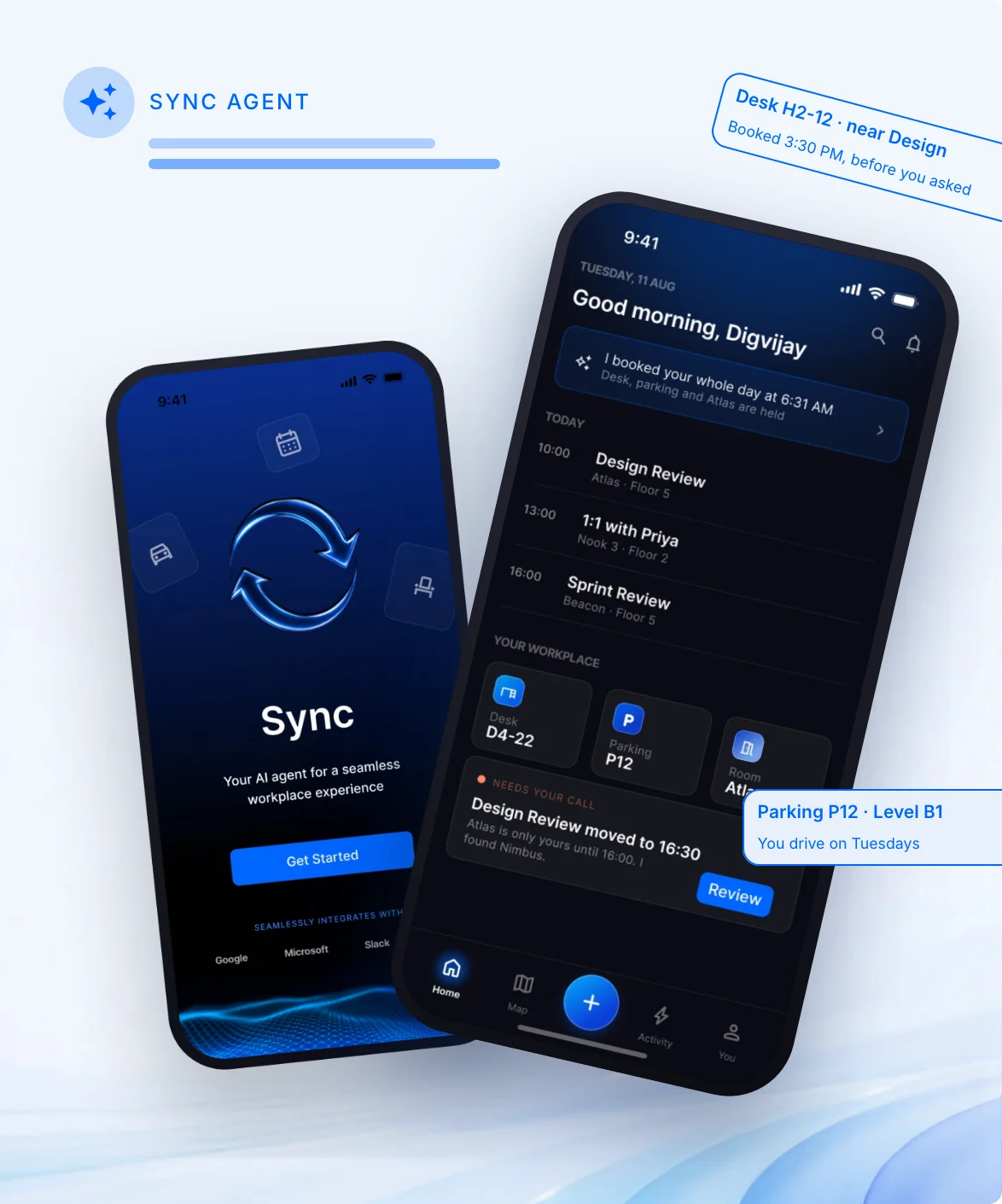
Sync
Aims to ease the daily booking ritual, and return the space nobody is using.
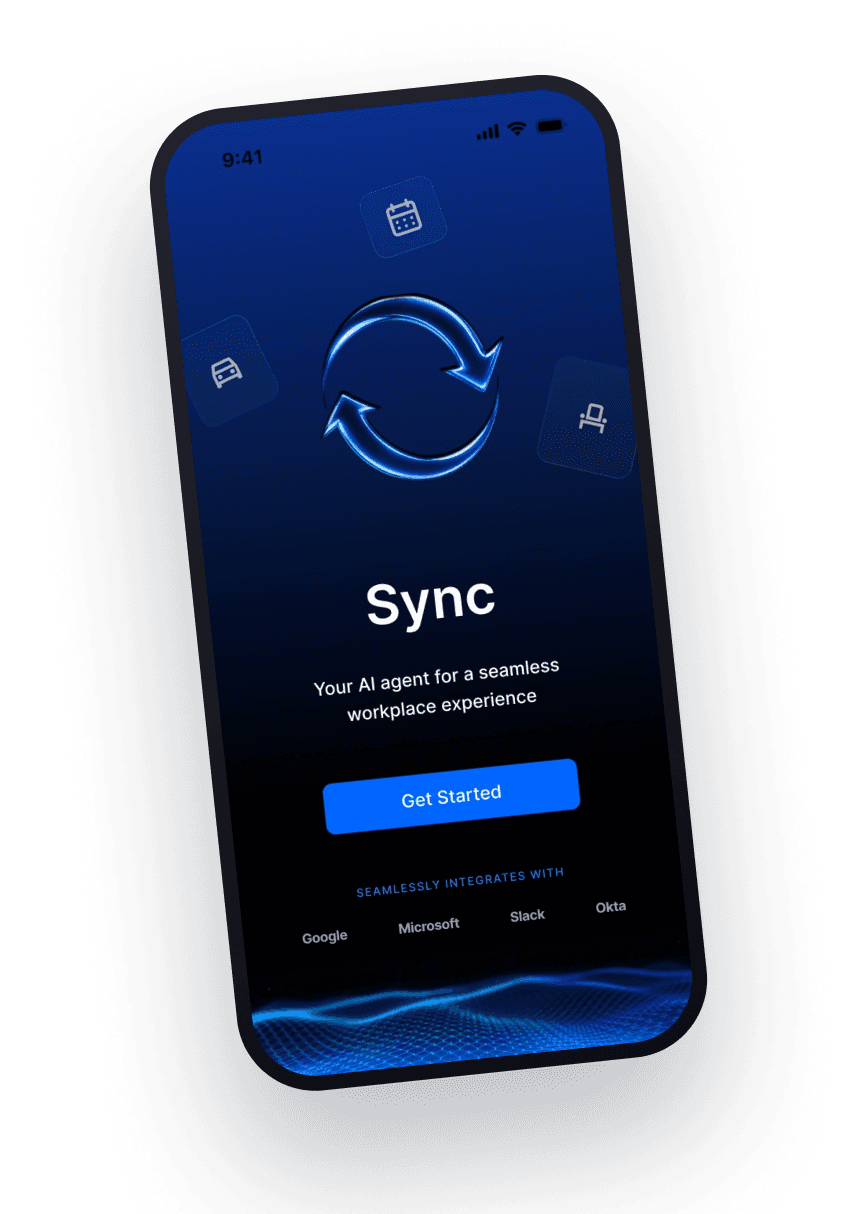
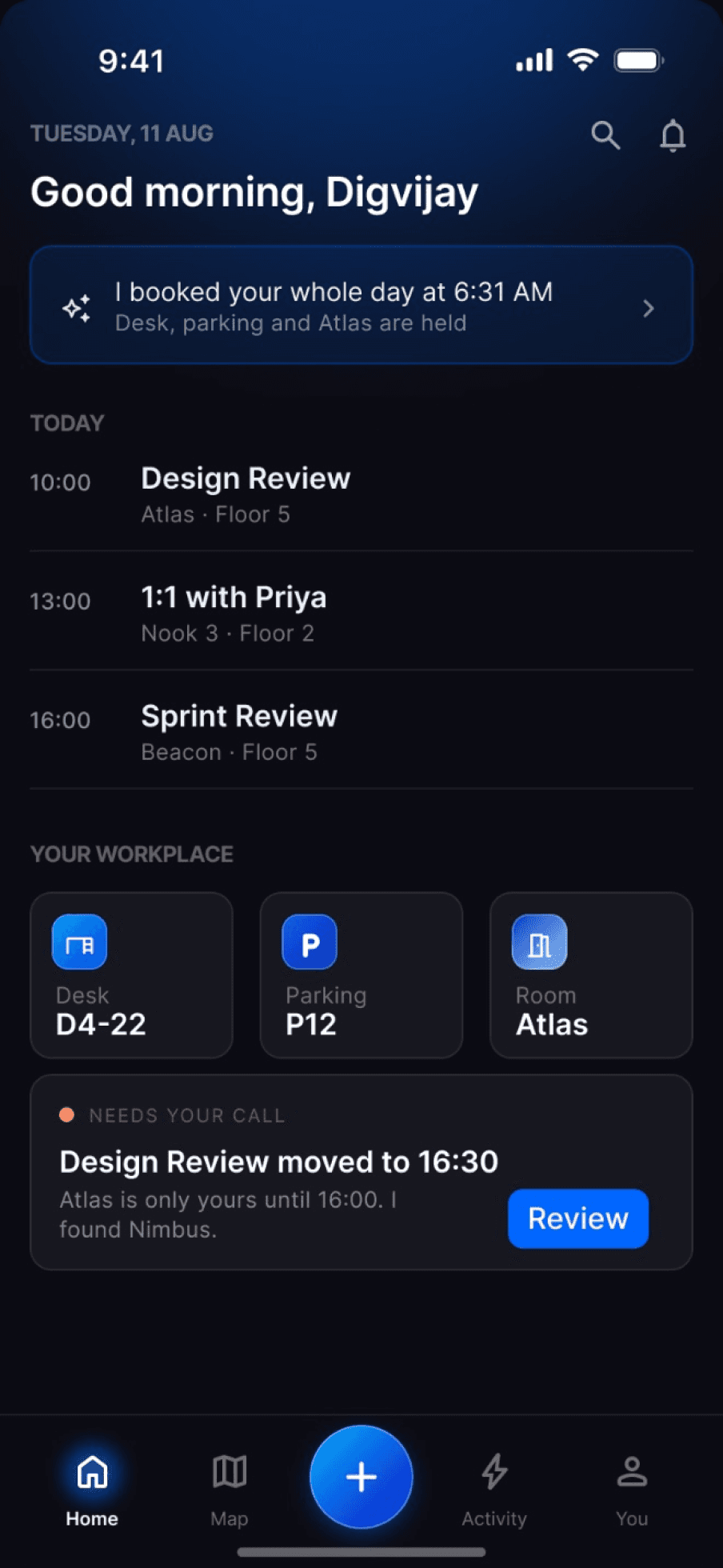
Sync · concept + interactive prototype
What if your office booked itself around your day?
A booking assistant for hybrid offices: plan the desk, room and parking around a changing workday. I designed when it acts, when it asks, and how people stay in control. Agent behavior and booking data are simulated in the prototype.
- Responsibilities
- Desk research · UX/UI design · Prototyping
- Timeline
- 1-day sprint
- Industry
- Workplace technology
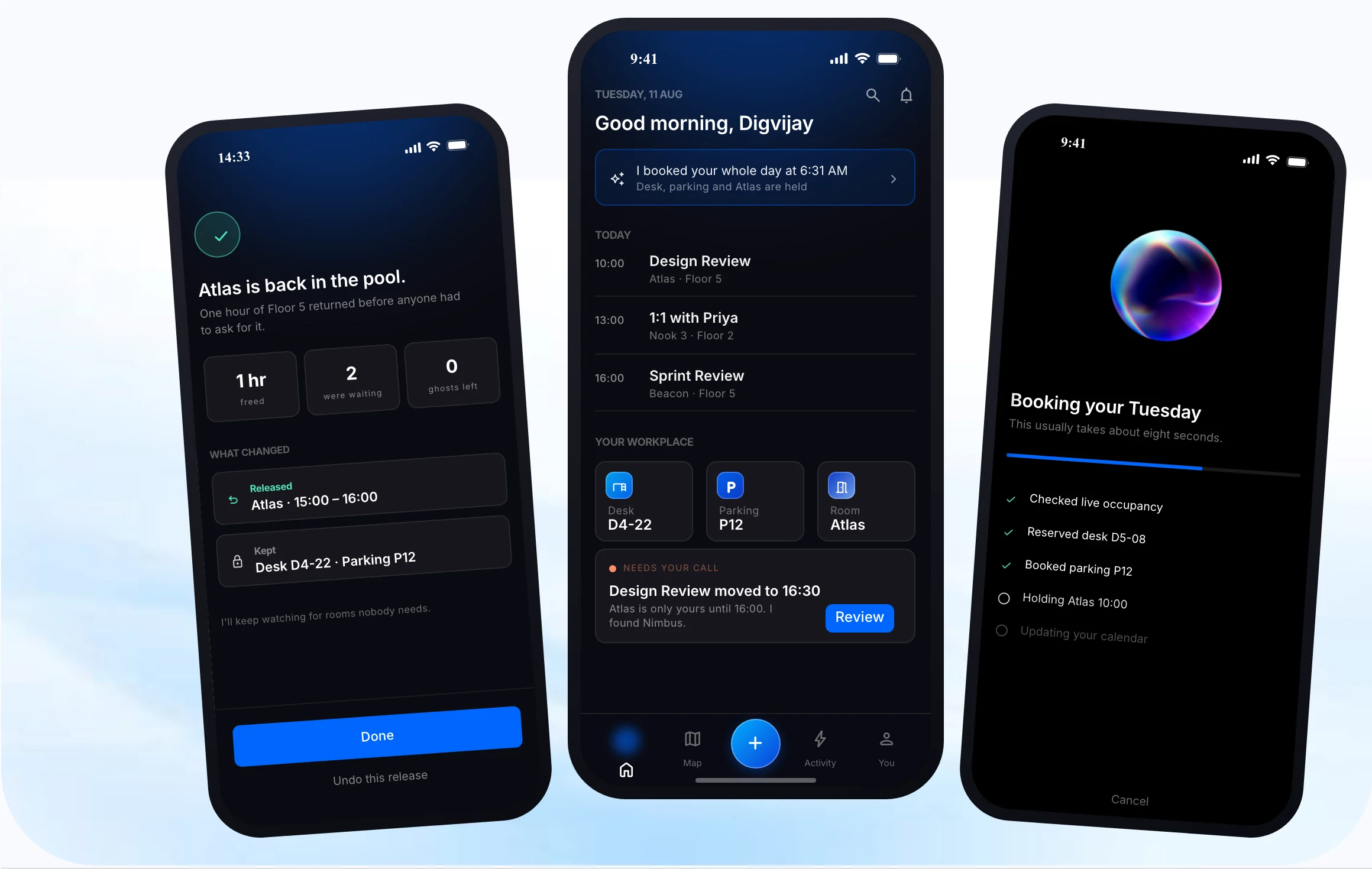
The agent design, at a glance
The design shift: from filling out bookings to delegating a goal, reviewing exceptions and correcting actions.
The context
Modern offices increasingly run on hot-desking, where employees no longer own a fixed seat. Hybrid workers come in only on some days, mainly for meetings and collaboration, and have to book whatever they need each time.
The challenge
Hot-desking freed the floor plan but pushed the work onto people. Every day meant re-booking a desk, chasing rooms that vanished when a meeting moved, and living with ghost bookings that held space nobody used.
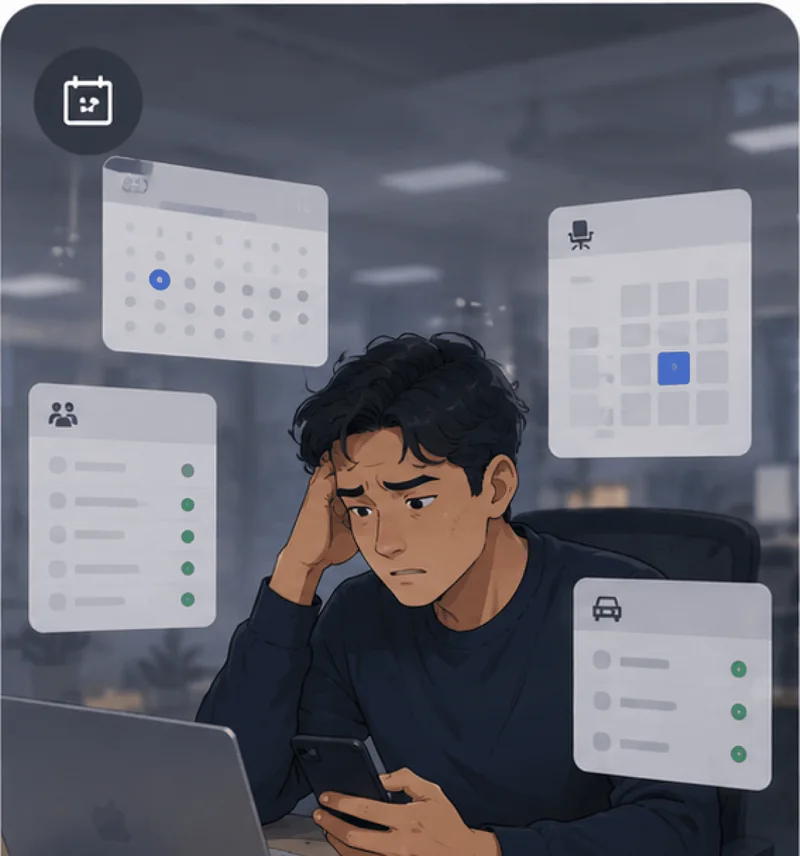
Manual, repetitive booking every single morning
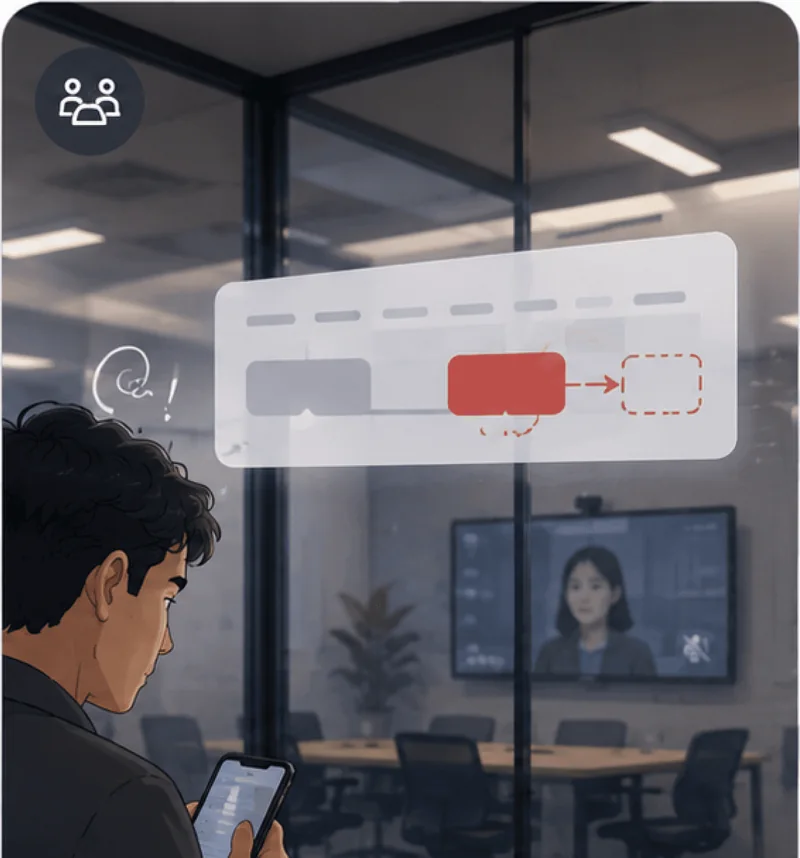
Rooms disappearing the moment a meeting shifts
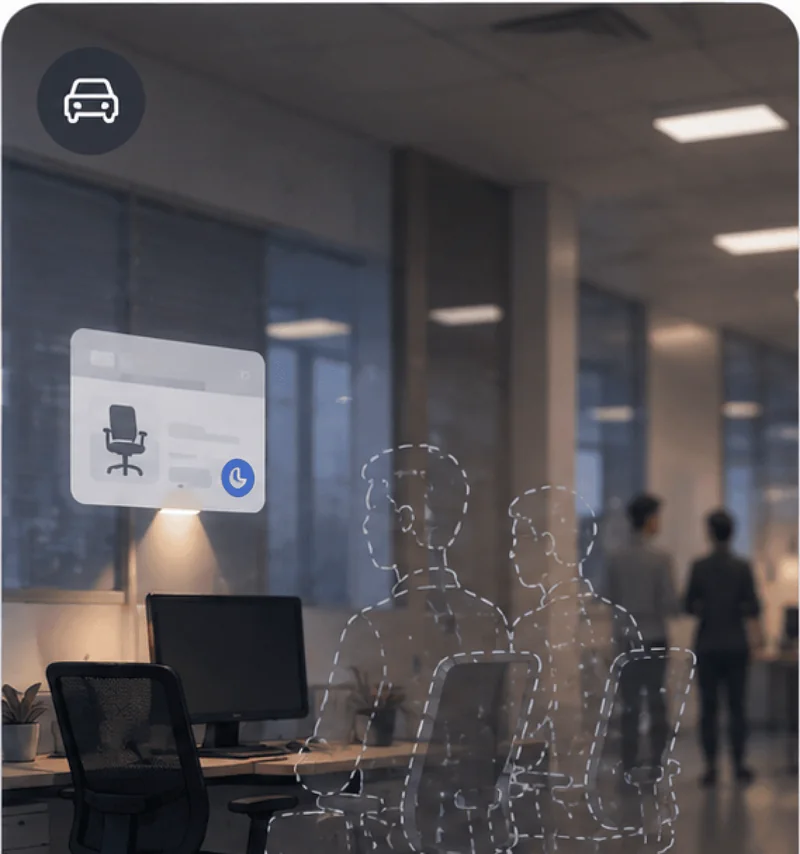
Ghost bookings holding space others are waiting on
Brief
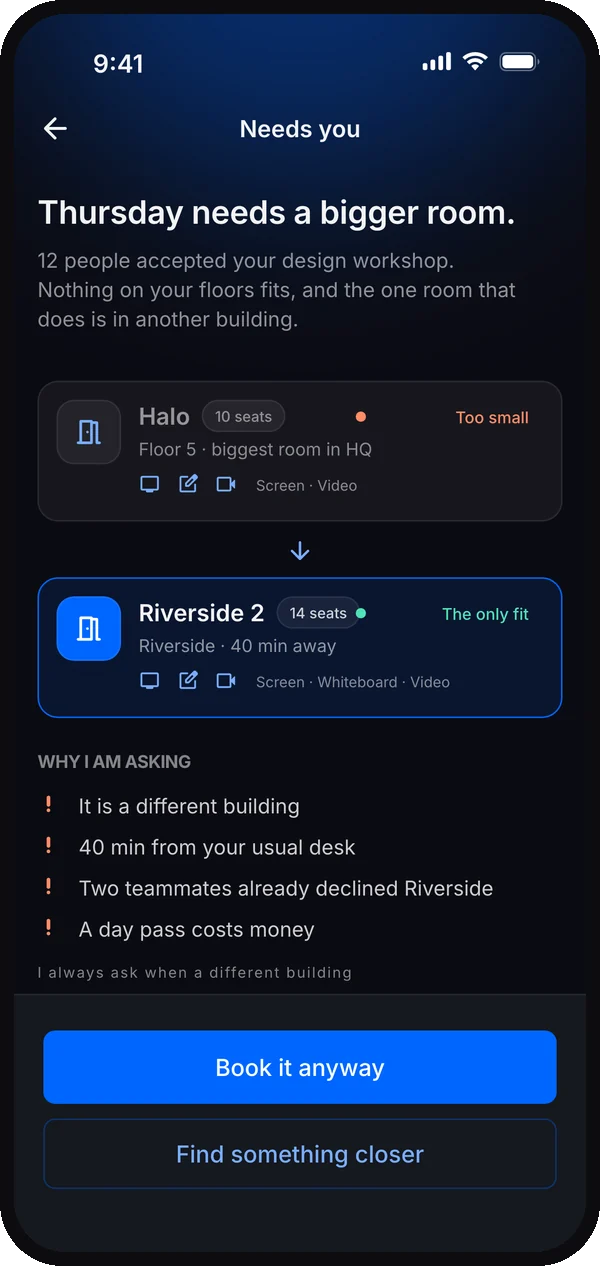
Design an AI assistant that handles all of this ahead of time, while keeping people firmly in control: actions explained, correction available, and autonomy bounded by the limits they set.
My approach
Before shaping the interactions, I reviewed Microsoft’s Agent UX principles, its HAX guidance on correction, and Anthropic’s Building effective agents. I used them to define three decisions: make background work visible, keep correction close to the action, and put explicit checkpoints around autonomy.
A booking form asks people to choose every resource. An agent asks them to delegate a goal, then needs to show what it may do, what changed, and when it needs help. I designed those boundaries before polishing the screens.
The guidance behind the design decisions
Make background work visible
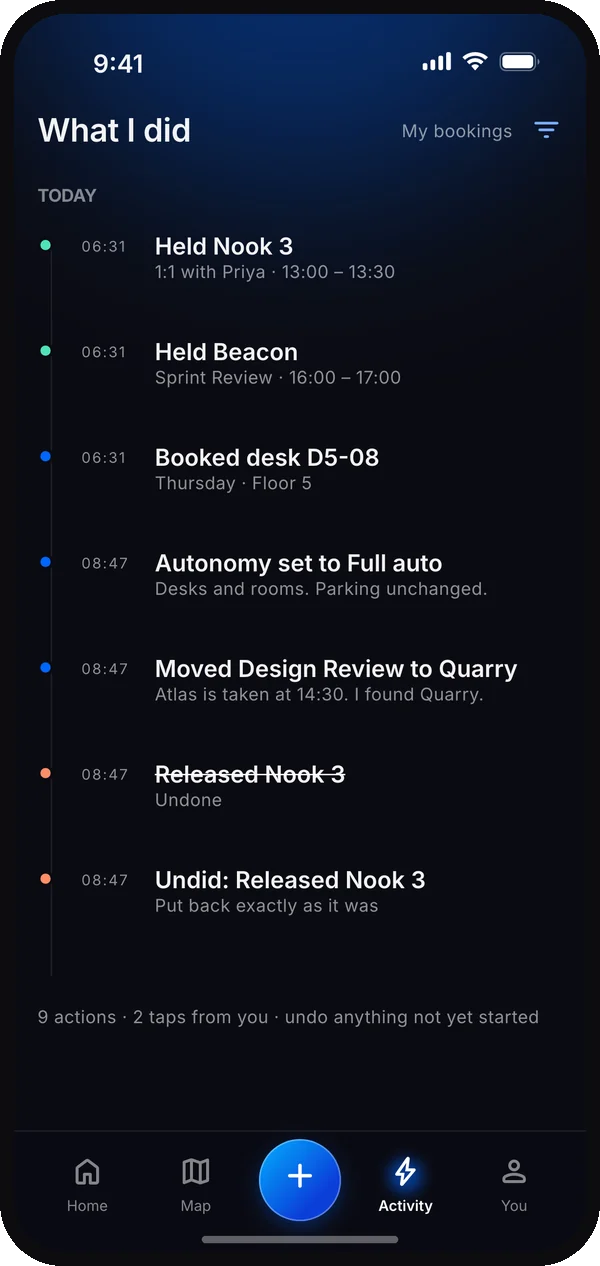
Microsoft connects trust with transparency and control. I translated that into live task steps, “Why this desk” and an Activity record.
 UX design for agents ↗
Make correction part of the flow
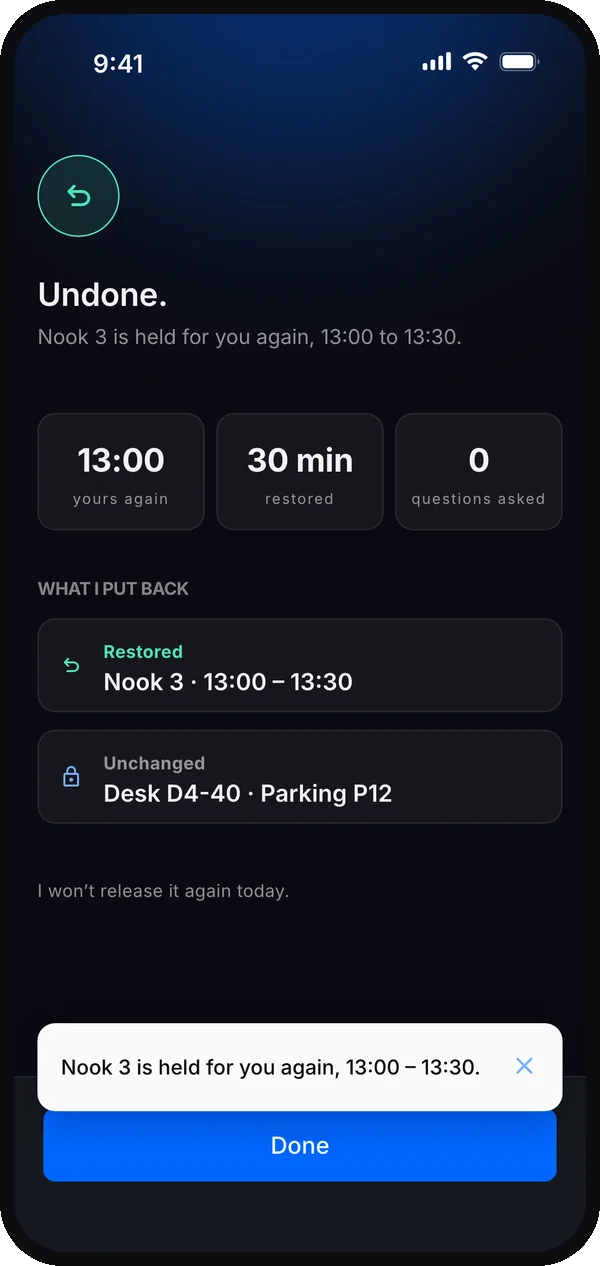
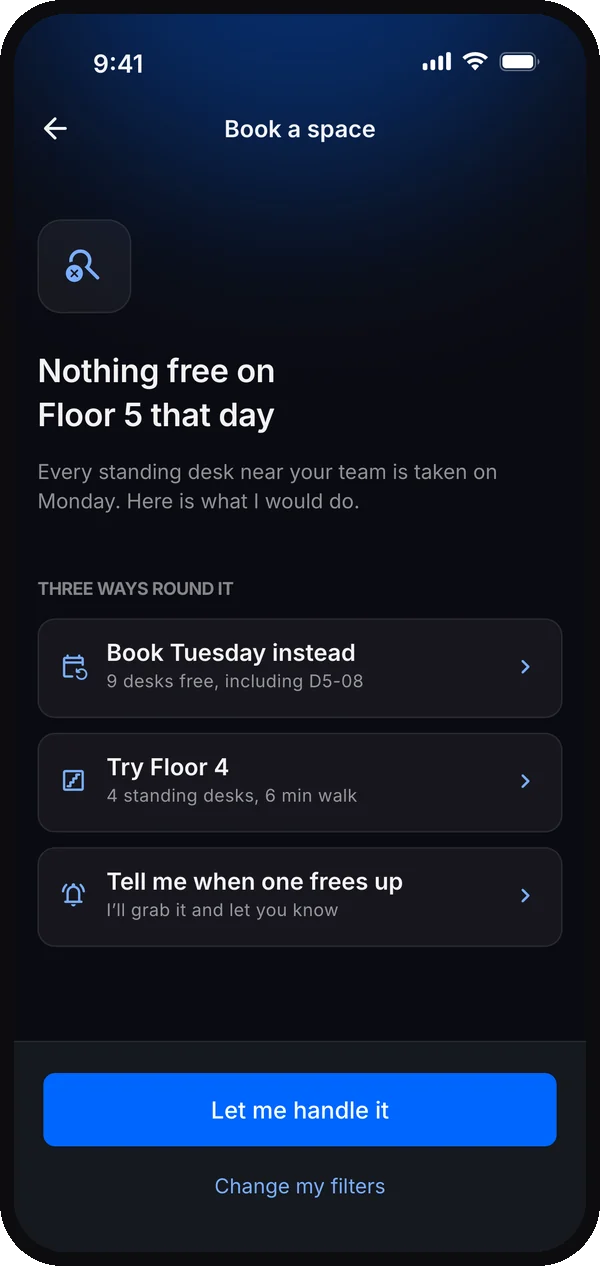
HAX recommends making AI mistakes easy to correct. I kept edit, pause and manual takeover close to each action, with alternatives when Undo cannot restore a space.
HAX · Support efficient correction ↗Separate planning from permission
Anthropic describes agents checking tool results and returning to people at checkpoints. I applied that to a plan → check → act loop, with confirm-first and exceptions in Full auto.
 AnthropicBuilding effective agents ↗
These are my applications of the guidance to Sync. The sources informed the concept; they do not validate its usability or reliability.
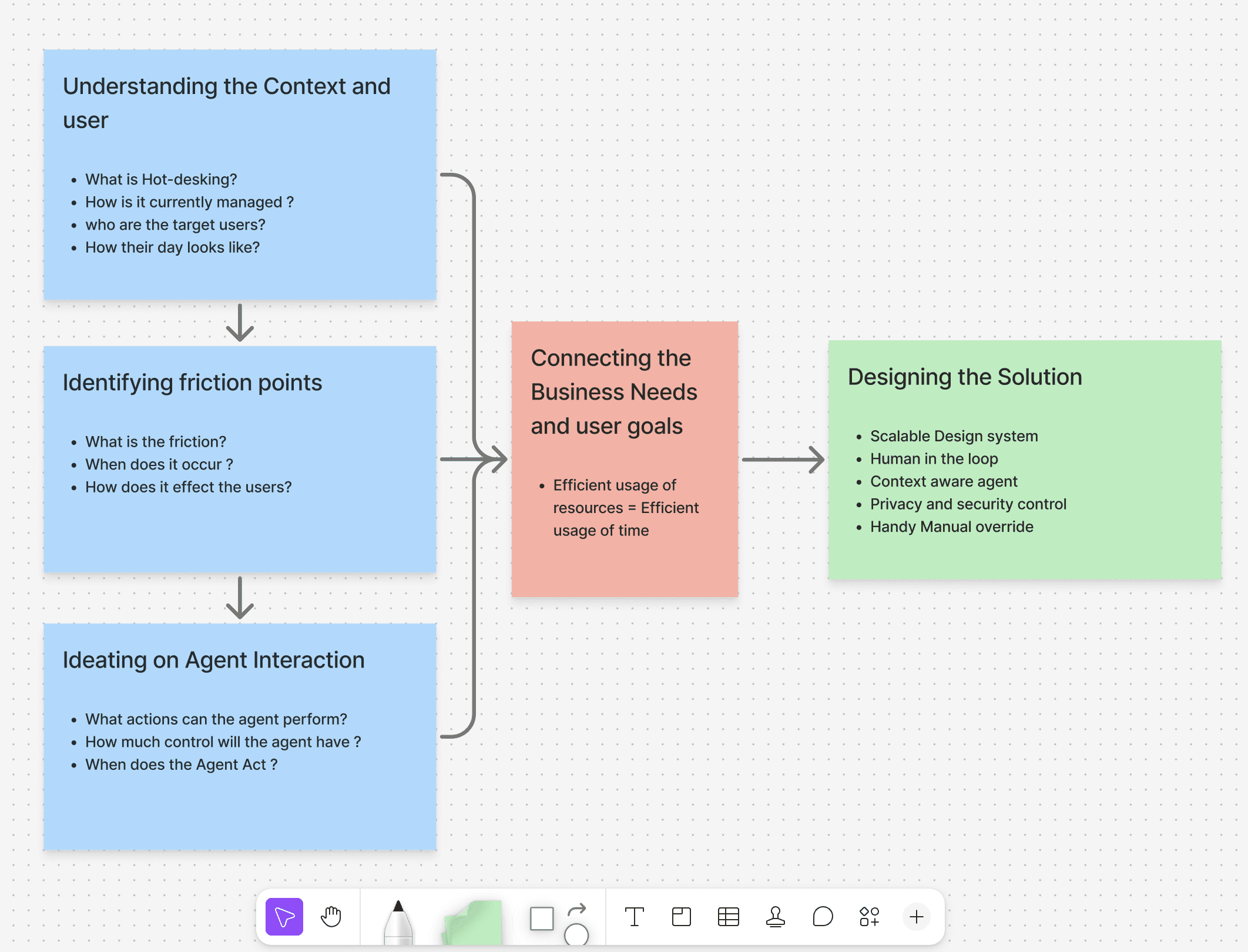
Design strategy
Business objective
Use meeting rooms, desks and parking efficiently, take the friction out of booking, and support a smooth hybrid work culture.
Solution
An AI-powered app that works quietly in the background and takes the load off employees.

Goals
- Remove repetitive manual booking
- Free up “ghost-booked” spaces for others
- Make better use of shared desks, rooms and parking
Reads context
Uses your calendar, location and past booking preferences.
Re-routes automatically
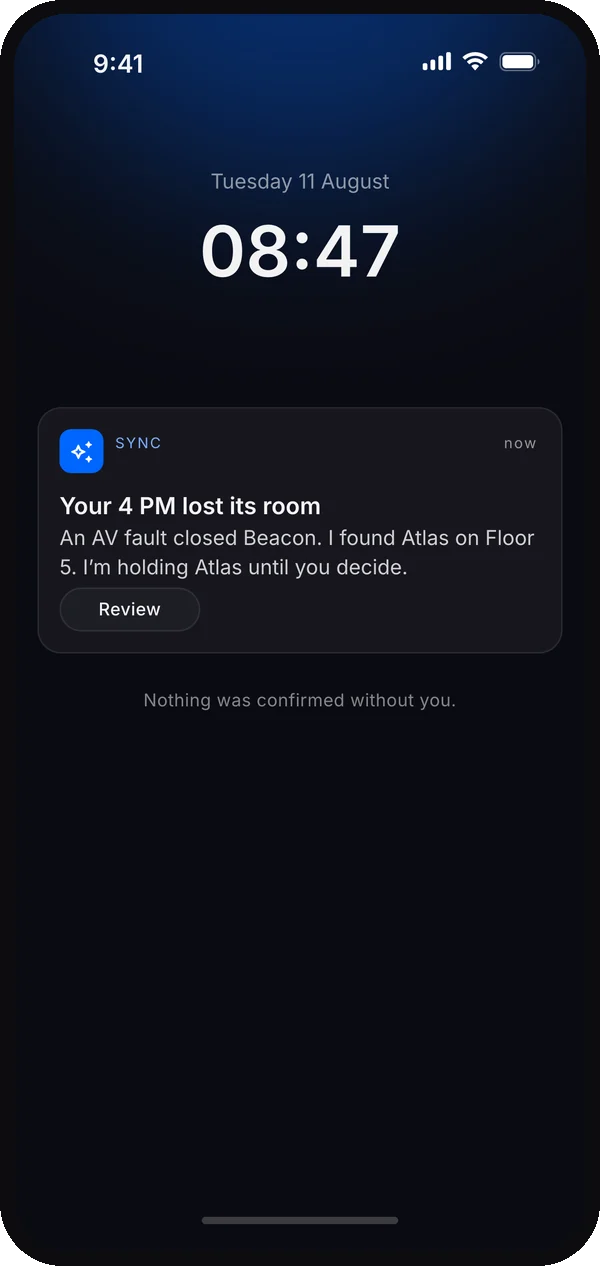
Proposes or rebooks when plans change, within your permissions.
Books ahead
Plans your office days and books what you'll need.
Who is Sync for?
Concept personas based on desk research, not interview participants. Their quotes express the needs explored in this concept.

Neha
Product Manager
Demographics
- Age
- 28
- Work style
- Highly collaborative, constantly switching between focus work and meetings.
- About
- Curious and adaptable product manager who enjoys solving complex problems and working closely with different teams.
“My day changes by the hour, so my bookings should keep up without me babysitting them.”
Pain points
- Constant manual updates to existing bookings
- Filtering for the right room takes effort
- Different resources for each meeting
Needs and goals
- Meeting rooms with video-conferencing
- Sitting near different teams depending on the day
- Context-specific spaces, like a room with a large whiteboard

Kabir
Senior Data Analyst
Demographics
- Age
- 29
- Work style
- Deep-focus worker, in the office 1 to 2 days a week, prefers a quiet environment.
- About
- A methodical analyst who does his best thinking in long, uninterrupted blocks and plans his office days around the setup he needs.
“I drive in for deep-focus days, and if my setup and parking aren't guaranteed, the trip is wasted.”
Pain points
- Struggles to find parking
- Misses his equipment setup when he forgets to book 48 hours ahead
- Doesn't always get a quiet space
Needs and goals
- A specific setup, like dual monitors
- Quiet zones for concentration
- A guaranteed parking spot for his long commute
User journey map
A desk-research journey hypothesis: from planning to the moment plans change. Each stage points to an opportunity for Sync, ready to test with users.
| Plan the day | Book workspace | Book supporting needs | Changes happen | |
|---|---|---|---|---|
| User actions | Checks meetings, office location and timings | Opens the booking platform and searches for a desk | Books parking and meeting rooms separately | Changes or cancels bookings by hand |
| Emotions | Neutral | Frustrated | Overwhelmed | Annoyed |
| Pain points | Information is spread across calendar and workplace tools | Manual search and selection | Several tools and separate bookings | Every change means more manual work |
| Opportunities | Understand the user's whole workday | Recommend the right workspace | Bundle desk, room and parking | Adapt bookings to changes automatically |
Ideas before interfaces
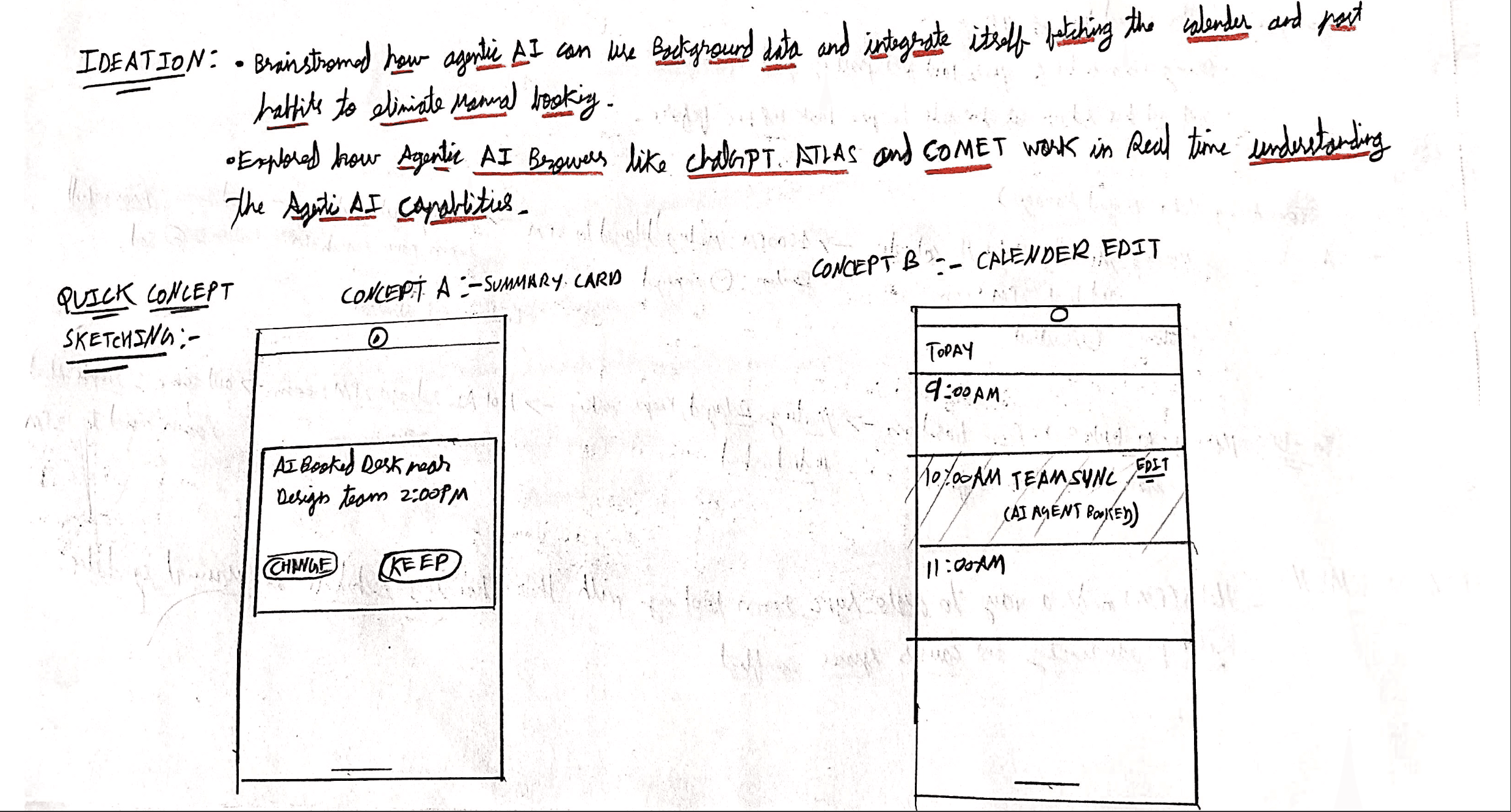
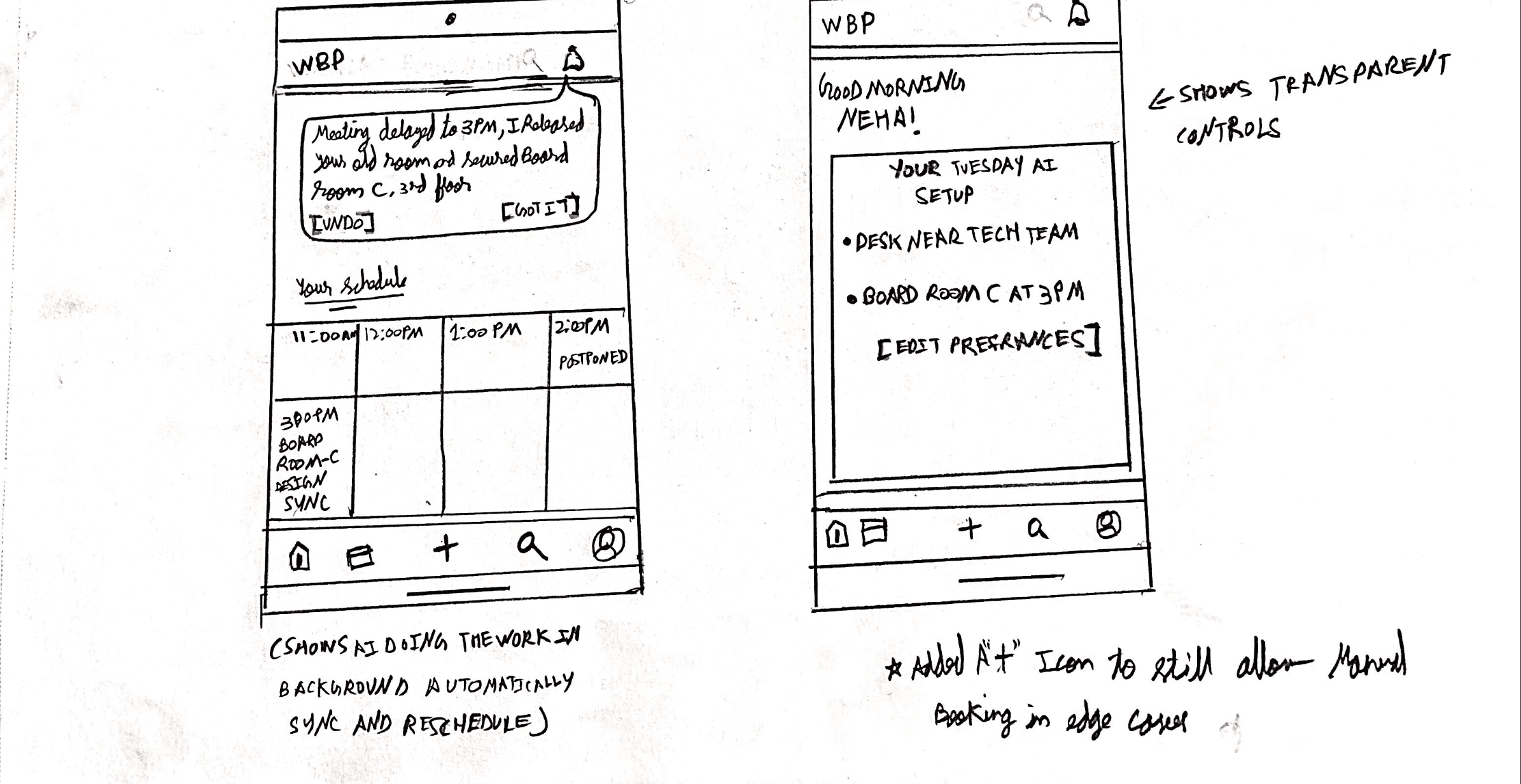
Meet Sync
A concept for an assistant that plans your spaces, explains its choices, and acts within the permissions you set.
Takes away the mental load
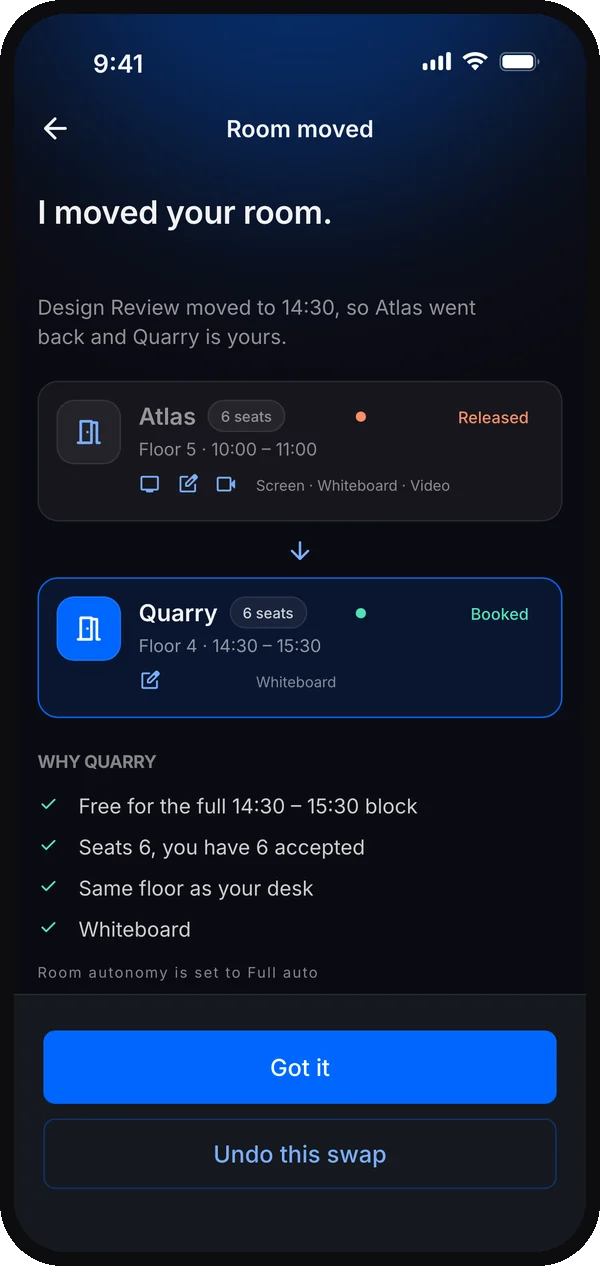
When plans change, Sync proposes or handles rebooking within your chosen limits.
Cuts ghost bookings
Forgotten bookings are flagged as soon as a meeting moves or is cancelled, and released once you agree.
Keeps you in control
Actions stay visible, with controls to undo, edit or take over.
Agent interactions
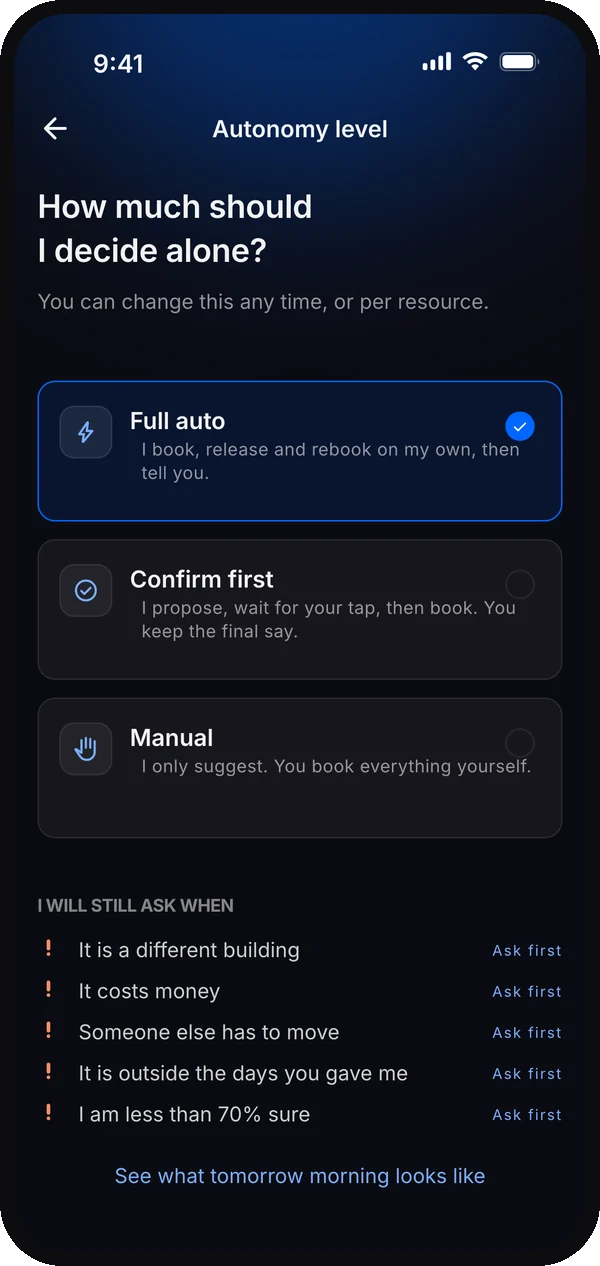
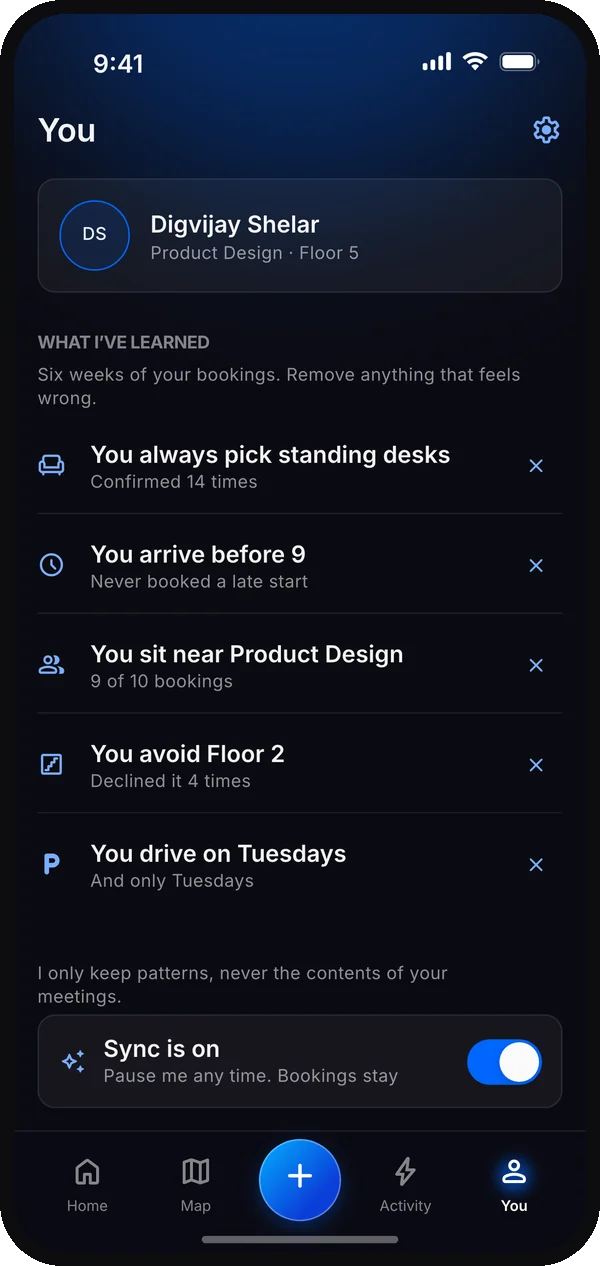
Design decision · Following Microsoft’s transparency and control principles ↗, I gave autonomy, status and memory their own visible controls.
Three screens set up the relationship with the assistant: how much it may do on its own, what it’s doing right now, and what it remembers about you.
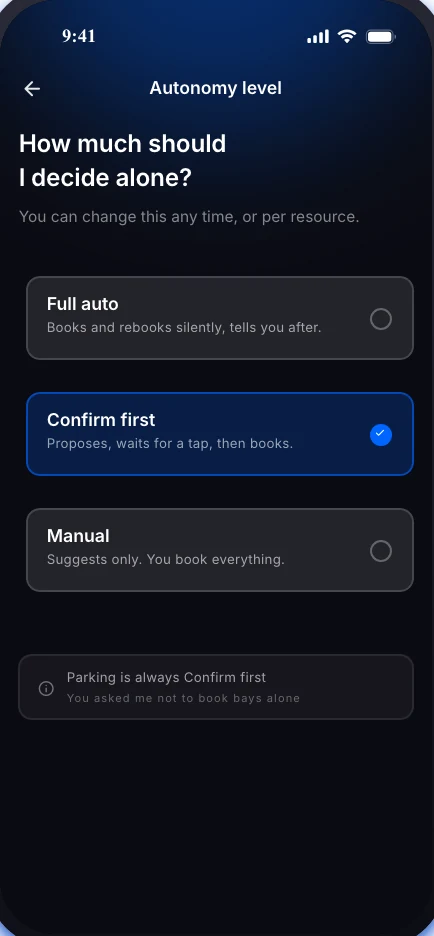
1 of 3: You set how much it does
From fully automatic to confirm-first, separately for desks, rooms and parking.
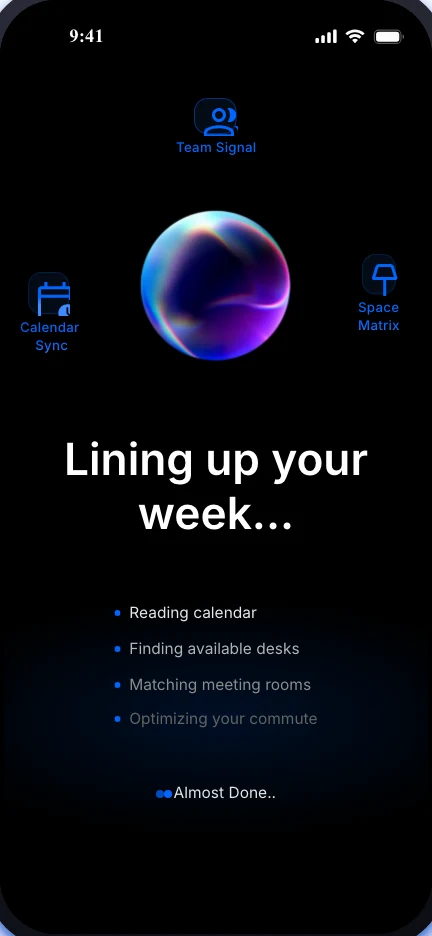
2 of 3: You see it working
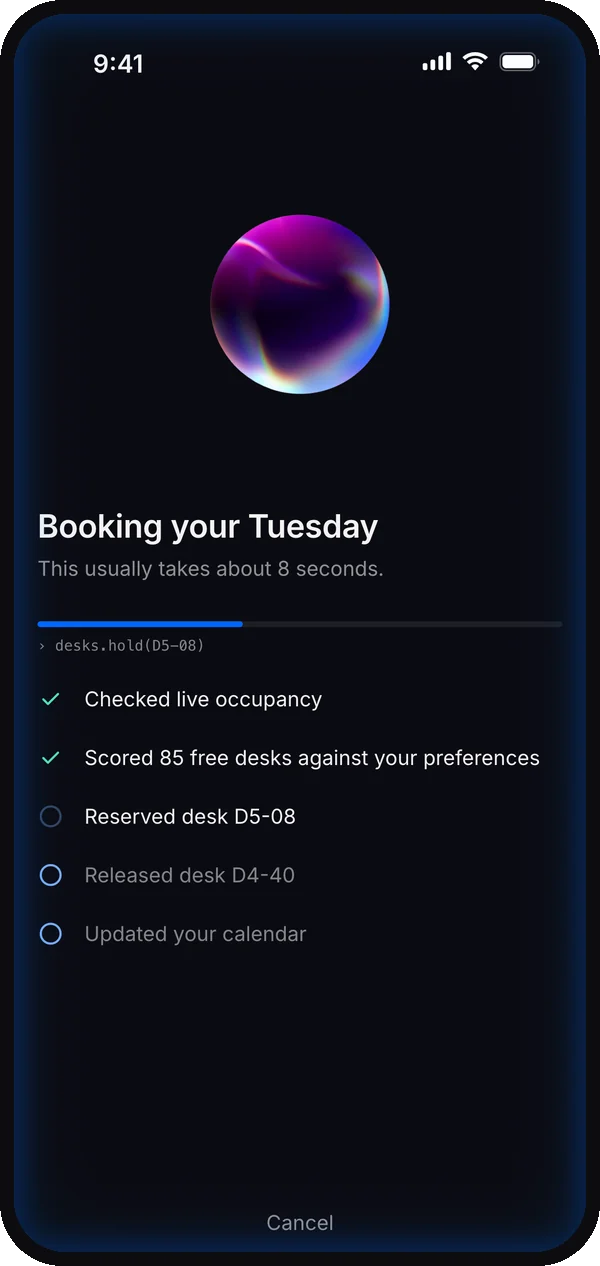
Reading your calendar, finding desks, matching rooms, planning your commute.
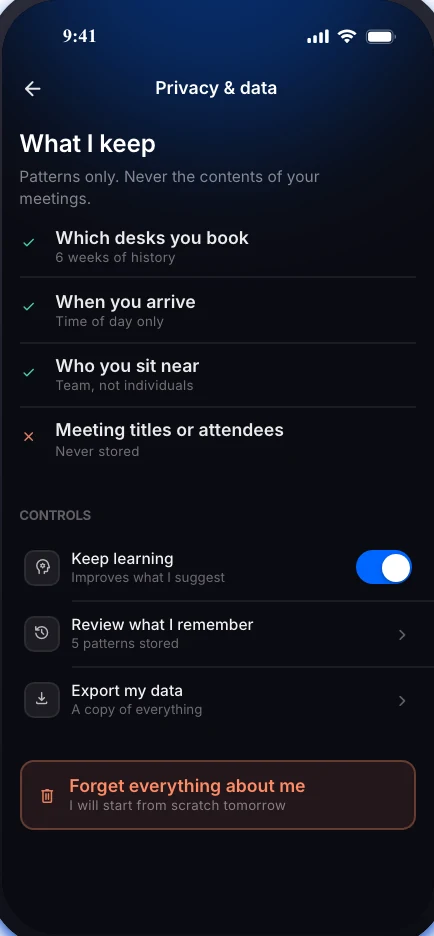
3 of 3: You control what it remembers
See what's stored, manage learning, export your data or erase it all.
The hero flow
The final screens, following Neha through one office day, from a morning that’s already booked to a mid-day re-route she never had to touch.

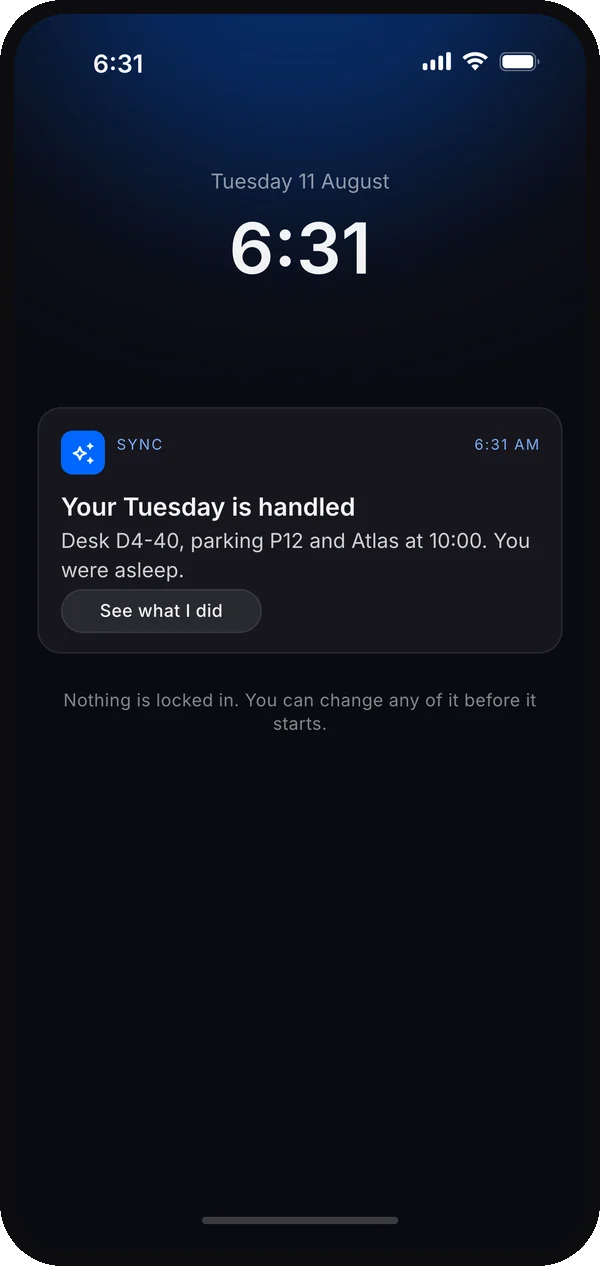
Step 1
1 of 6: The day, already booked
By 6:31 AM Sync has held Neha's desk, parking and room from her calendar.
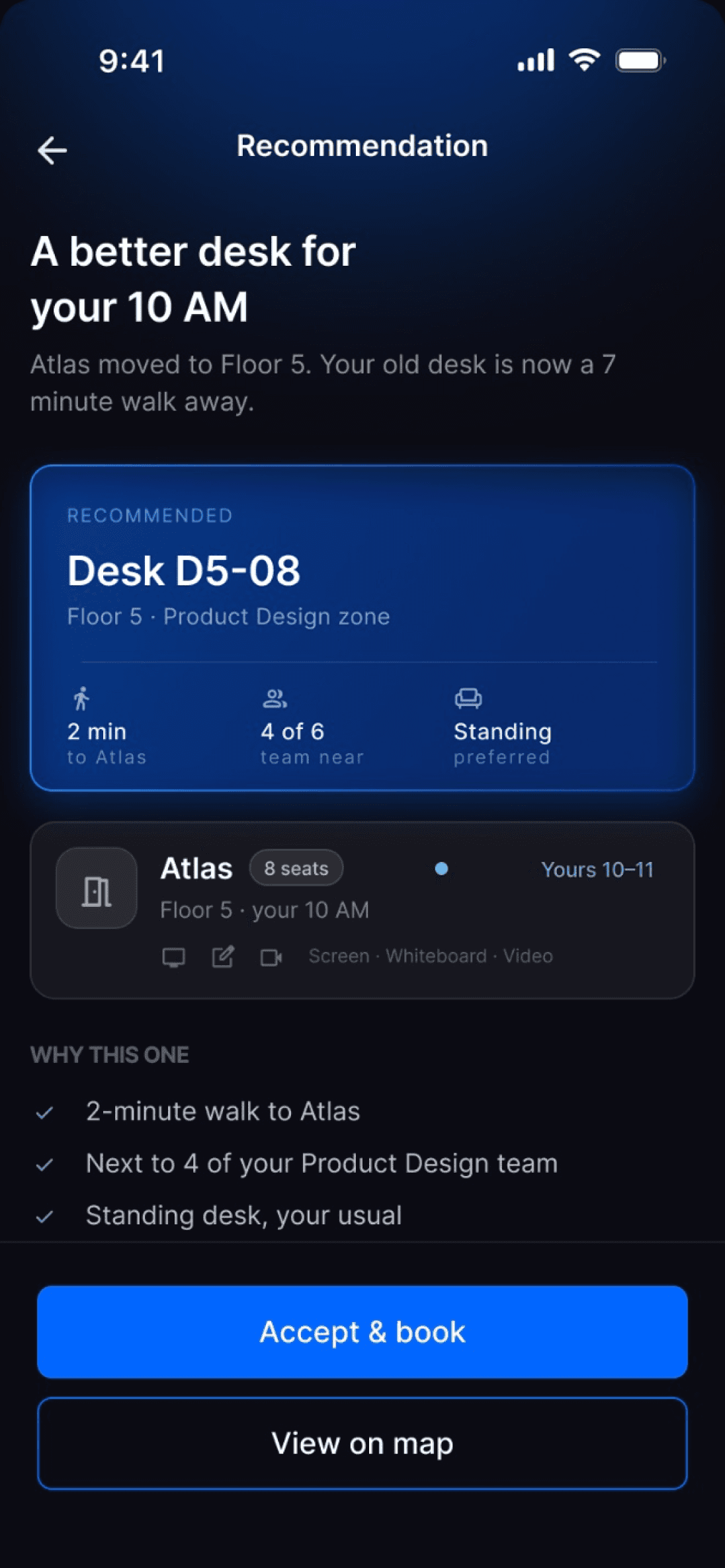
Step 2
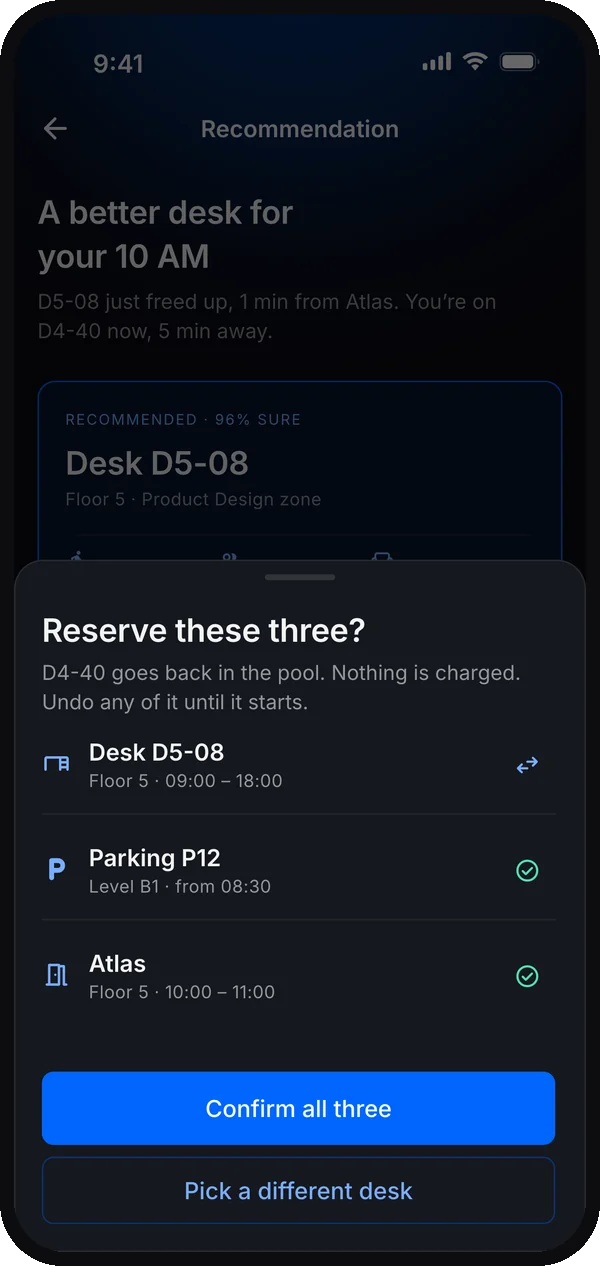
2 of 6: A suggestion, not a command
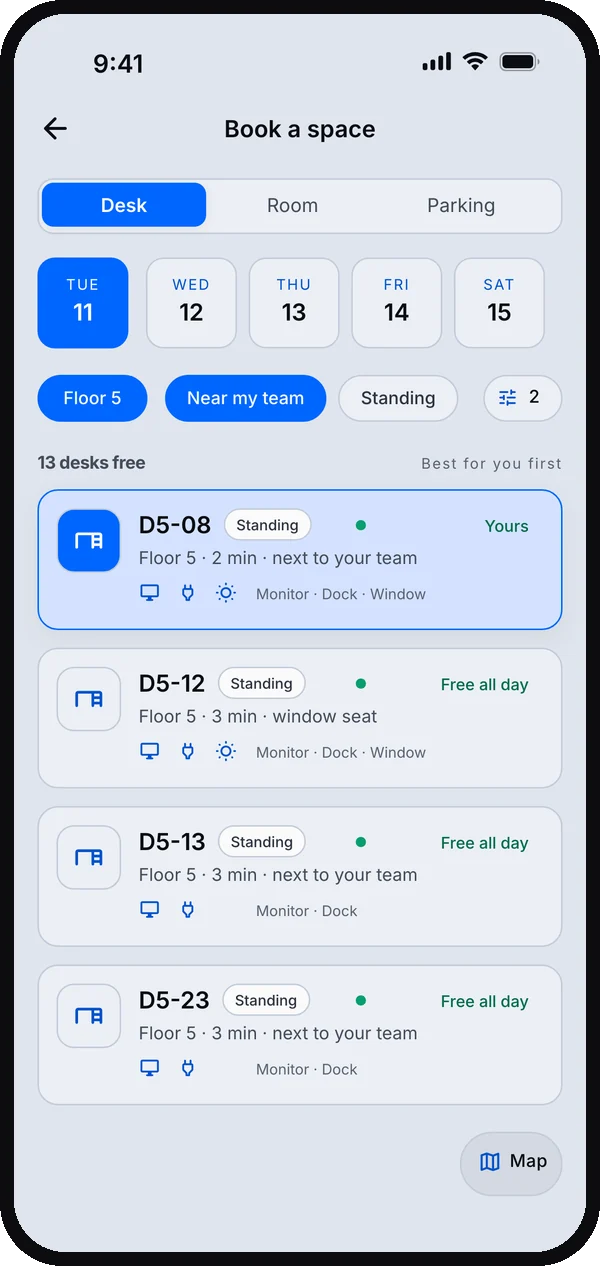
Sync proposes the best-fit space and leaves the final call to Neha.
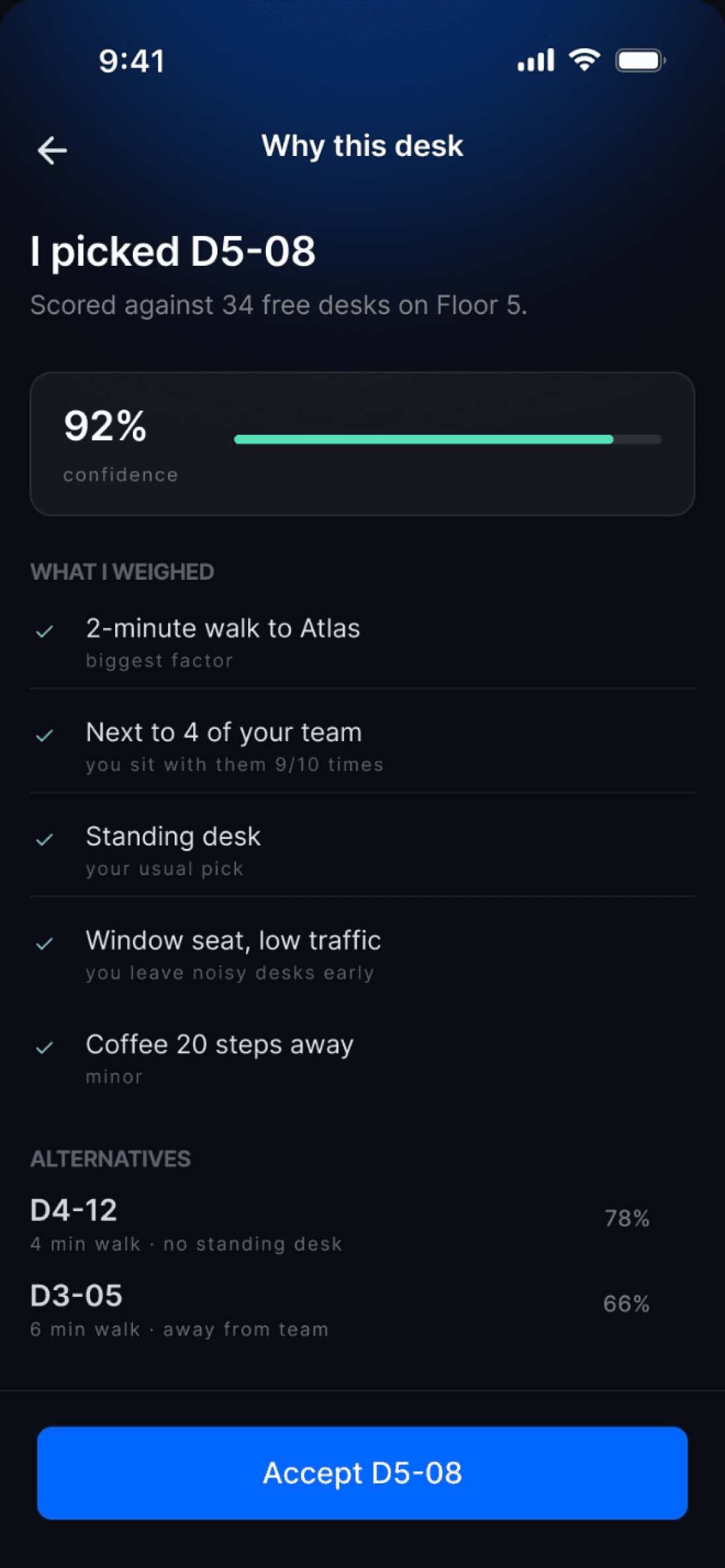
Step 3
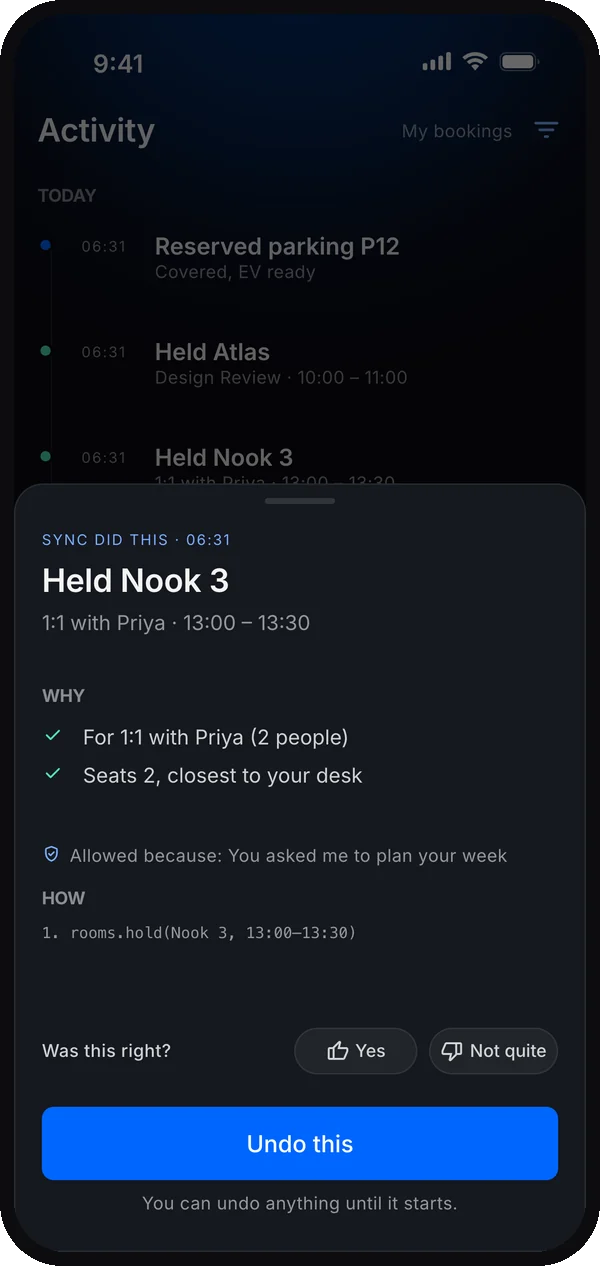
3 of 6: Why this desk
One tap shows exactly why a desk was chosen.
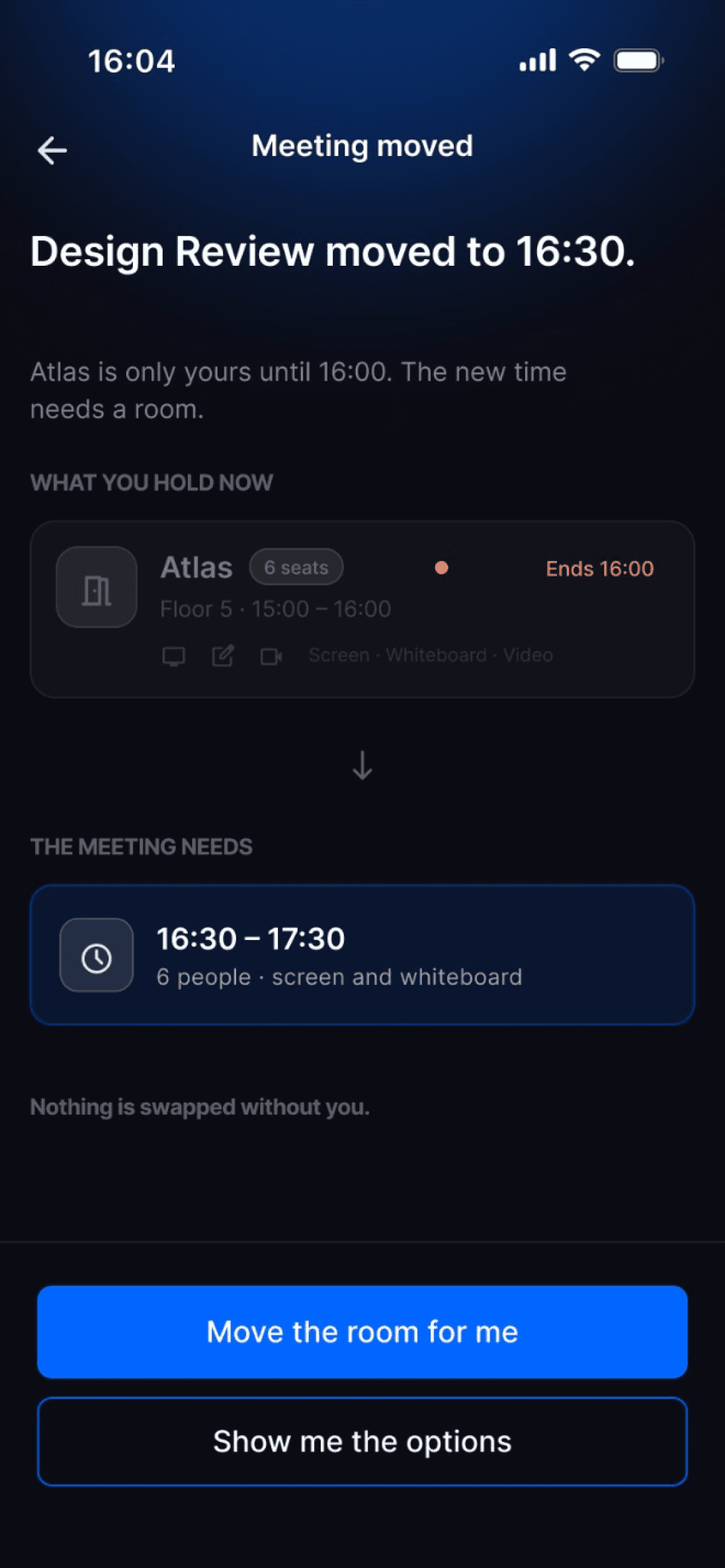
Step 4
4 of 6: The meeting moves
At 1:01 PM Design Review shifts to 16:30 and the room is about to run out.
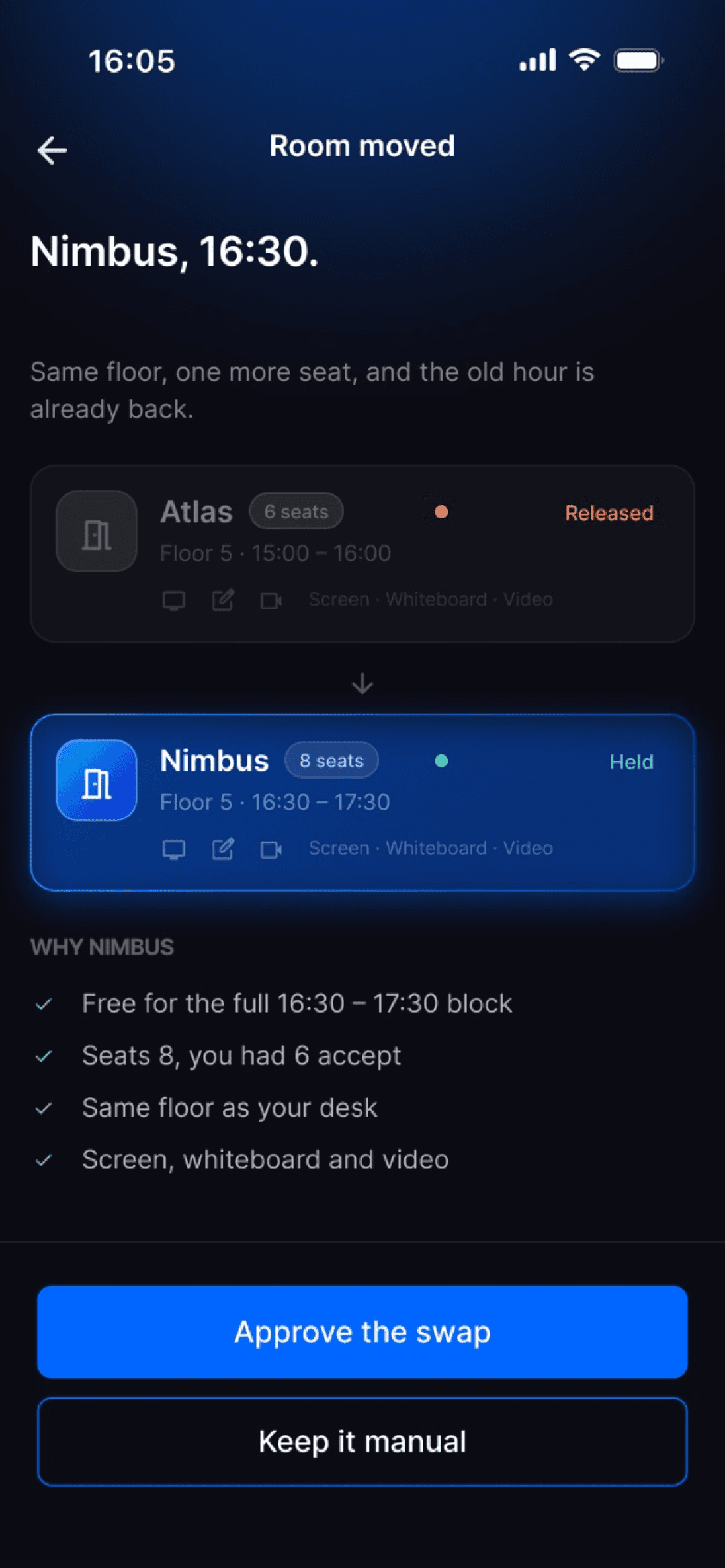
Step 5
5 of 6: Re-routed for her
Sync lets the old room go and holds a new one, with parking.

Step 6
6 of 6: Nothing left to do
Everything is confirmed and Neha never broke focus.
The screens explore auto and confirm-first modes. Their confidence scores need calibration before release; a percentage alone is not evidence that a booking is safe.
Ghost bookings and cancelling, on your terms
Sync’s promise is that it frees up space other people need without ever acting behind your back. These two flows are where that is tested, so they got the most attention.
Catching a ghost booking
A meeting is cancelled but the room is still held in Neha’s name. Sync flags it, says who’s waiting, and hands the decision back to her.
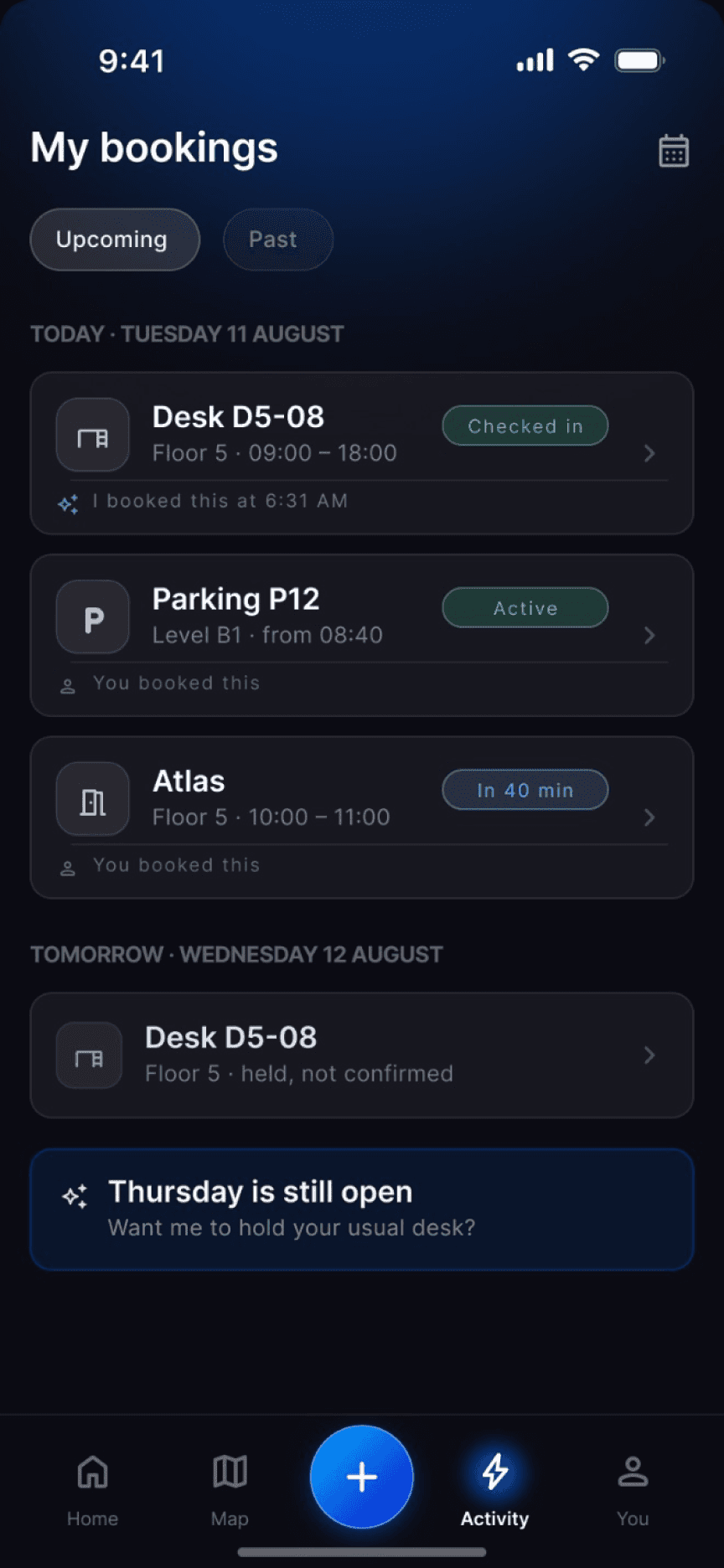
Step 1
1 of 3: Spotted on the list
“Atlas · in 40 min” is still held, but plans have changed.
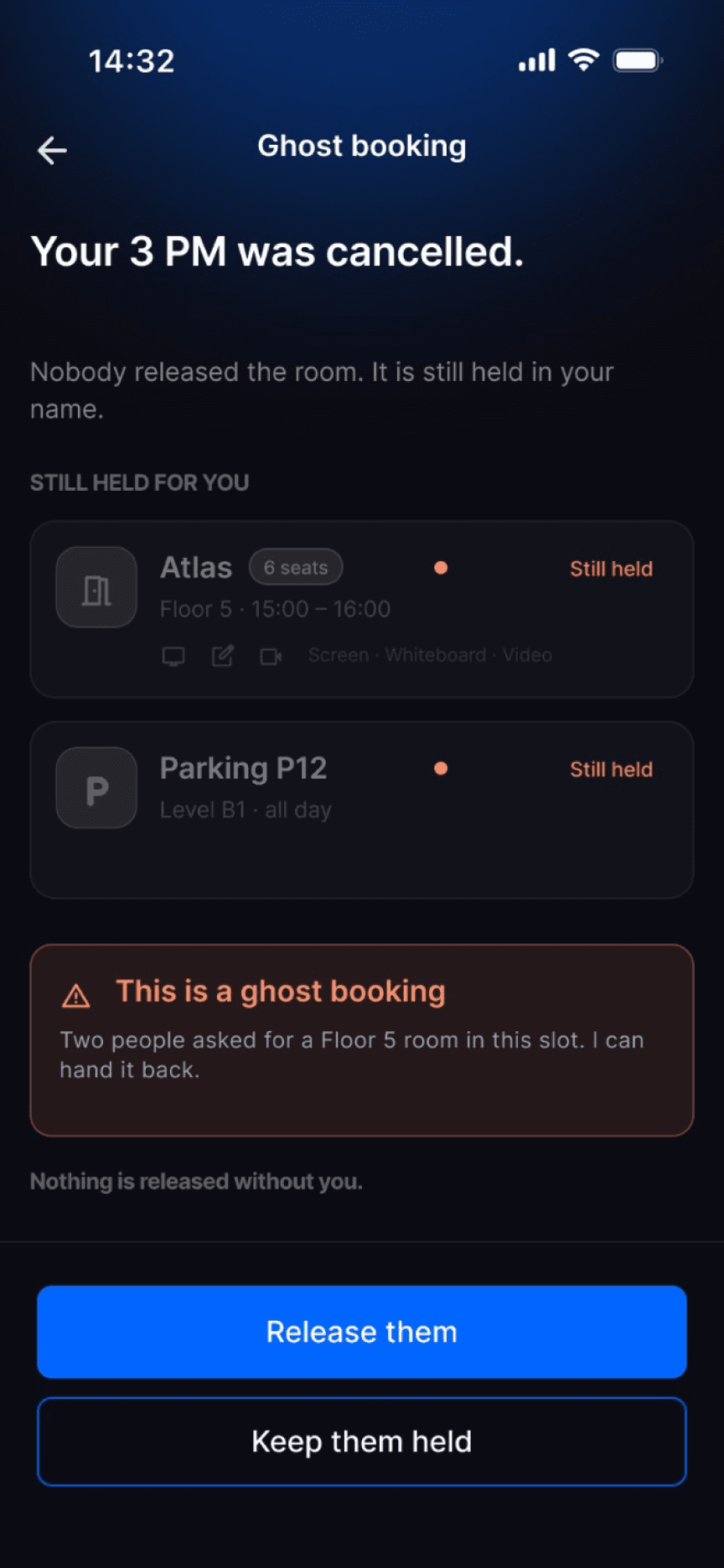
Step 2
2 of 3: Flagged, not deleted
“Your 3 PM was cancelled.” Sync asks before letting the room go.
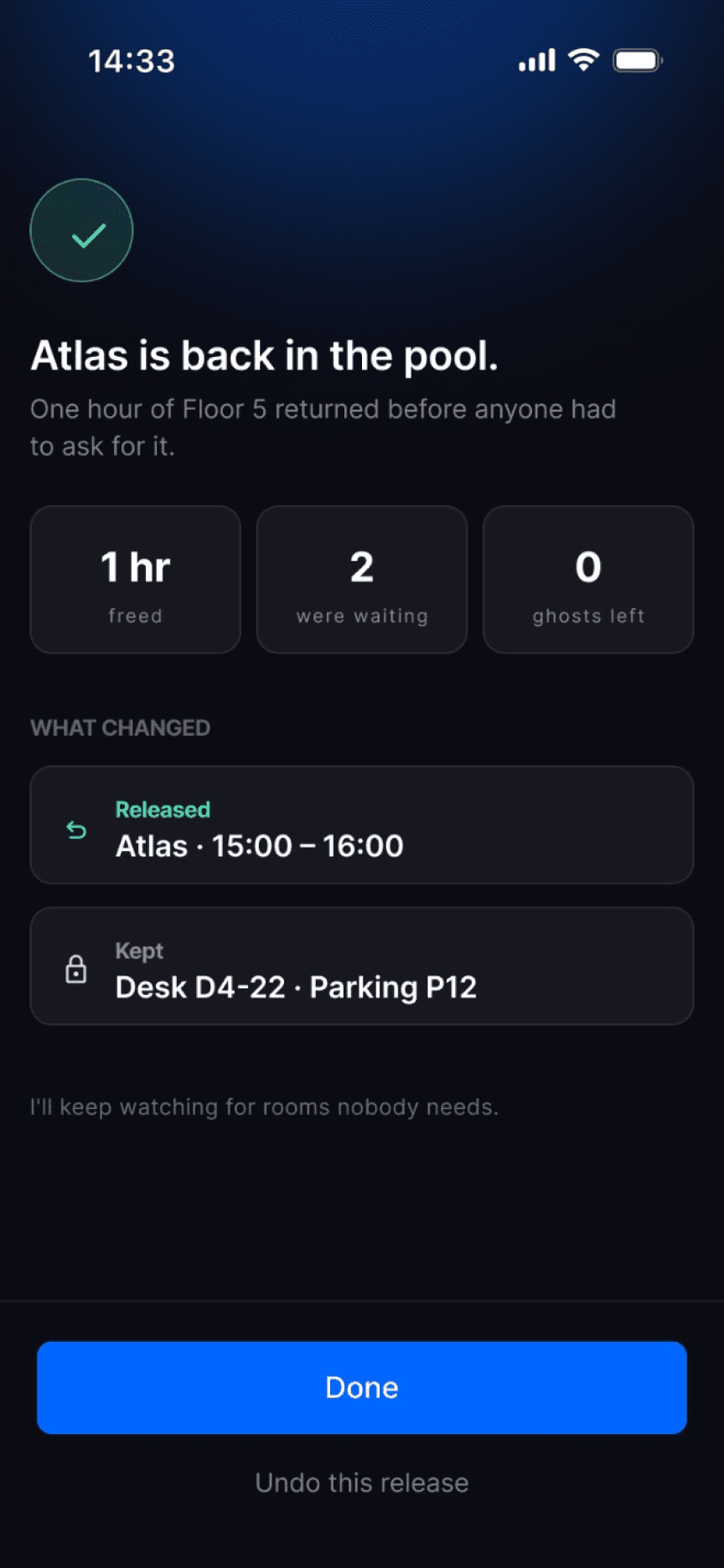
Step 3
3 of 3: Handed back
An hour of Floor 5 goes back to the two people waiting.
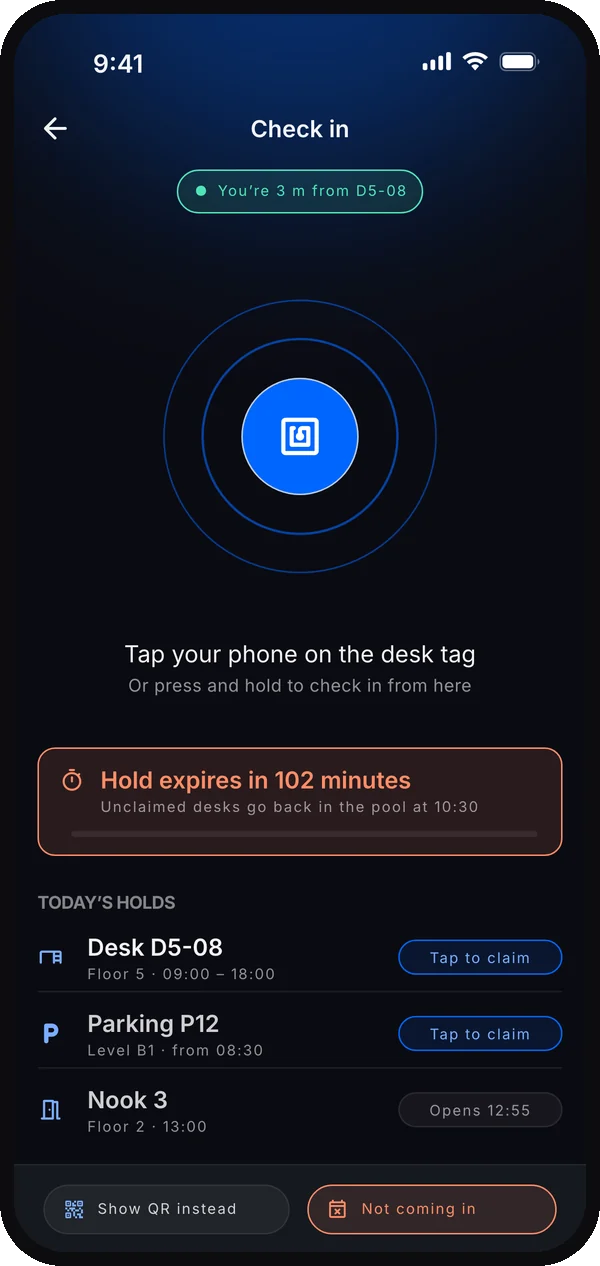
Ghost-booking cleanup asks before release. Auto rebooking follows the chosen permissions; timed holds follow their visible expiry.
Design decision · HAX: support efficient correction ↗ informed the edit and cancel paths below.
Cancelling and changing by hand
When Neha wants to steer, Sync steps back. Any booking can be opened, changed or cancelled directly, and Sync only re-plans if asked.

Step 1
1 of 3: Open any booking
Everything that's held, with plain Change and Cancel buttons.

Step 2
2 of 3: Choose the change
Change the time, swap the desk, move the day, or let Sync handle it.
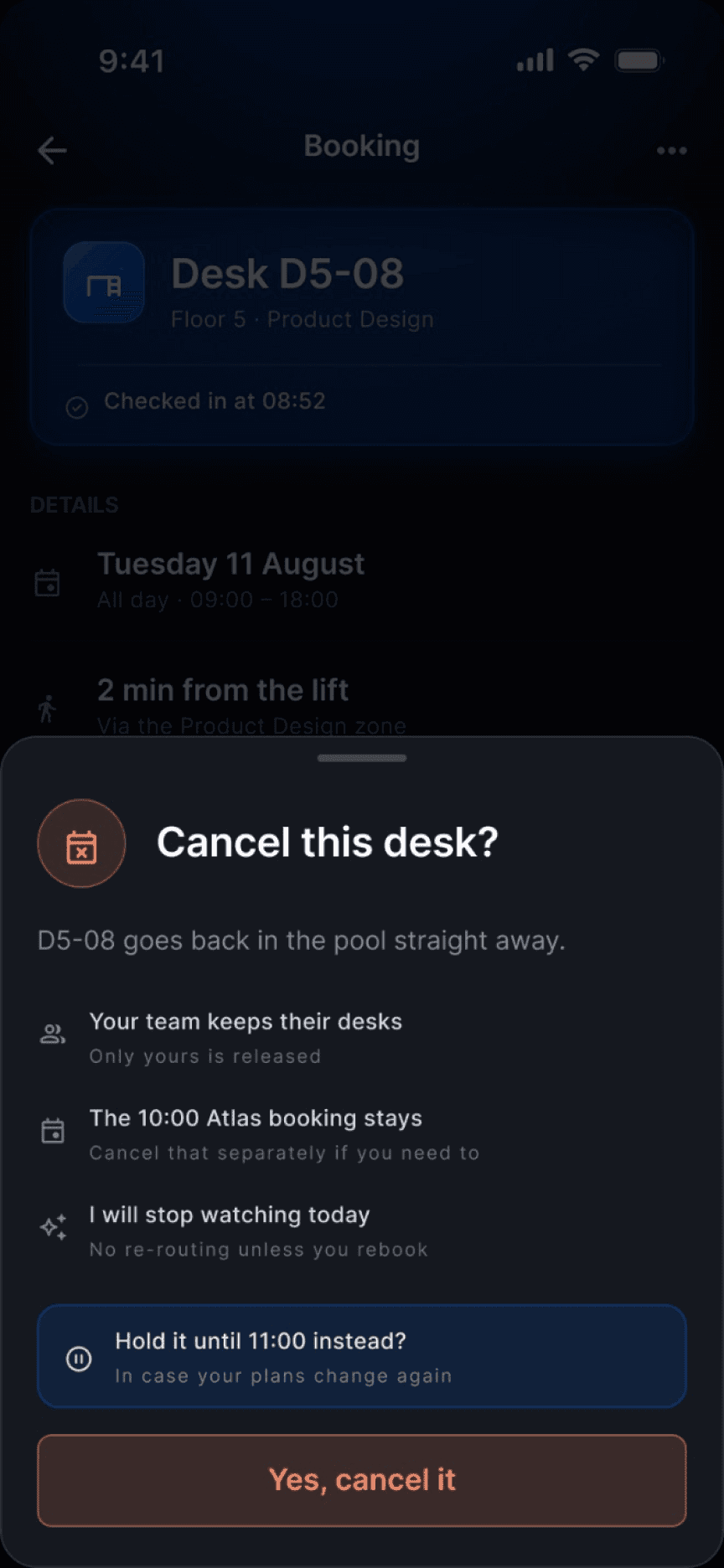
Step 3
3 of 3: Cancel cleanly
The space goes straight back to everyone else.
Sync is a default, never a lock-in. A manual override is always one tap away, and “Keep it as it is” is always an option.
Explore the design system and components
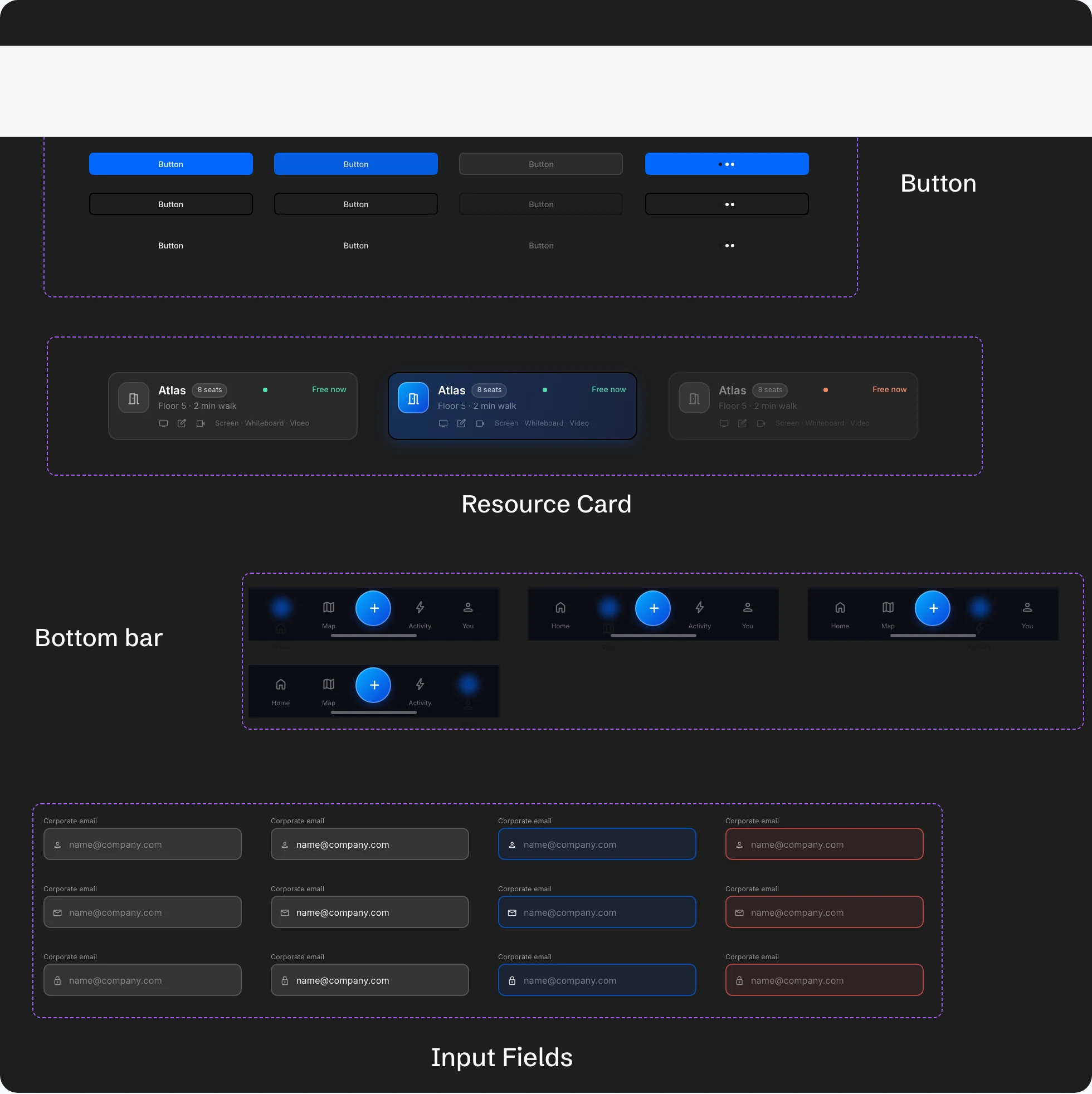
To move fast on a big brief, I used Claude Code with the Figma MCP to build Sync’s design system first: colour tokens, type, variables, and components with variants, all inside Figma.
Typography
Inter
RegularMediumSemi-boldBold
Colour
- Primary#0066ff
- Alert#ff8d67
- Success#4fe3b6
Components