Conductor’s
Digital Companion
A bus ticket flow for one thumb, a moving aisle and full sun.
October 2026 · PMPML, Pune
Photos taken with consent. Other faces remain blurred. The interview was in Marathi; quotes are my translation.
The brief.
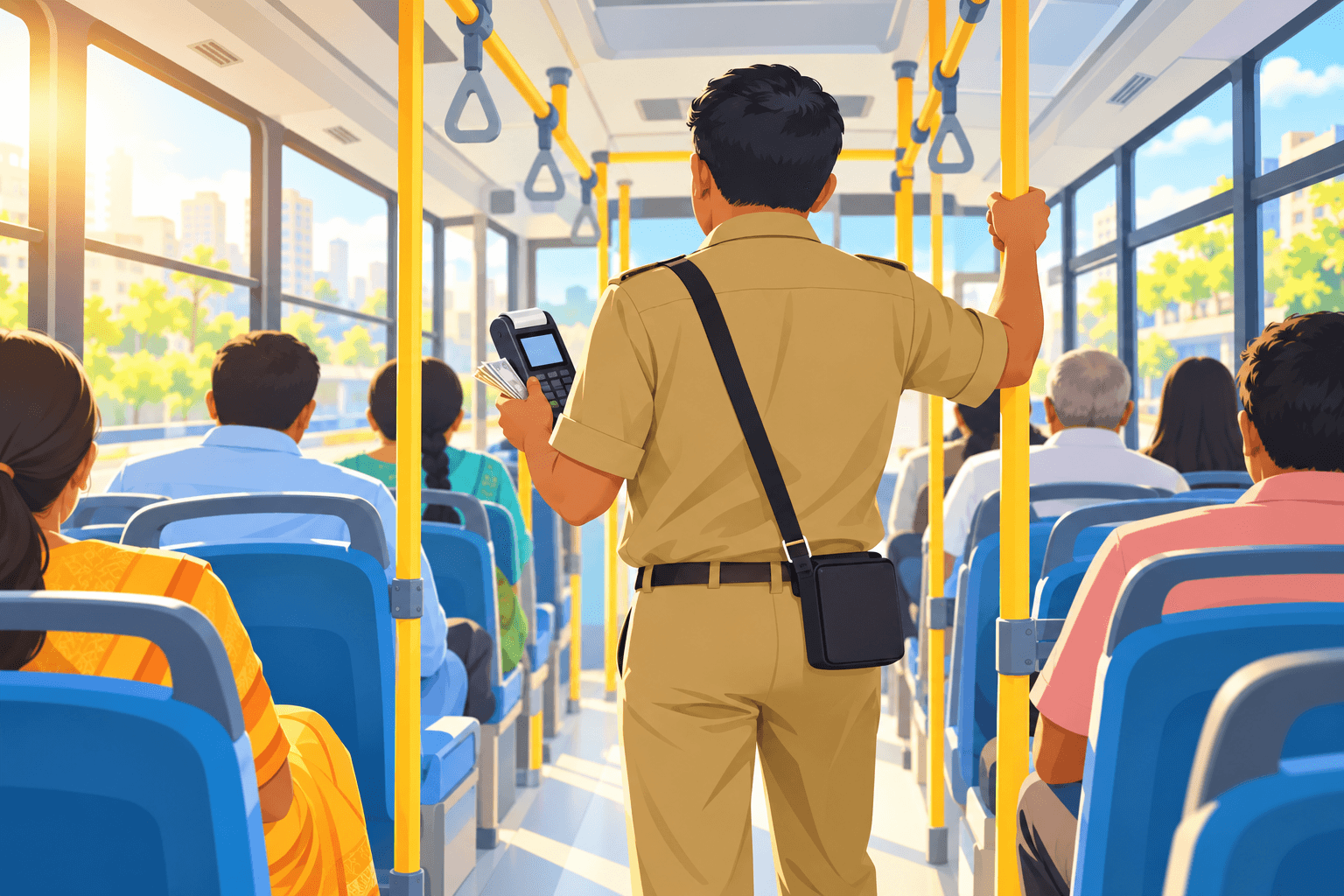
Pune’s bus conductors issue every ticket on a handheld machine, standing in a moving aisle with cash in the other hand. I redesigned the ticket screen around that reality.
- My part
- Everything: depot visits, the interview, sketches, screens and the clickable prototype.
- Setting
- PMPML, Pune’s city bus service. Conductors issue every ticket on a handheld machine.
- Status
- Concept with a working prototype. Checked once at home, not yet on a bus.
The target for a routine ticket
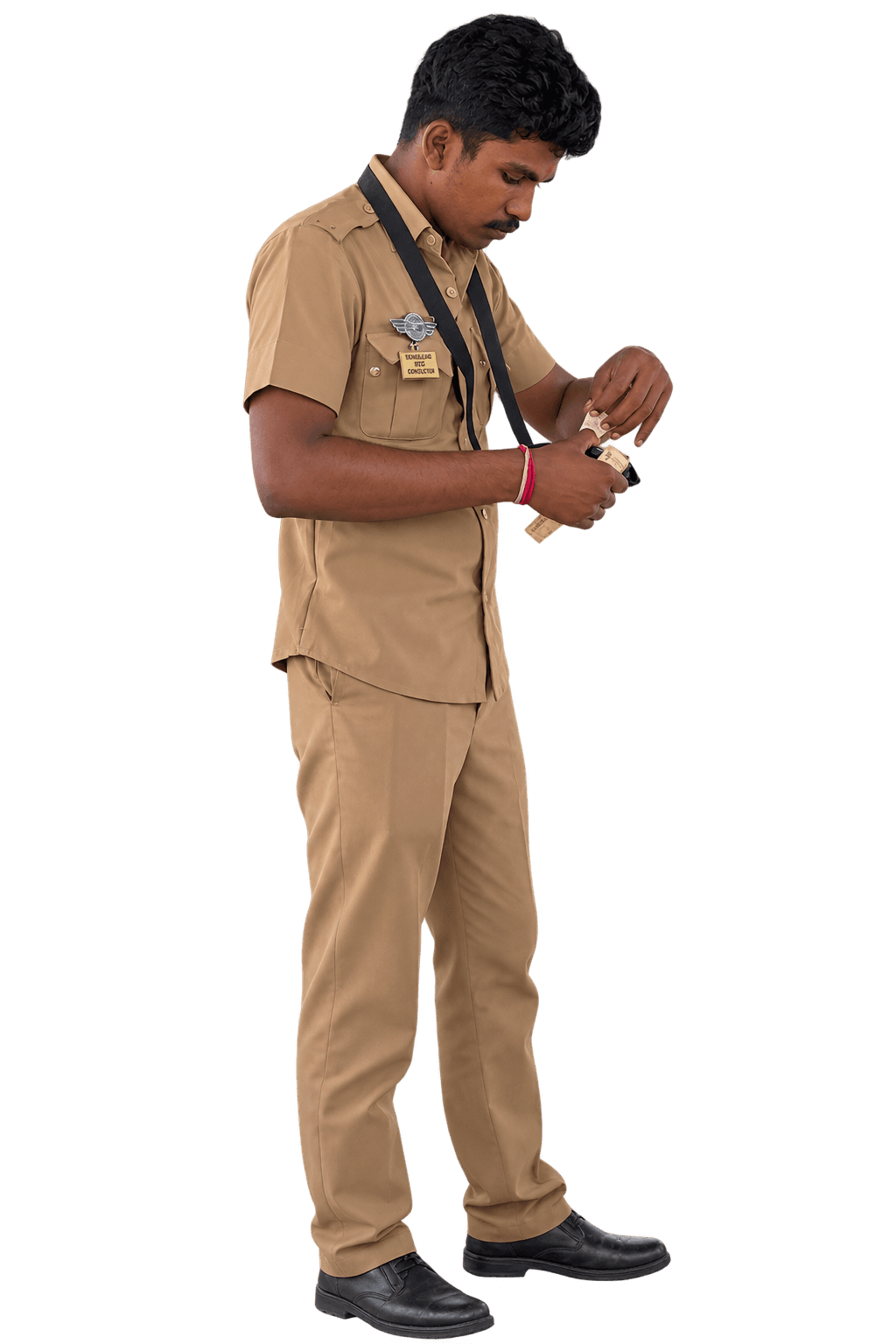
Every ticket answers three questions
- Where are you going?
- How many of you?
- Cash or UPI?
So the screen should ask them in that order, and nothing else.
Secondary research: ten years of machines.
Before the depot, I traced how PMPML moved from paper books to keypads, touchscreens and UPI.
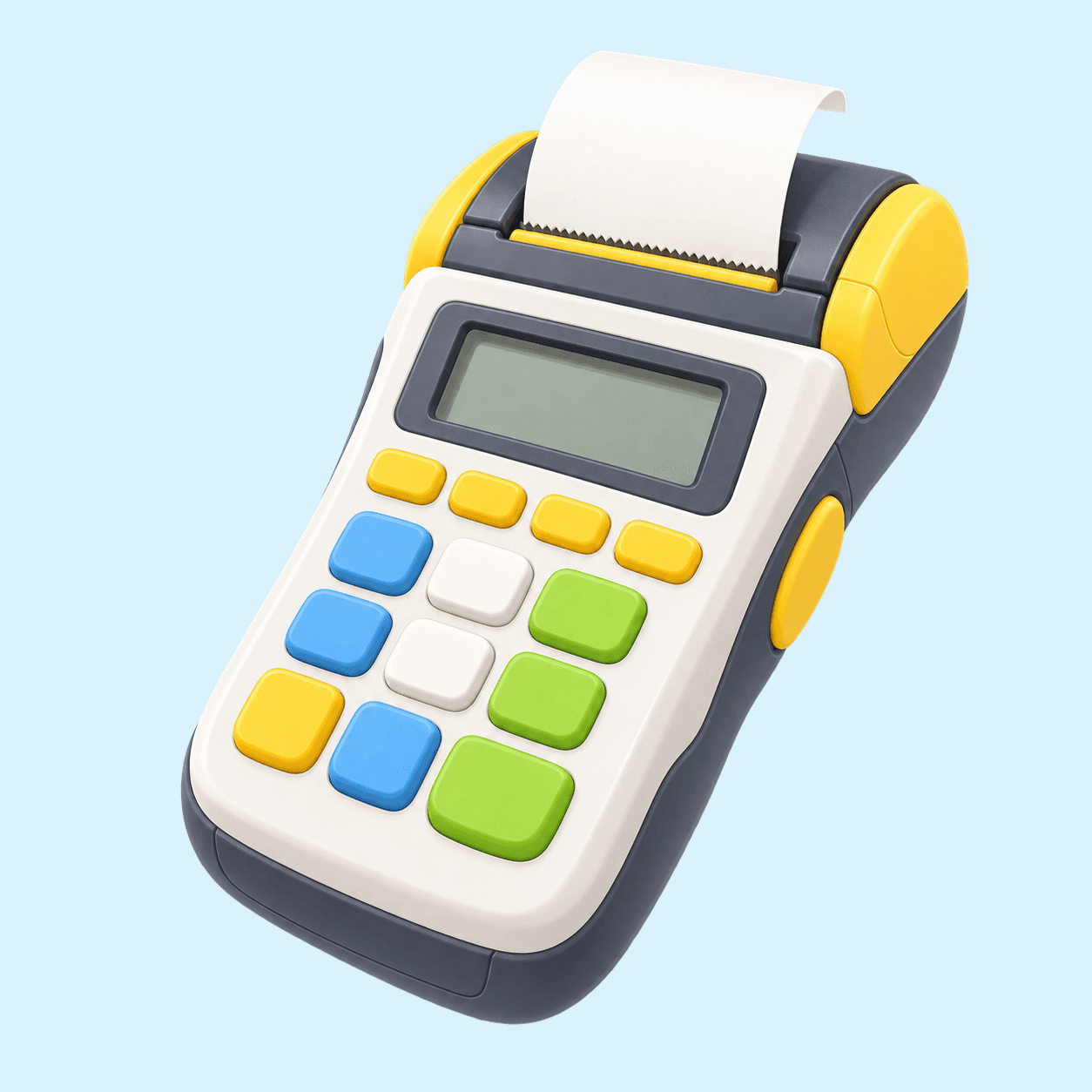 2015E-ticketing beginsKeypad machines replace paper ticket books.
 2021A new contractA replacement ticketing system is awarded.
 2022Touchscreens arriveAndroid machines with built-in printers.
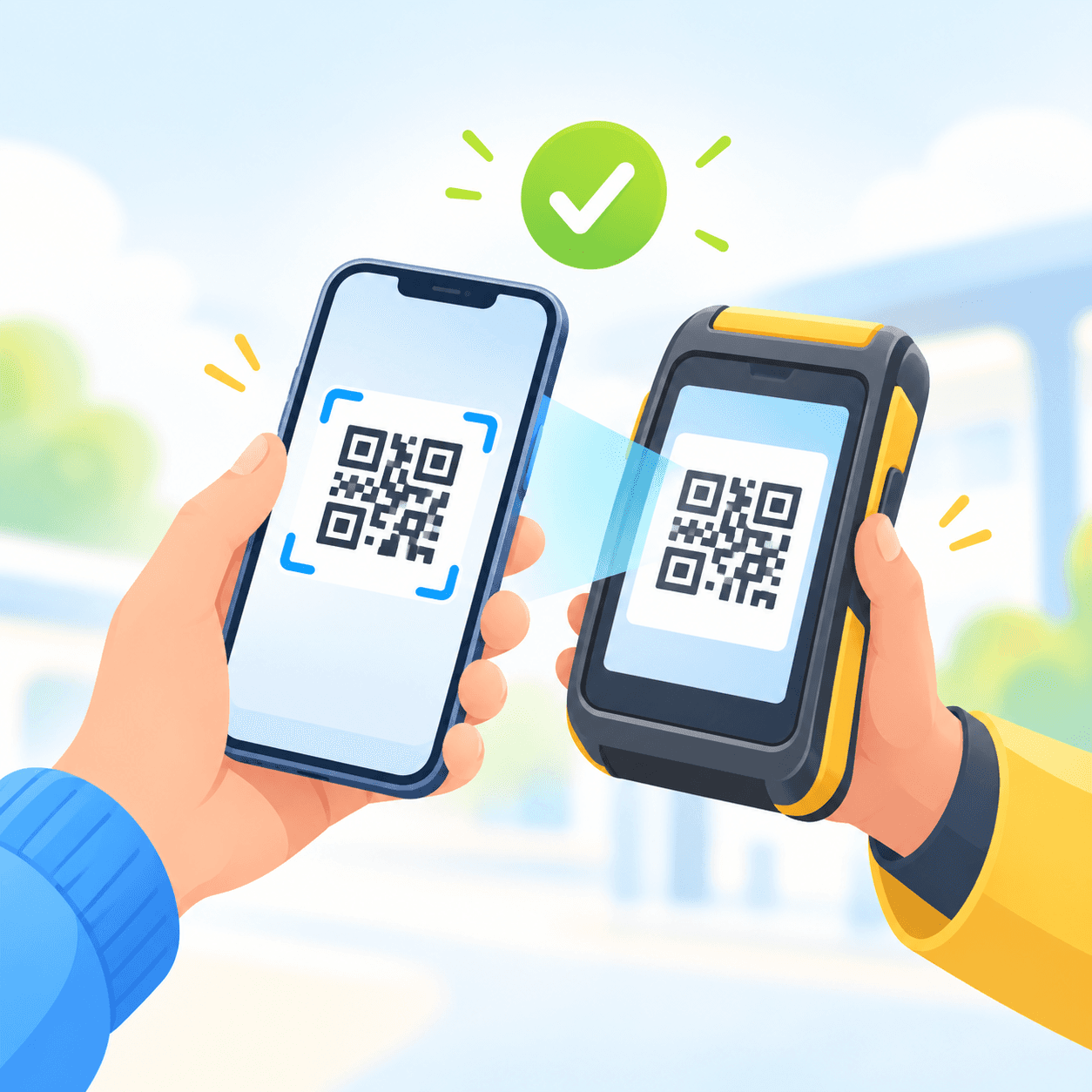 2023UPI on boardPassengers can scan a QR to pay.

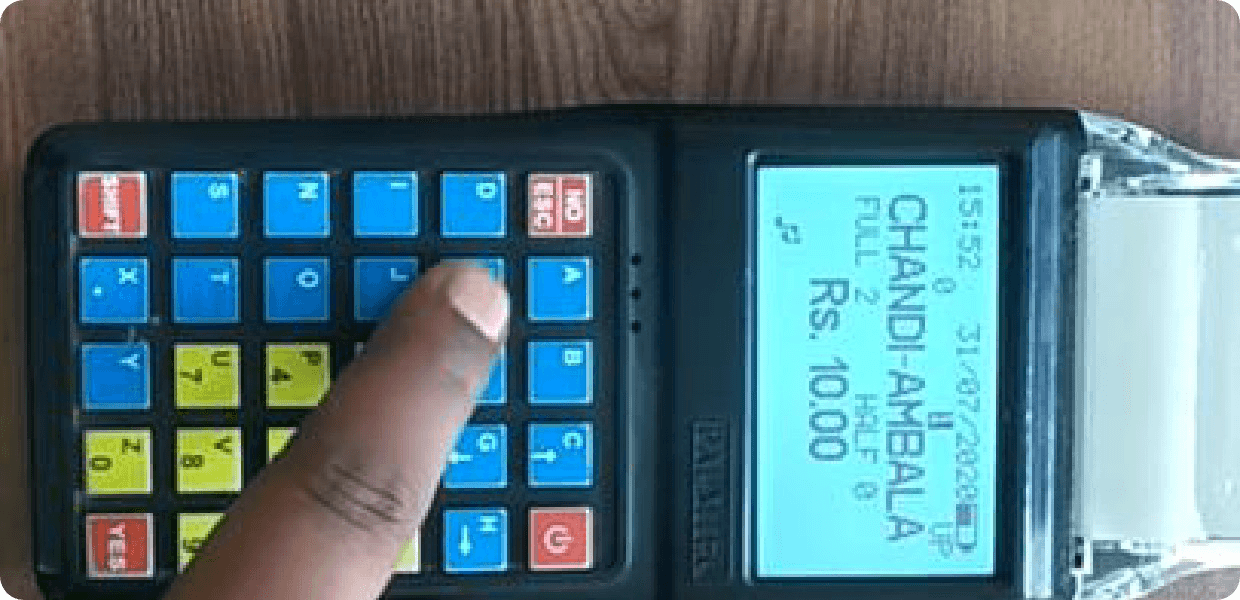
What desk research told me
- The bus already knows where it is. PMPML’s passenger app tracks buses live, and the machine itself runs Android with GPS.
- Keypads had one thing right. Fixed keys build muscle memory. A touchscreen has to earn that back with fixed positions.
- Battery isn’t the bottleneck. The conductor told me one charge lasts a full shift.
Field research: on the bus.
Desk research shows what the machine can do. It doesn’t show a conductor using it in a crowded aisle, so I went to see.
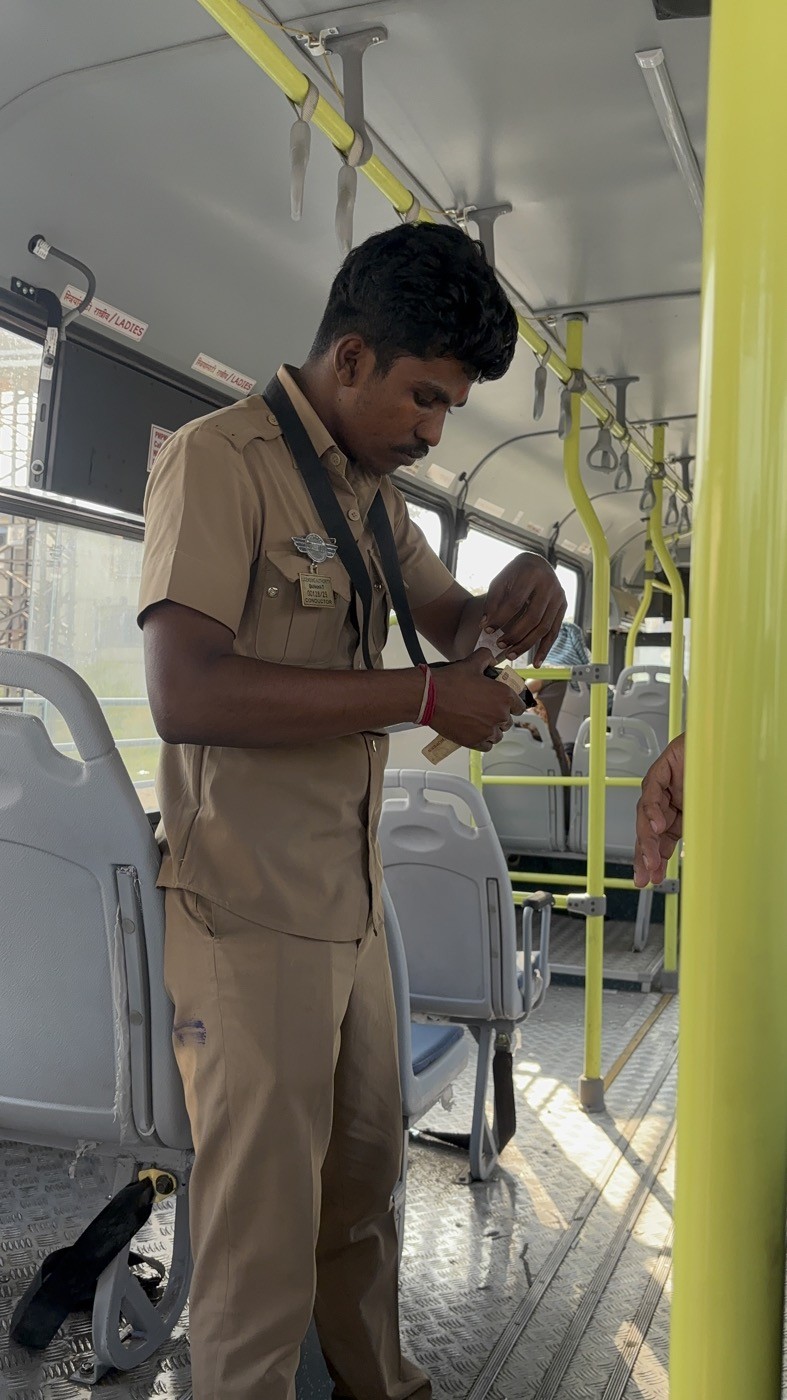
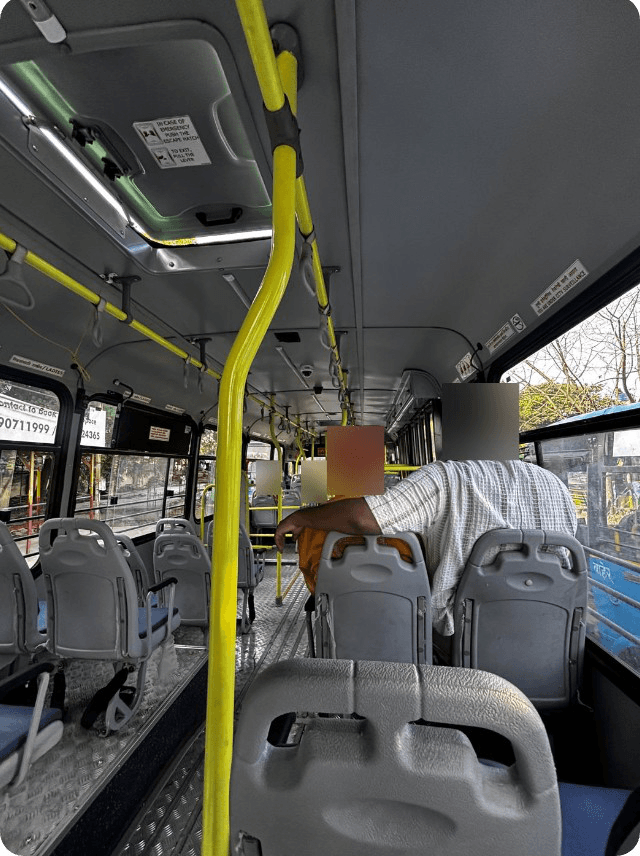
- Depot visitsHadapsar and Manjari, 6 October
- Ride alongWatched tickets issued in a moving bus
- InterviewOne conductor, recorded in Marathi
- Wore the machineStrap, pouch and all

From the interview recordings
I recorded the conductor walking me through his machine, then transcribed and translated it. Tap Marathi to read the original.
Issuing a ticketMain demo, 104 s
“You select it first, yourself: where the passenger is going.”
Marathi
हा मग हे तुम्ही पहिला सिलेक्ट करता … कुठं जायचं हा तुम्ही करता स्वतः …
He sets the stop by hand on every ticket, then the count, then Print. UPI opens a QR scanner.
Paying by UPIMain demo, 75–104 s
“The ticket only prints if the money actually goes through.”
Marathi
… स्कॅन जर पैसे गेले तरच तिकीट निघतं …
If money is taken but nothing prints, it’s reported to the office and refunded later.
A group ticketGroup booking, 56 s
“Two ladies, two gents, then the children: two boys, two girls.”
Marathi
… दोन लेडीज. दोन जेंट्स. चिल्ड्रन … मुलं दोन मुली दोन.
Every passenger type has its own box, filled one at a time.
Repeat and refundsGroup booking, 25–56 s
“Repeat repeats the previous ticket. Press that option and the money is refunded.”
Marathi
… रिपीट म्हणजे मागं ते रिपीट आहे … ते पैसे परत रिफंड होतात.
Recovery exists, but sits behind buttons whose names don’t say what they do.
CancellingFunction screen, 11 s
“Press Not for Sale. That cancels it, because the ticket wasn’t processed.”
Marathi
… नॉट फॉर सेल दाबणार … ते कॅन्सल होतं.
Cancelling a ticket lives in a different menu from the Cancel button.
What he said, and what I saw
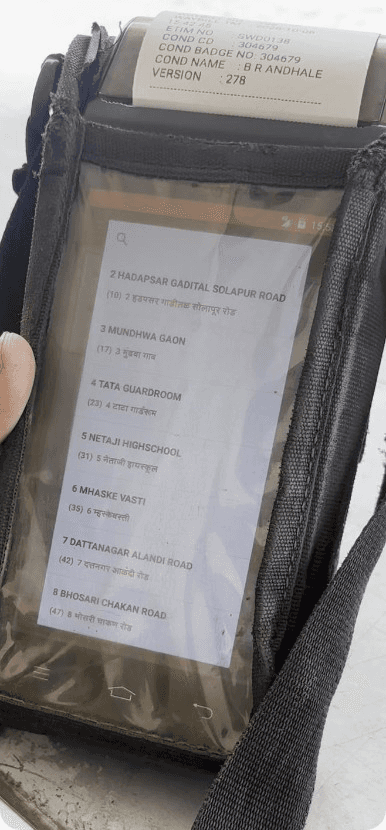
- Search existed, but he scrolled. Typing on a shaking bus through a pouch is slower than scrolling.
- The boarding stop was set by hand, even though the bus is tracked by GPS.
- Taps missed. The pouch made some touches fail, so he tapped again.
The problem: one ticket, eight steps.
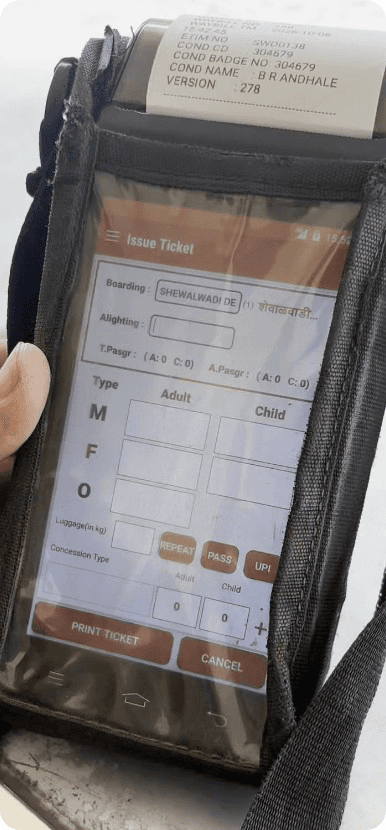
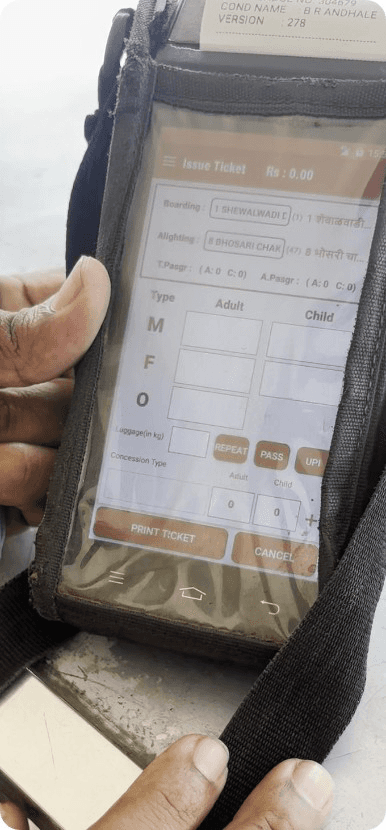
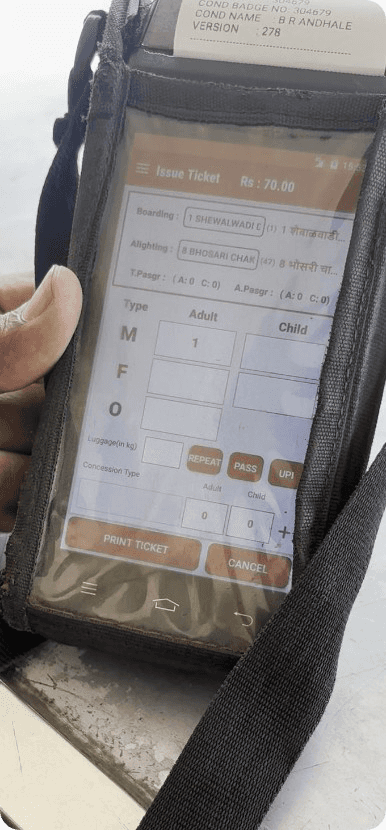
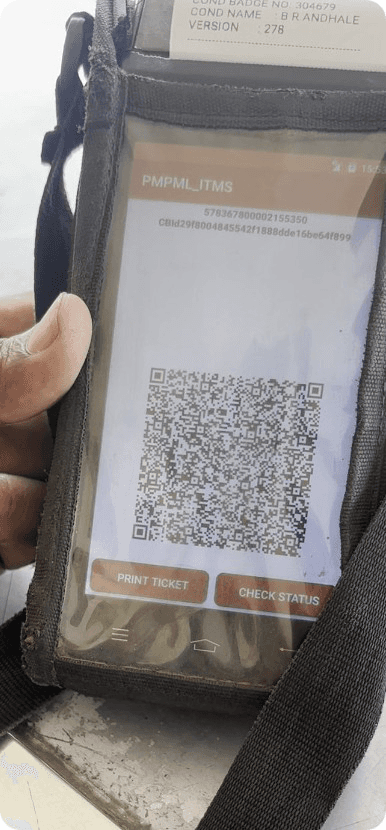
I filmed a full ticket from the form to the printer. Every step below is from that recording.


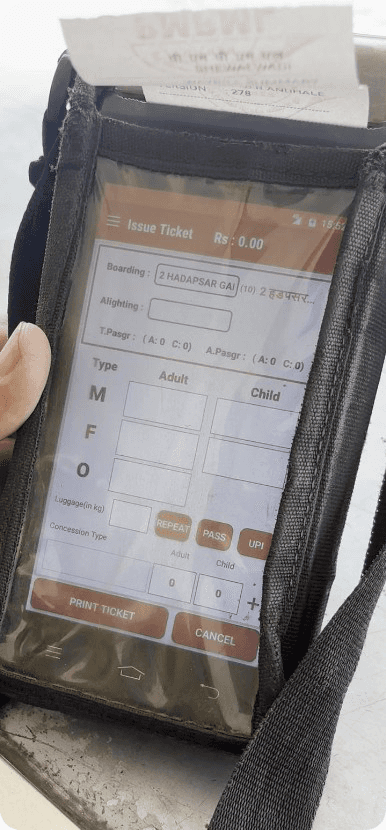
The UPI back-loop
Tapping UPI skipped the preview. Back went round in a circle.
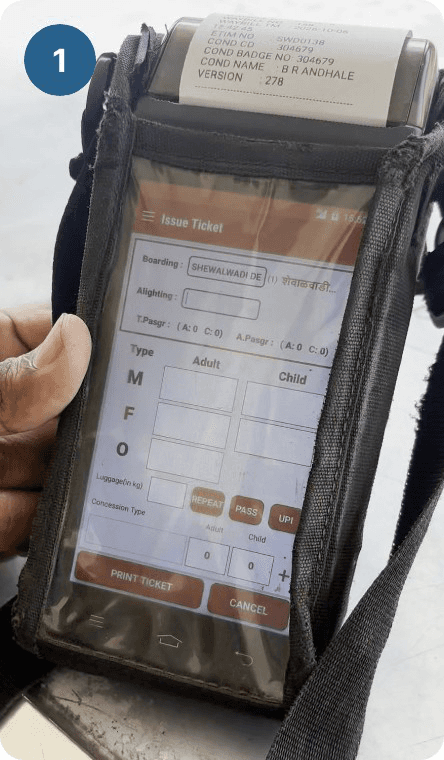 1Tap UPI on the form.
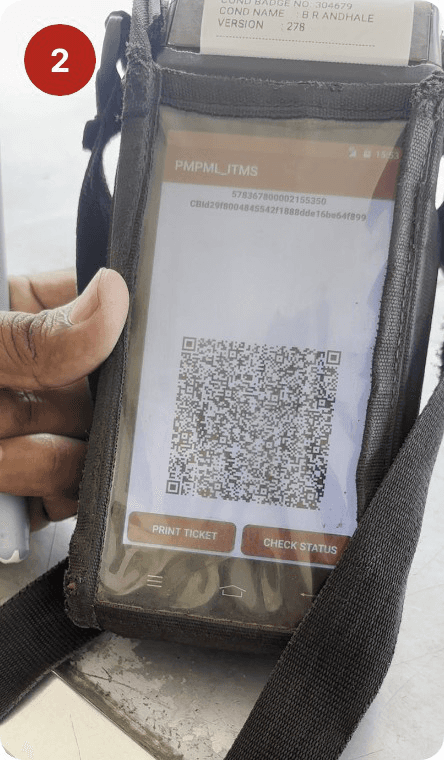 2The QR opens, skipping the preview.
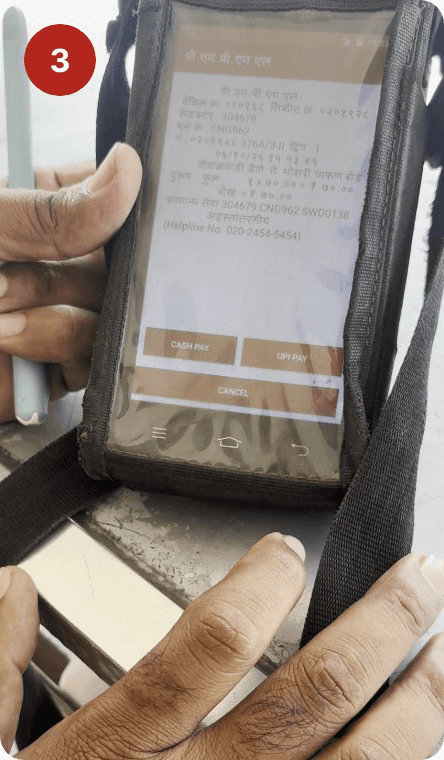 3Back opens the preview it skipped.
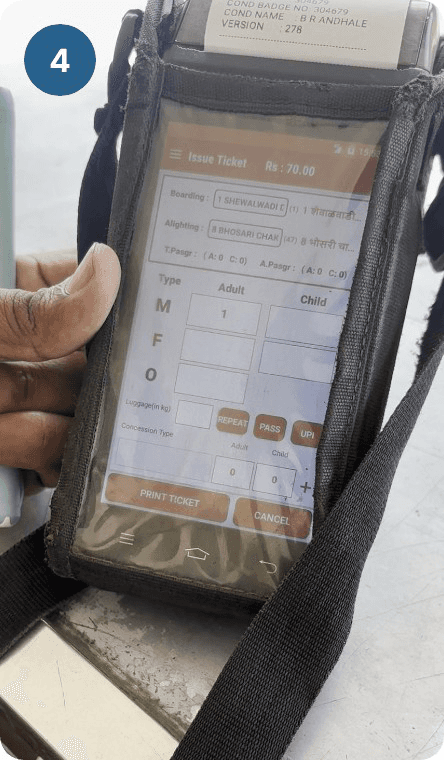 4Back again returns to the form.
So in my flow, the QR only opens after Review, and Back always goes one step back.
A button audit
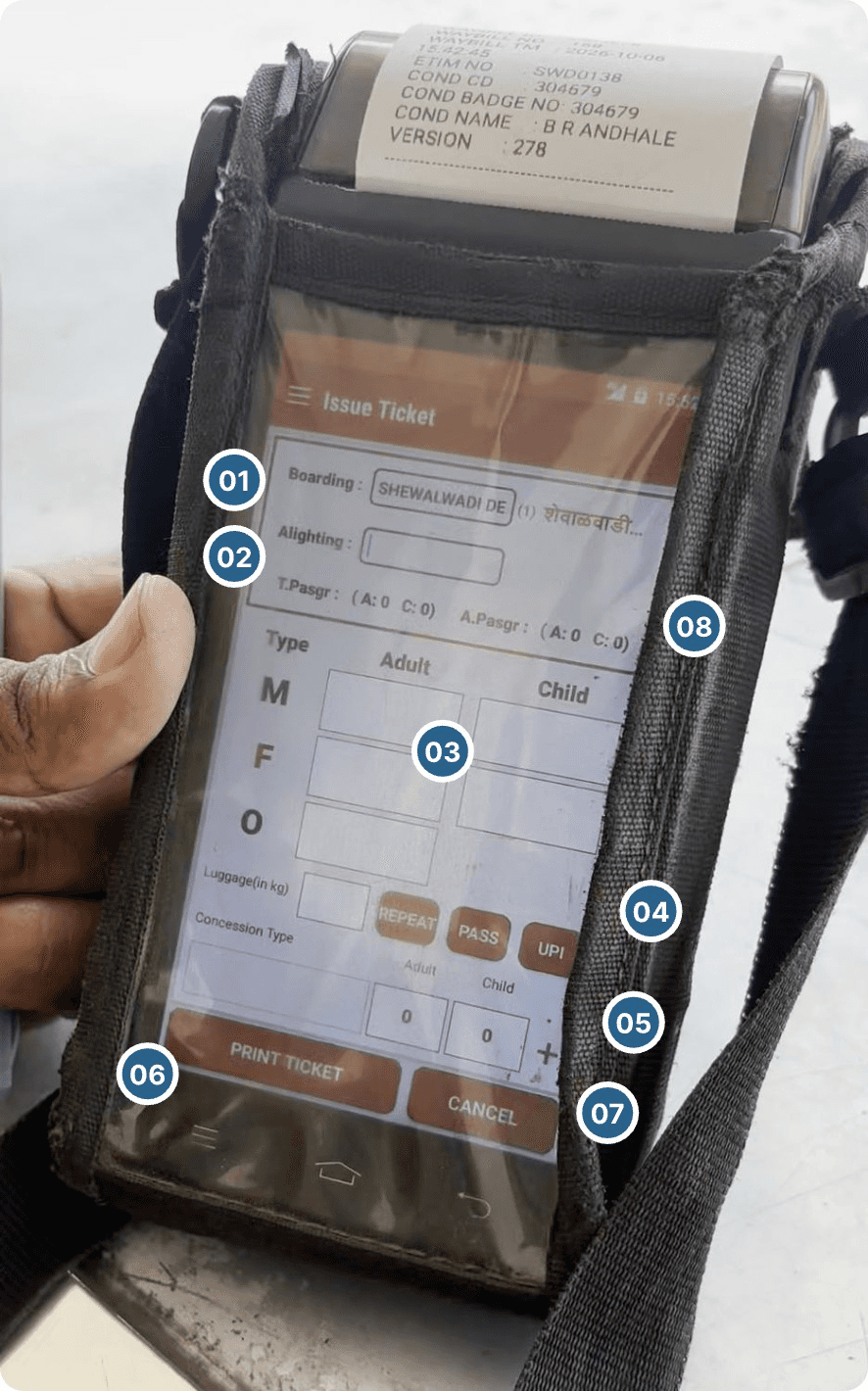
What I took from it.
How might we
Help conductors issue routine tickets with one thumb, even as the bus moves and jolts?
The machine was already digital. The time went into scrolling, repeated taps and backtracking.
Four rules for every screen
- EnvironmentTaps, not typing
The bus shakes and the pouch dulls every touch. Anything typed becomes a tap on a list.
- HierarchySignal before noise
Stop, counts and fare first. Everything rare waits one tap deeper.
- ReachThe main action under the thumb
Review and Print sit bottom-right. Clear sits where a slip costs little.
- FeedbackThe machine answers every tap
Numbers change on the tap. The printer and a short buzz confirm a ticket.
Assumptions I designed for
Ideation: three problems, sketched first.
I split the screen into three problems and sketched each on paper before opening Figma. Every idea below was tried; most were dropped for a reason.
1Destination
Boarding was changed by hand at every stop, and the list ran past 15 names.
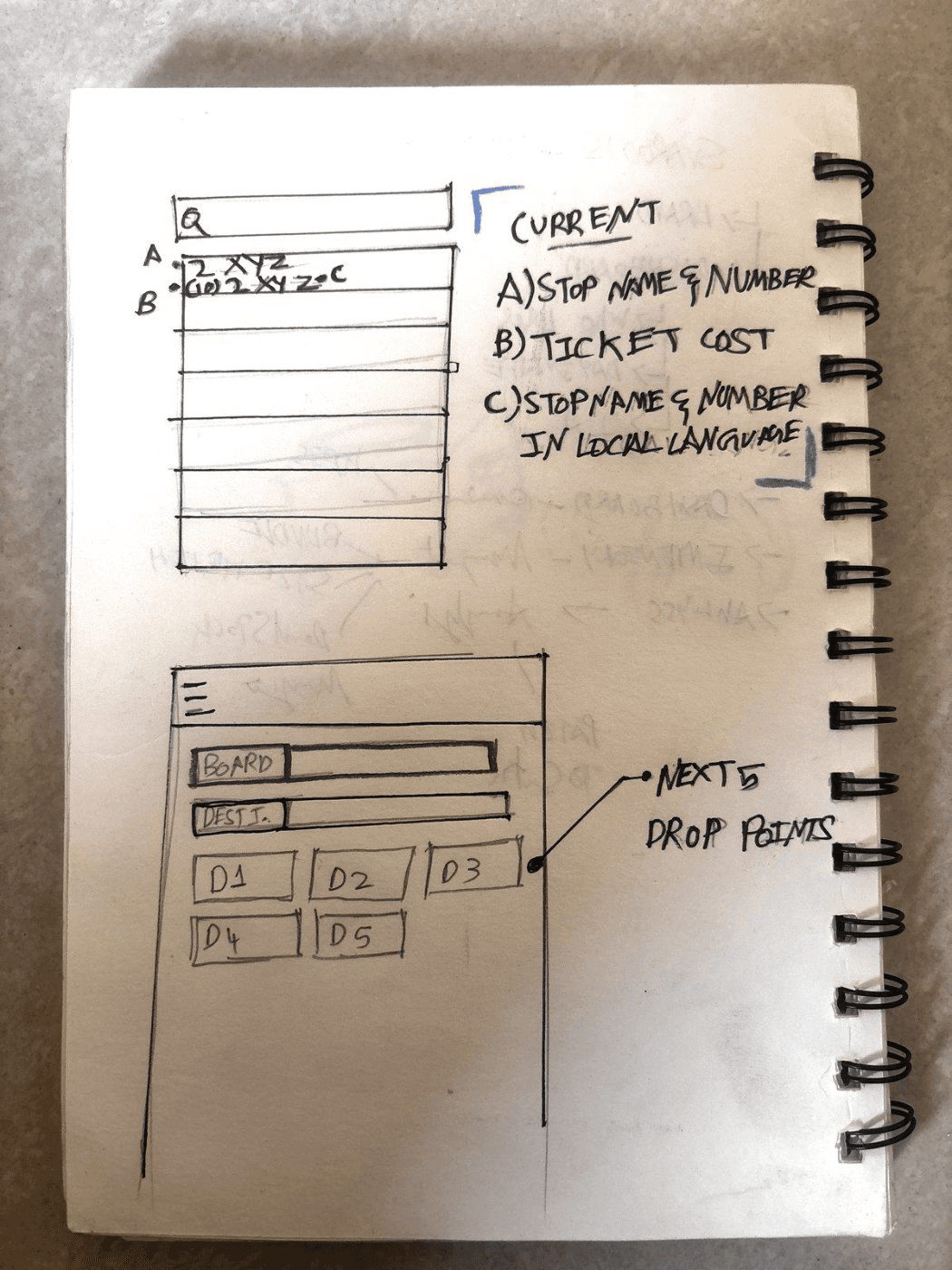
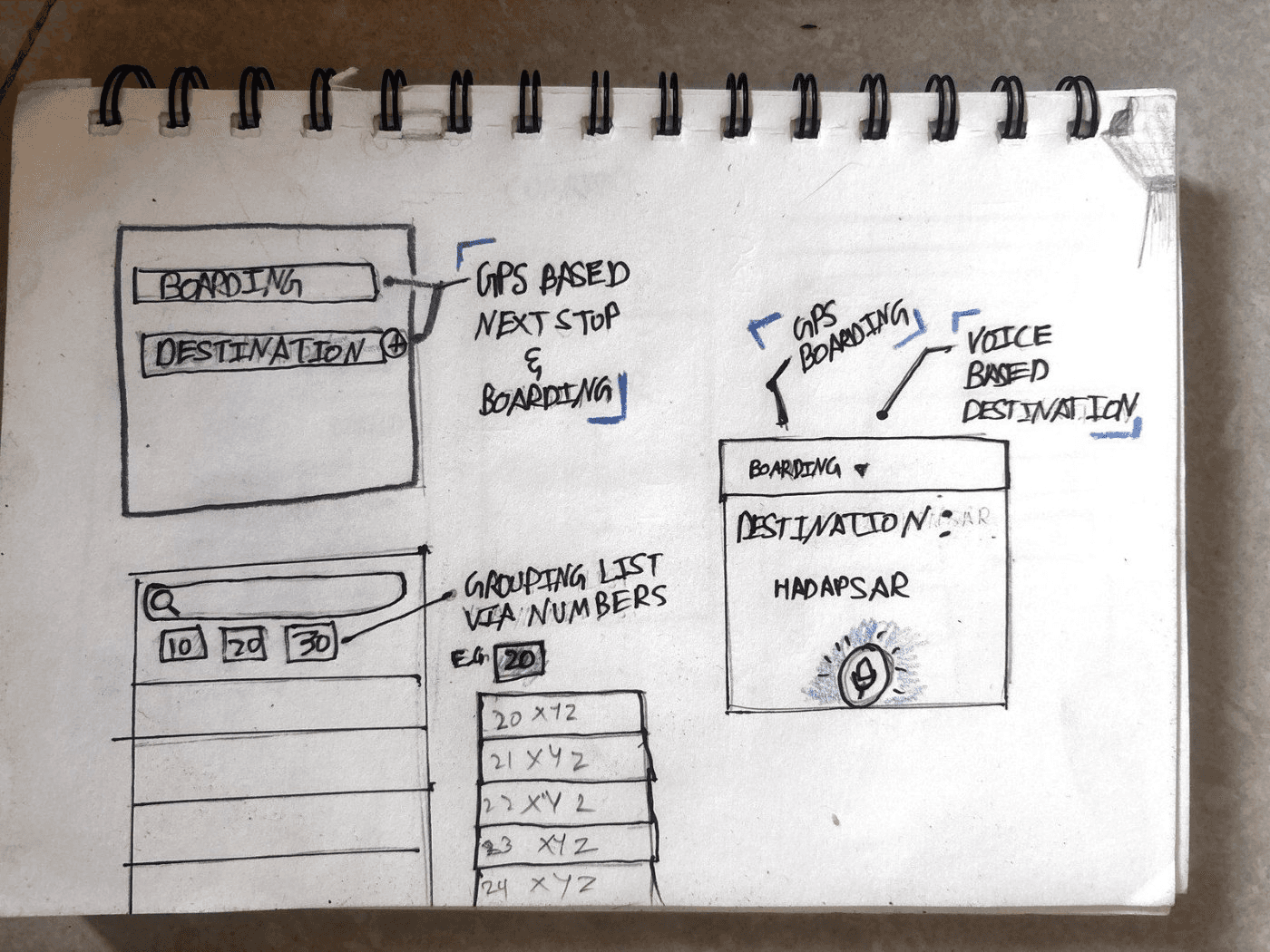
- KeptGPS fills the boarding stopThe bus is already tracked. Both stops stay editable.
- RefinedFive nearby stops, then threeThree fit without scrolling or turning the screen into boxes.
- KeptStops grouped by numberRanges like 08–12 jump straight to the right block.
- DroppedVoice destinationConductors already ask “where?”, but bus noise and local names break recognition.
- DroppedSearch firstTyping through a pouch on a shaking bus is slow.
Chosen: GPS boarding, three nearby stops and a list grouped by stop number.
2Passenger counts
Each count took two taps and showed nothing until the pop-up closed.
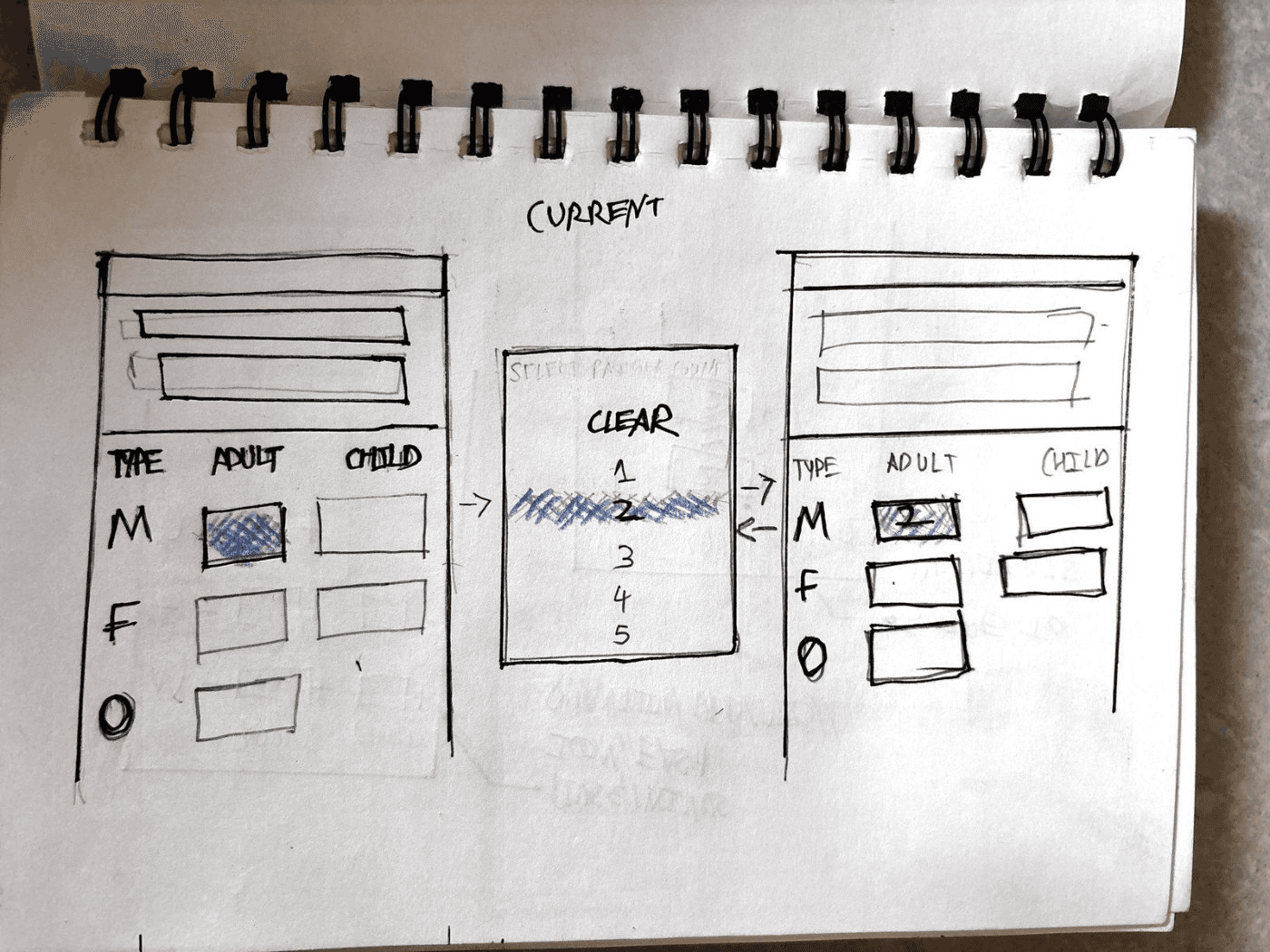


- Kept+ and − on every boxOne tap per passenger, with the number right there.
- KeptTap the number for a padQuicker for groups: two taps to jump straight to 4.
- DroppedSwipe to copy a countOn a moving bus, a swipe reads as a scroll.
- DroppedAdult and Child as tabsA tab hides the other count.
- DroppedA / C / S lettersMore labels to decode at a glance.
Chosen: Visible + and − for small changes, a pad for bigger groups. Progressive disclosure.
3Buttons and payment
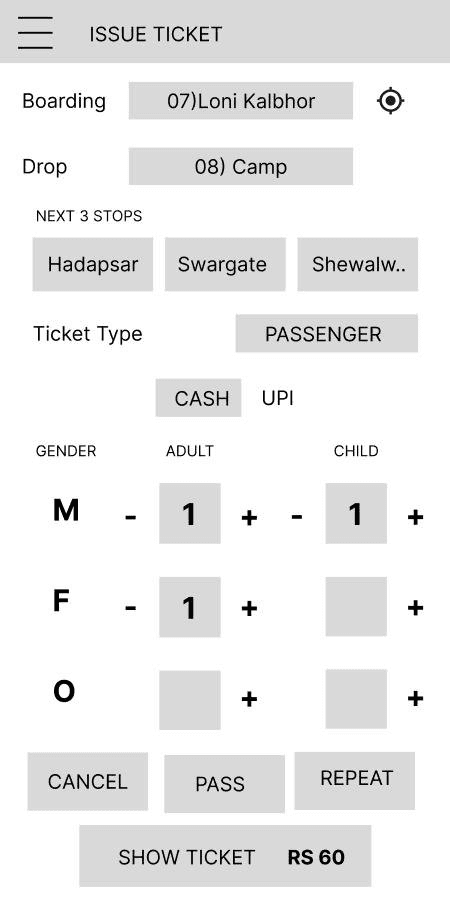
UPI skipped the preview, Back looped, and the + beside Child could mean three things.
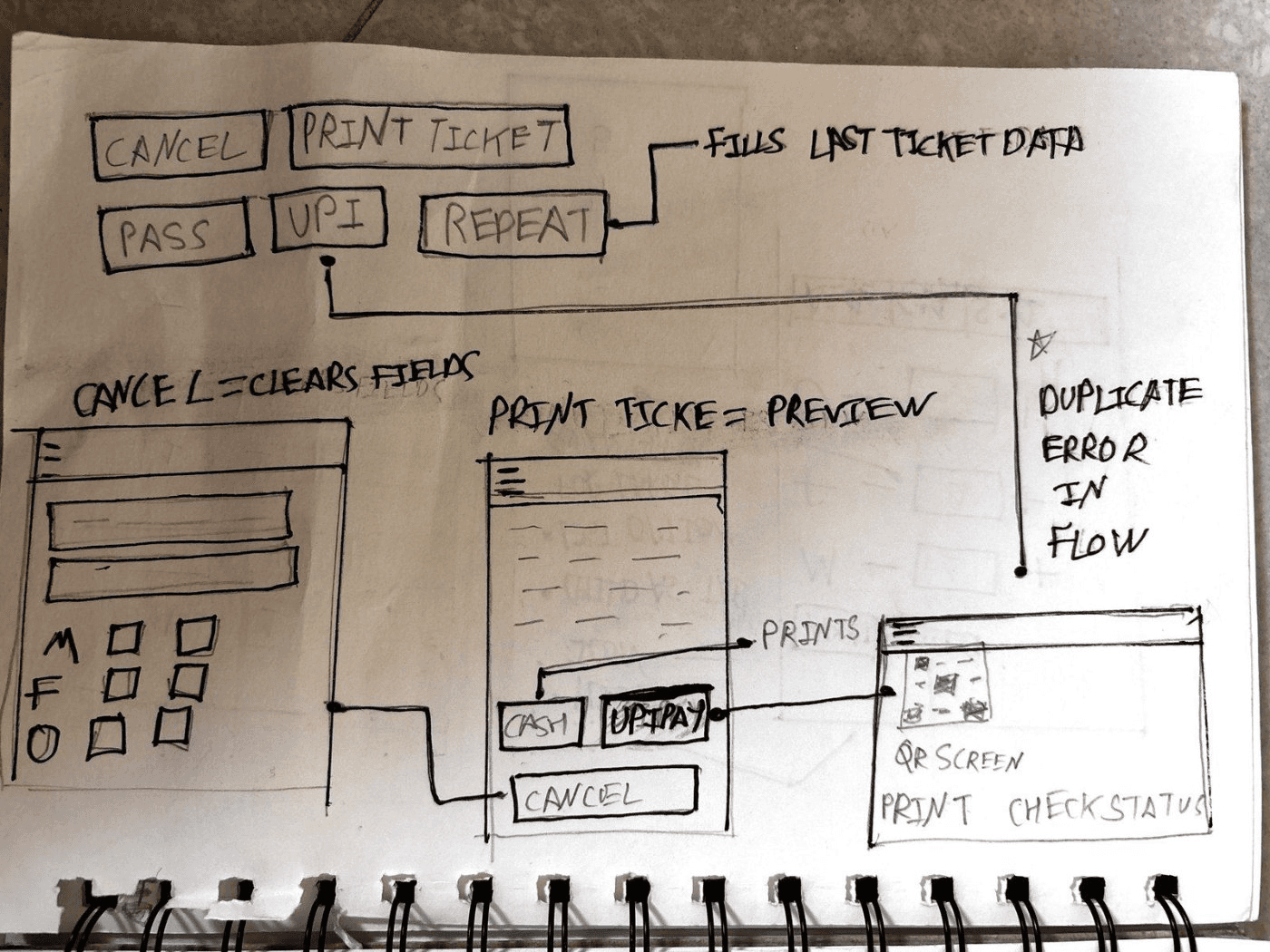
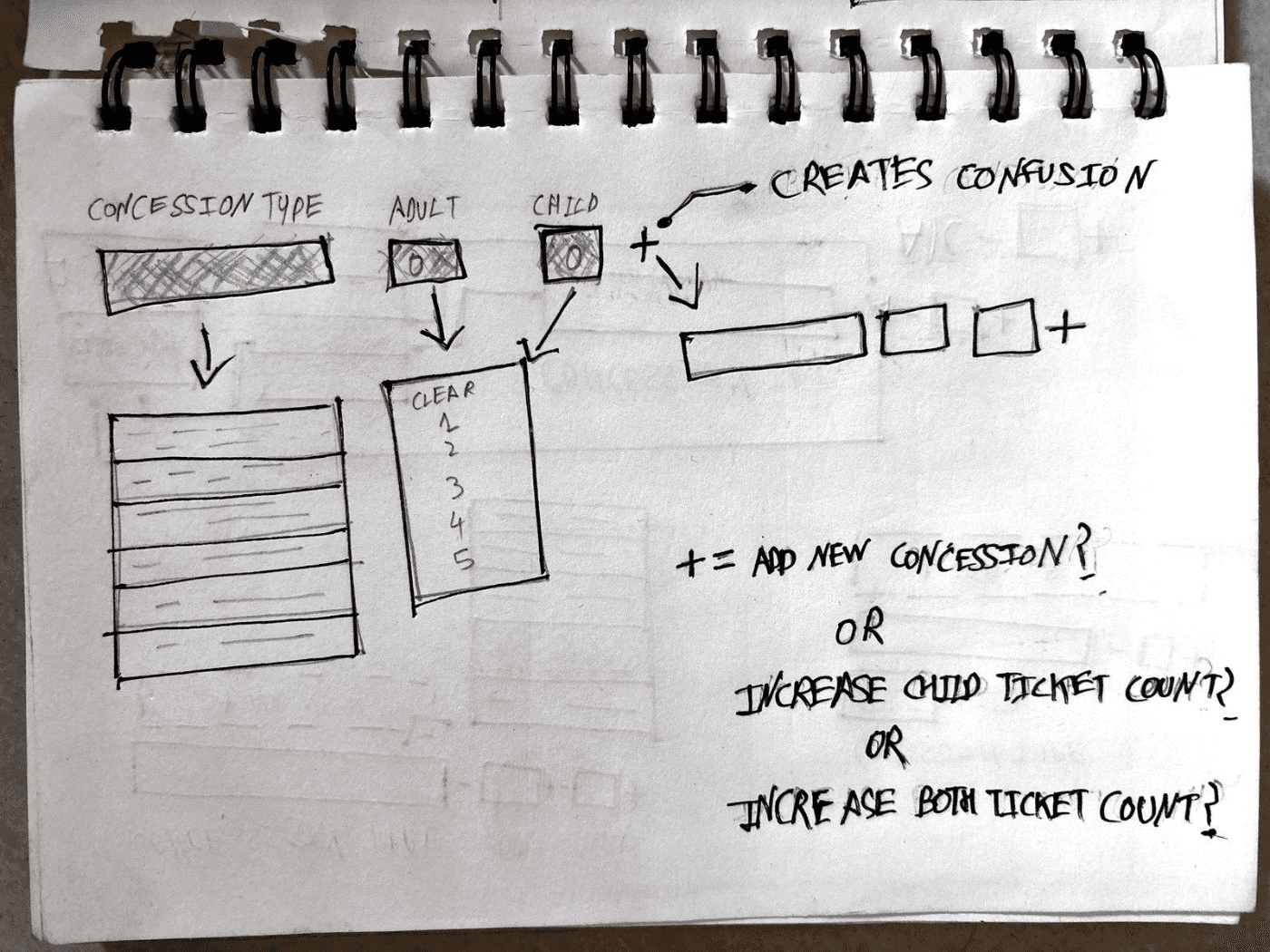
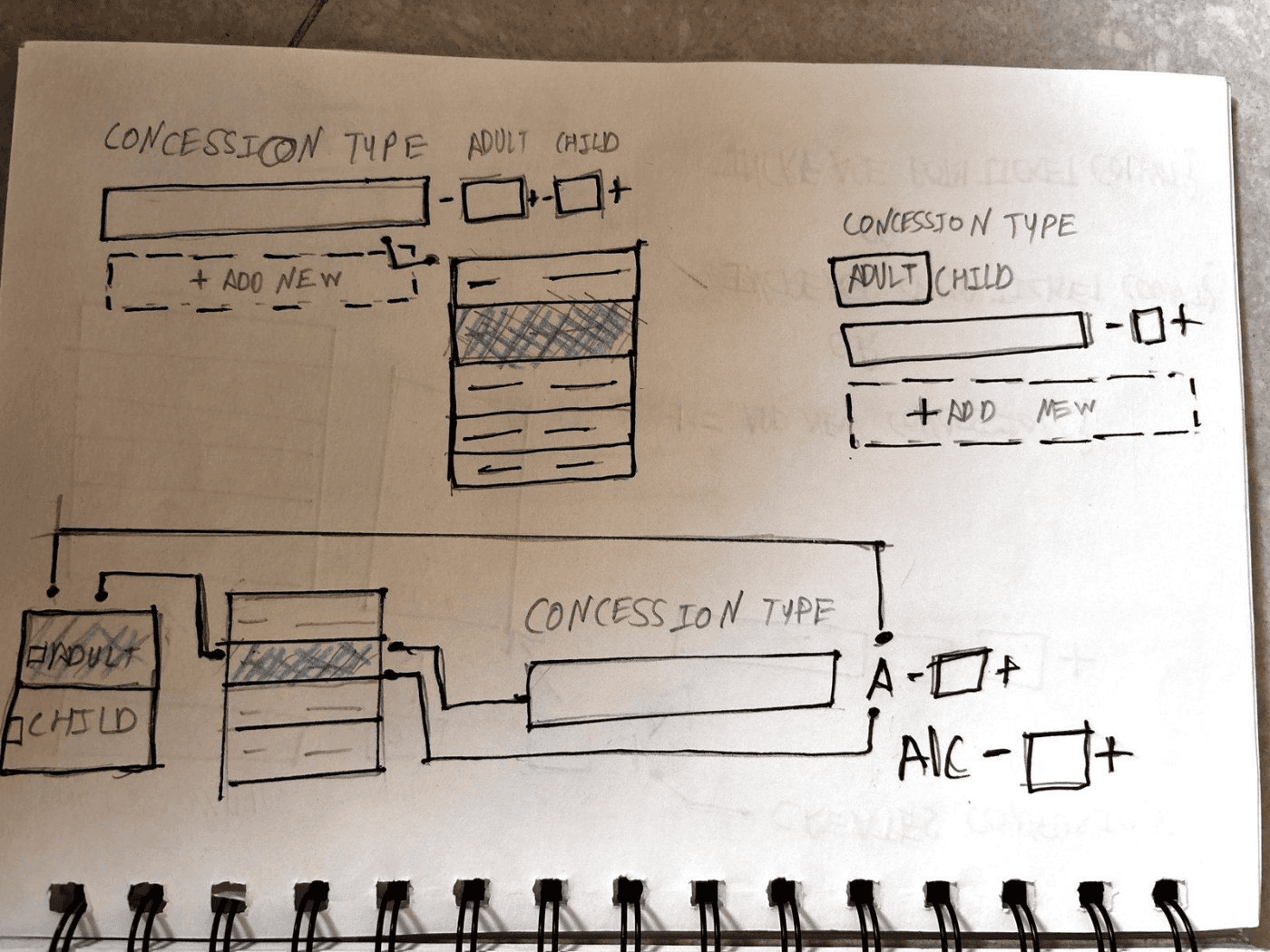
- KeptReview before paymentReview moves under the thumb. The QR opens only after it.
- KeptPlain labelsCancel becomes Clear. Pass becomes New pass.
- RefinedConcessions get a tab“+ Add another type” replaces the mystery +.
- DroppedTicket type as a dropdownEach choice changed the form below it and made the screen scroll.
Chosen: Review before payment, plain labels and a separate concession tab.
From paper to wireframes



Try it: print a real ticket.
Before the final screens, here’s the flow working. Pick the stop, add passengers, review and pay. The ticket prints out of the top, like on the machine.
Try it
Issue the brief’s ticket.
One man, one woman and one boy to Hadapsar, paid in cash. Tap the machine like a conductor would.
- Tap Hadapsar
- + one man and one woman (adult)
- + one boy (Men, child)
- Review, then take cash and print
Fares are illustrative. Once printed, drag the ticket to tear it off, or tap Clear.

From07 Loni KalbhorGPS
To08 Camp
Later stops
The solution: six taps from stop to print.
The same ticket as the brief: one man, one woman and one boy to Hadapsar, paid in cash.
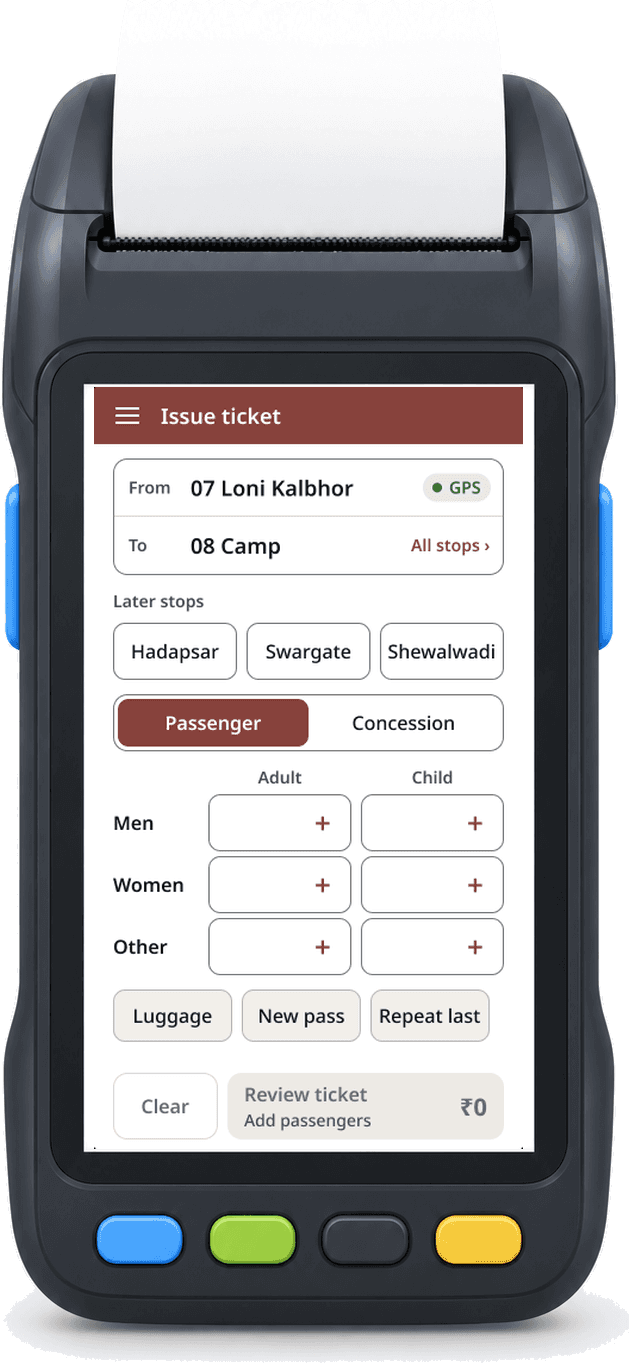
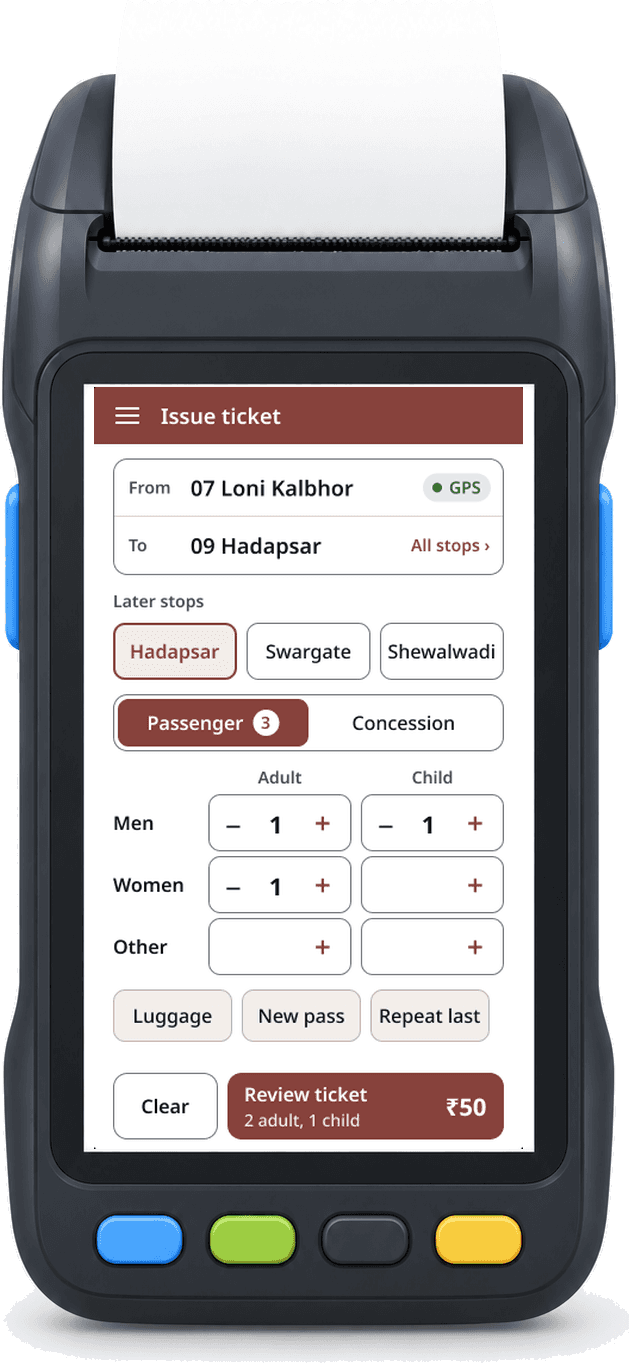
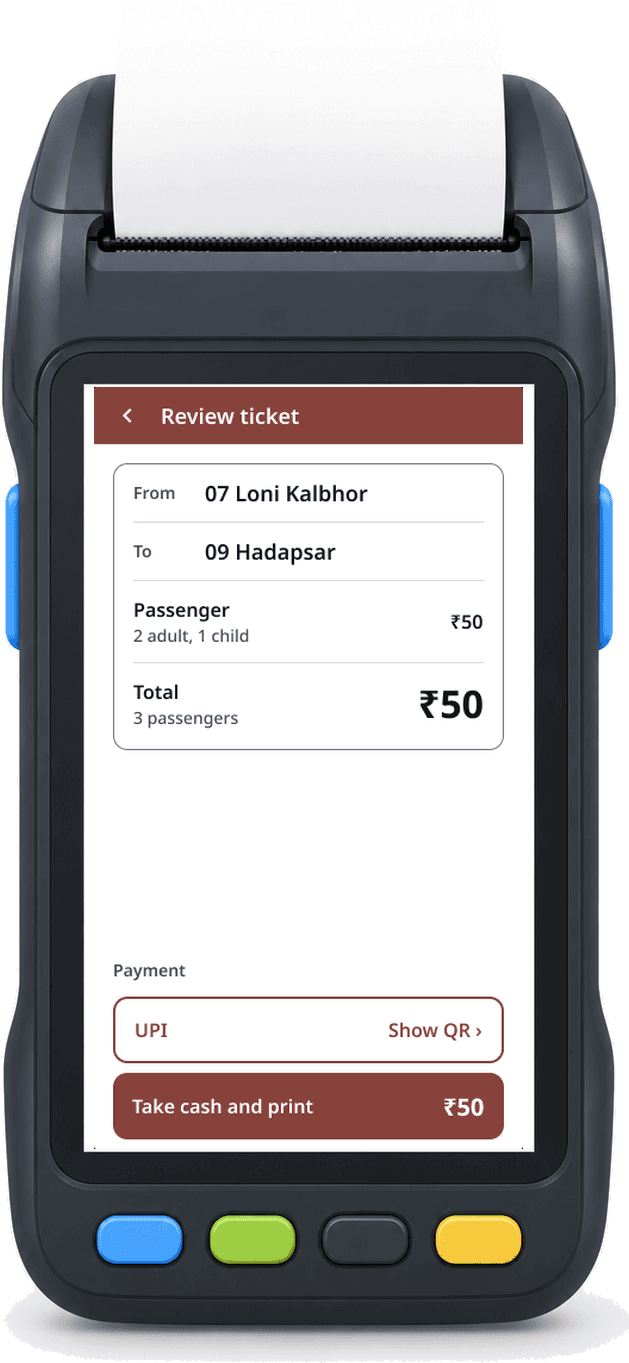
1+4+1=6 tapsNo typing, no scrolling, no pop-ups to dismiss.
Paid by UPI instead

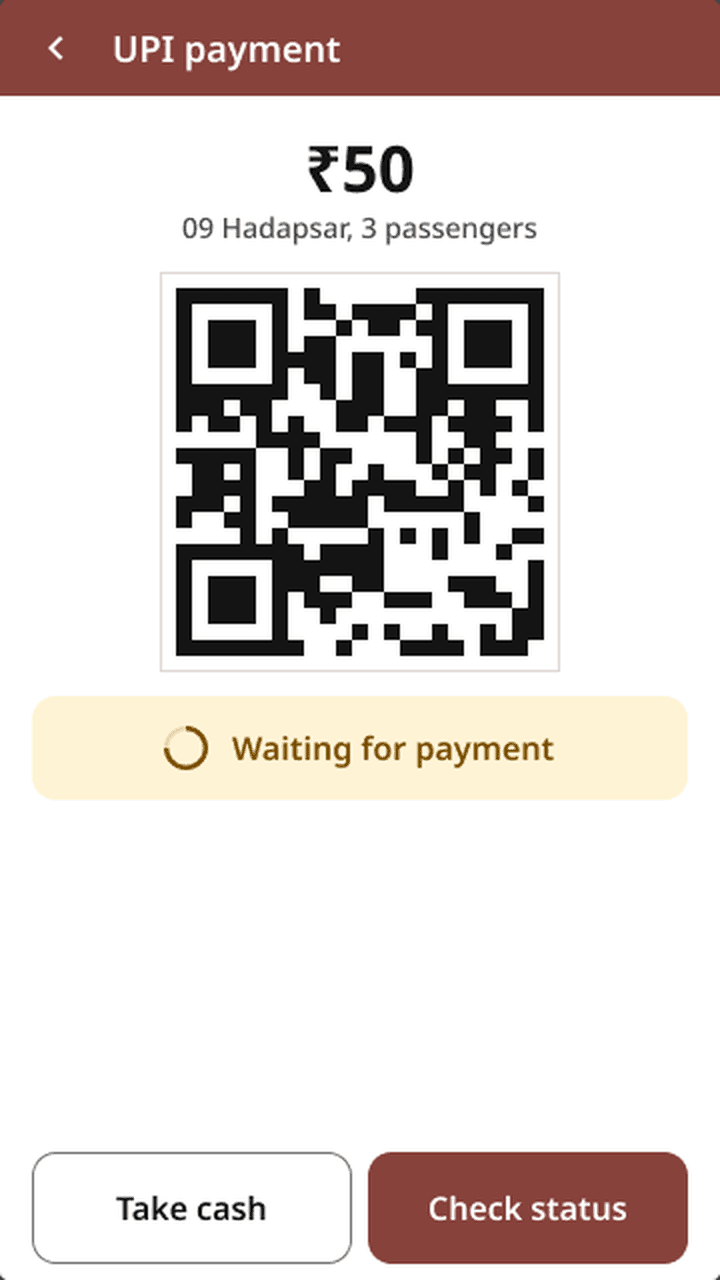
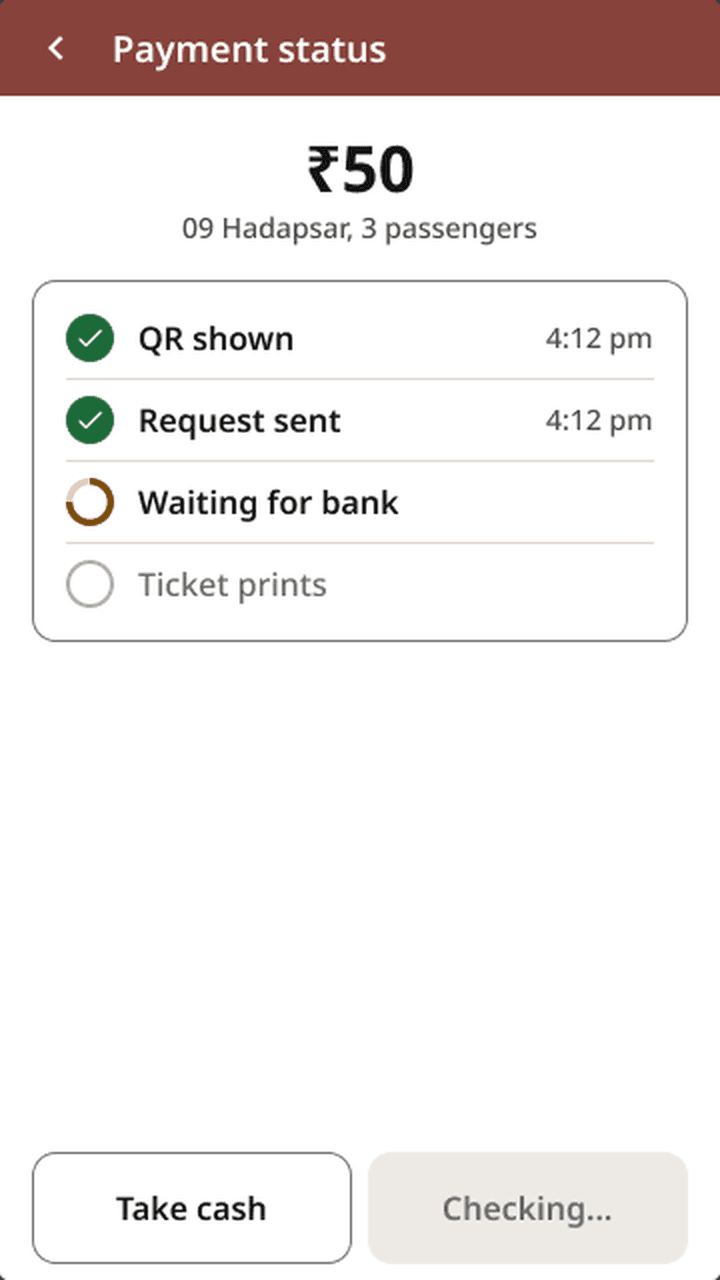
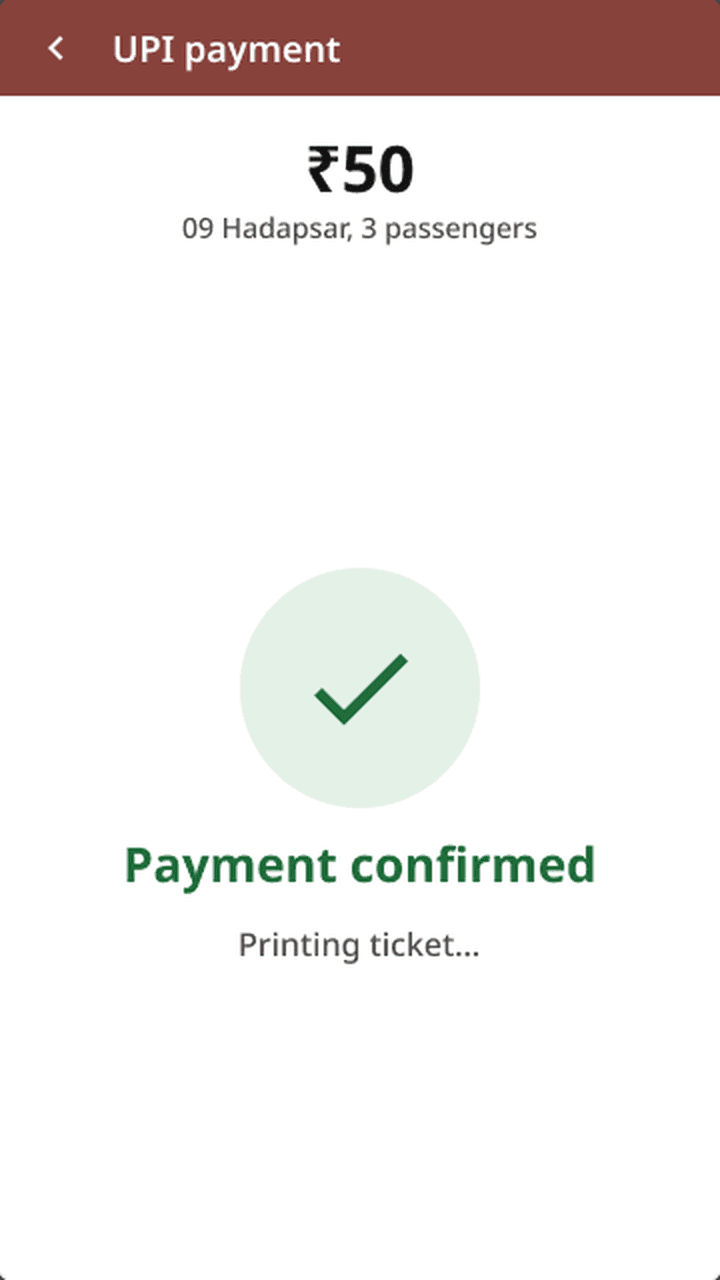
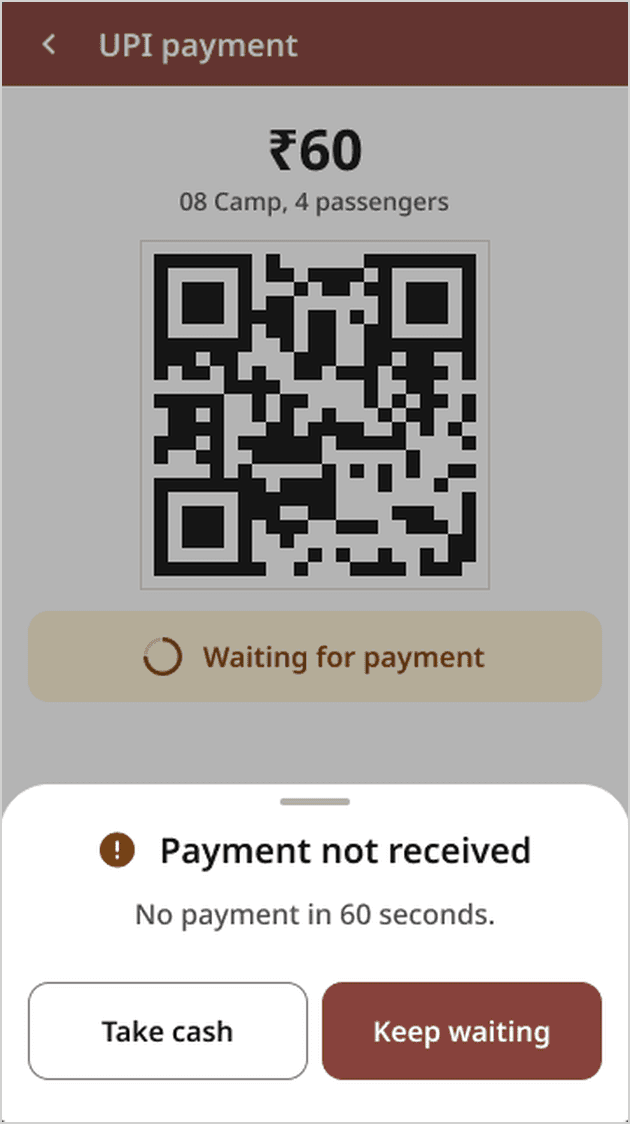
A pending payment never prints a ticket, matching what the conductor told me. Cash stays one tap away the whole time.
Open the Figma prototypeReach and readability.
One home screen. Anything rarer slides up from the bottom and returns to the form, so the conductor is never more than two steps from it.
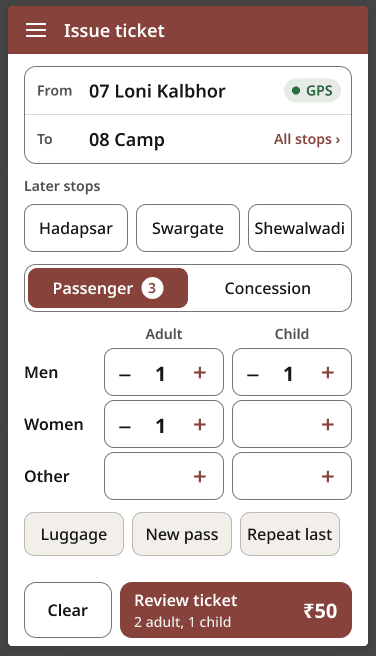


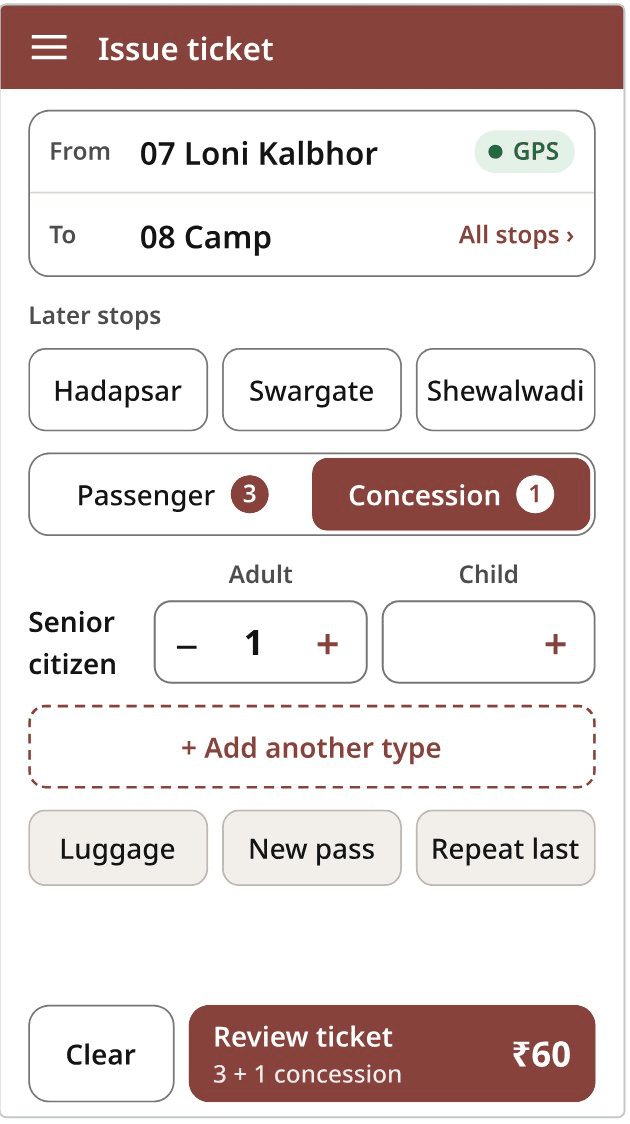
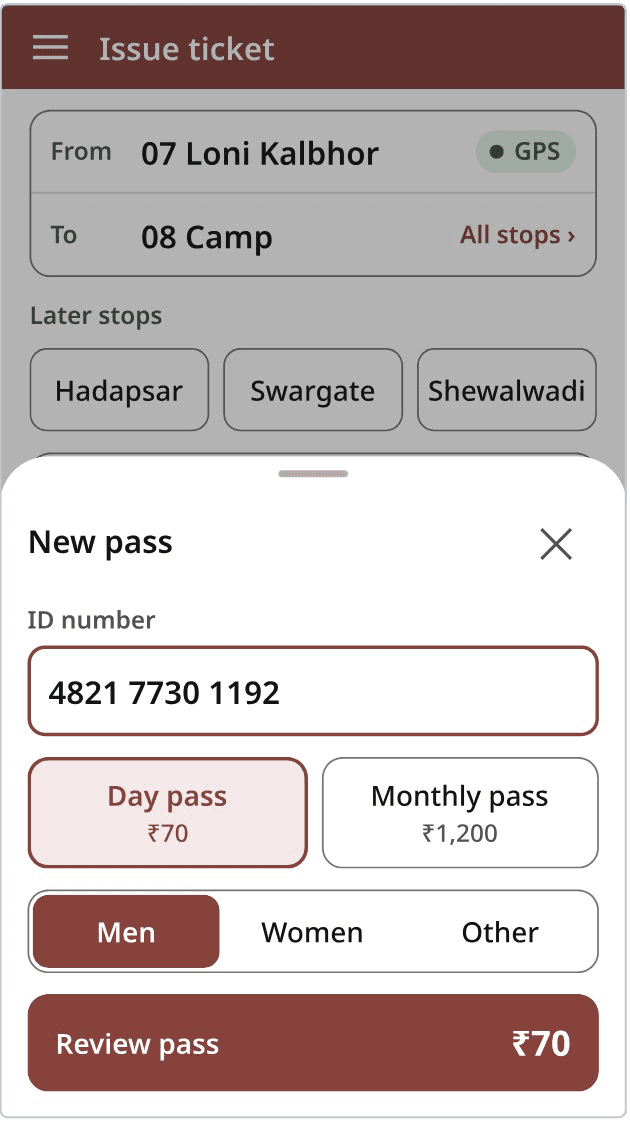
Labels that say what they do
Readable through glare
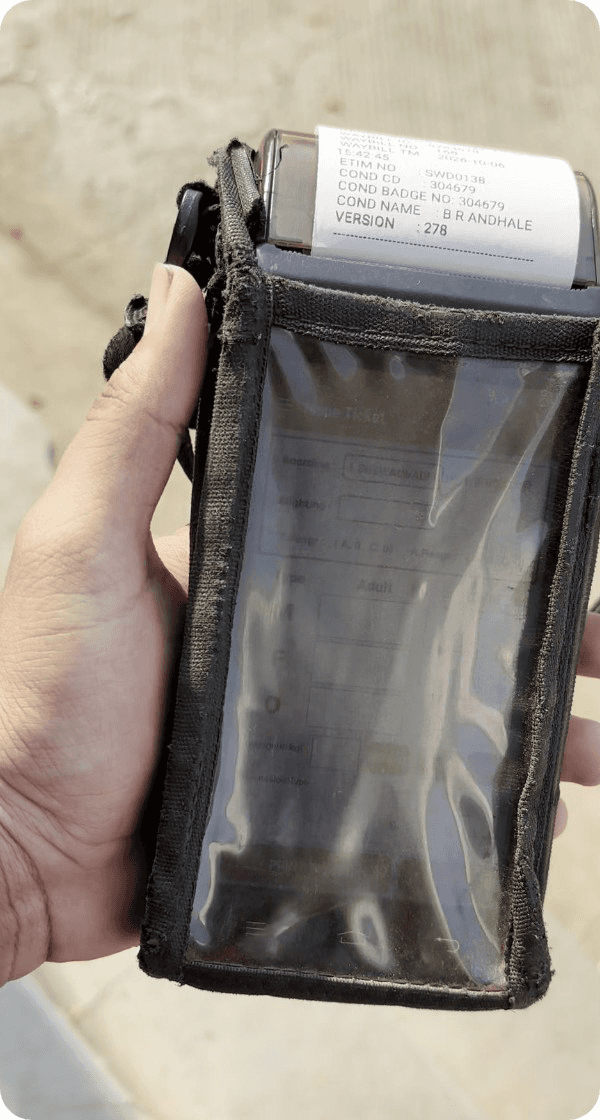

- Contrast beats colour. Near-black on white, 18.4:1 for stop names. Pale tints fade first.
- Size beats brightness. 18 px semibold stops, 20 px bold counts and fare.
- Never colour alone. Every status pairs an icon with words.
Feedback and errors.
Taps only, no swipes: on a moving bus a swipe becomes a mistake. Every tap shows or buzzes a result.
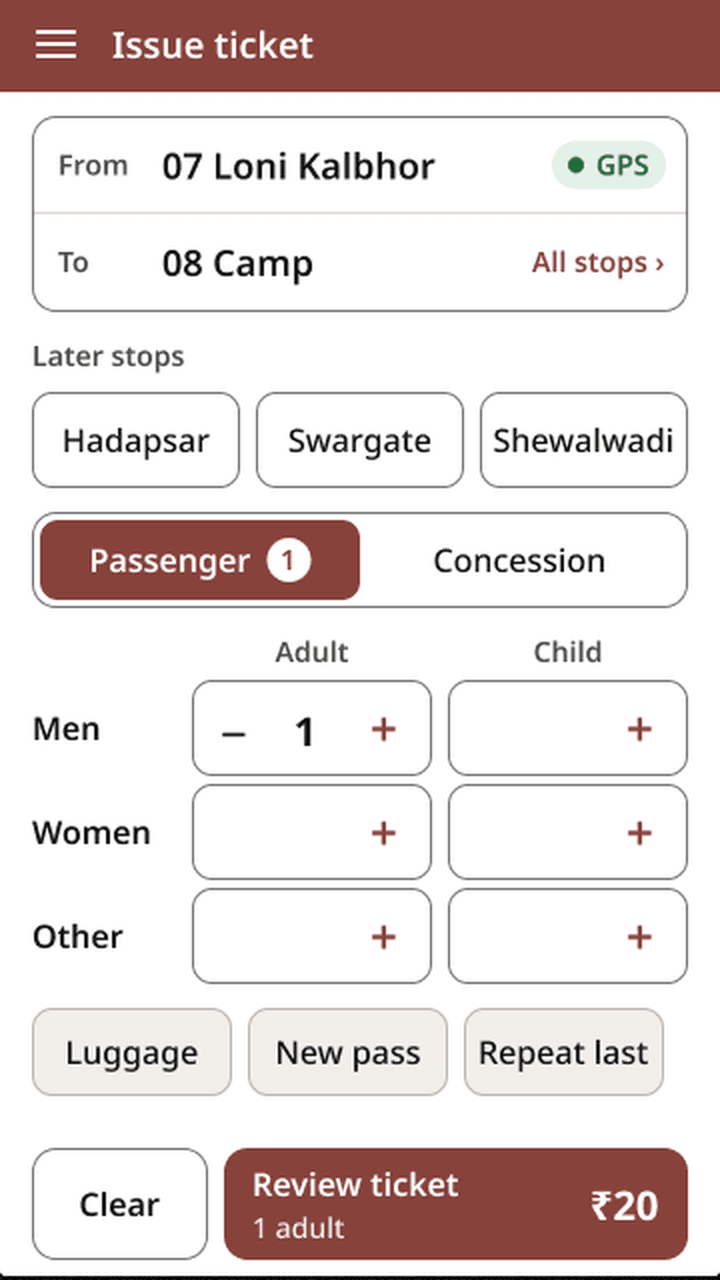
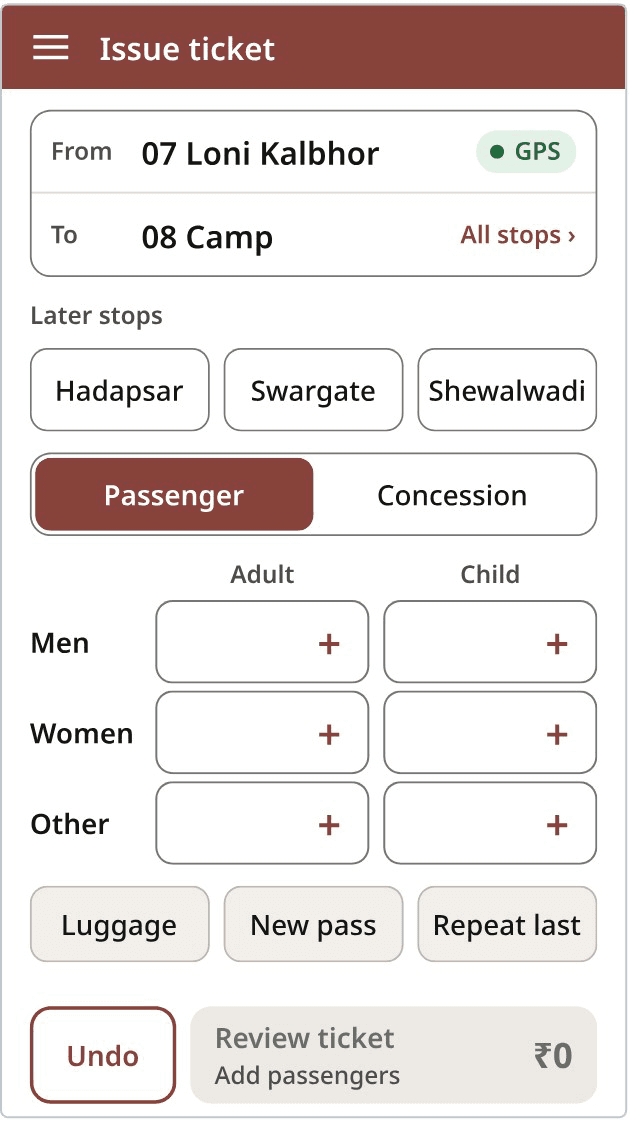
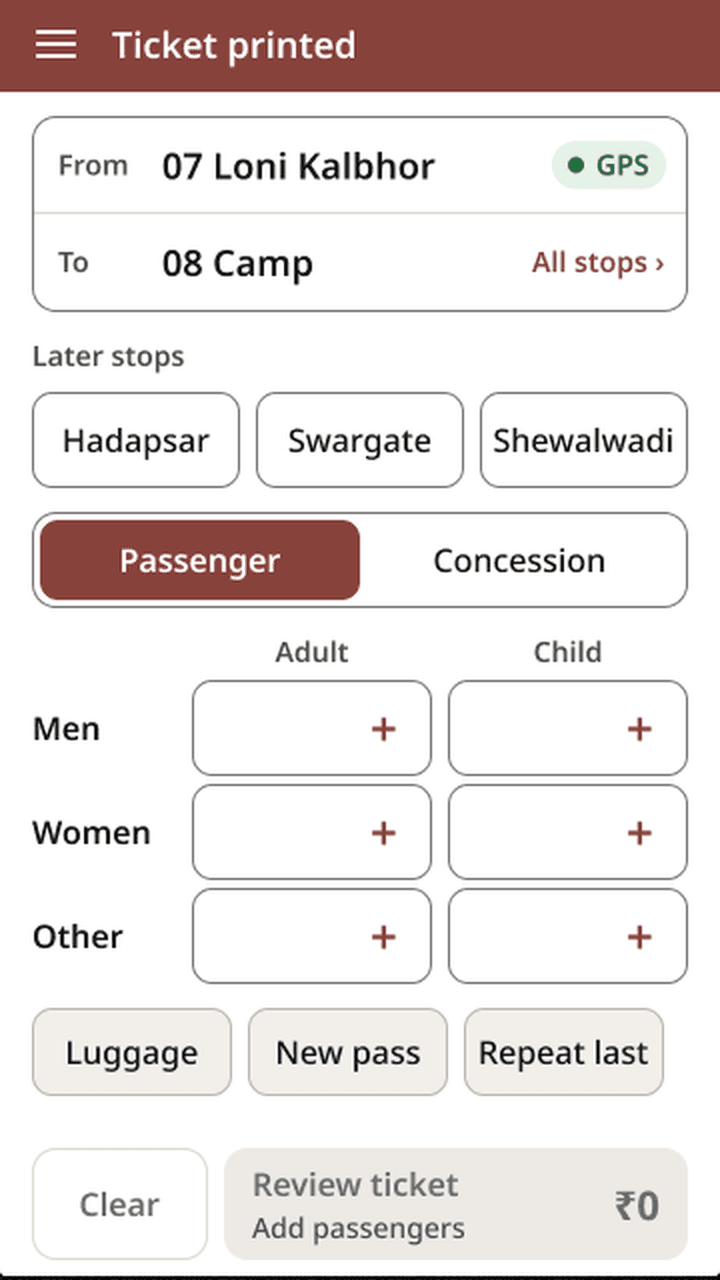
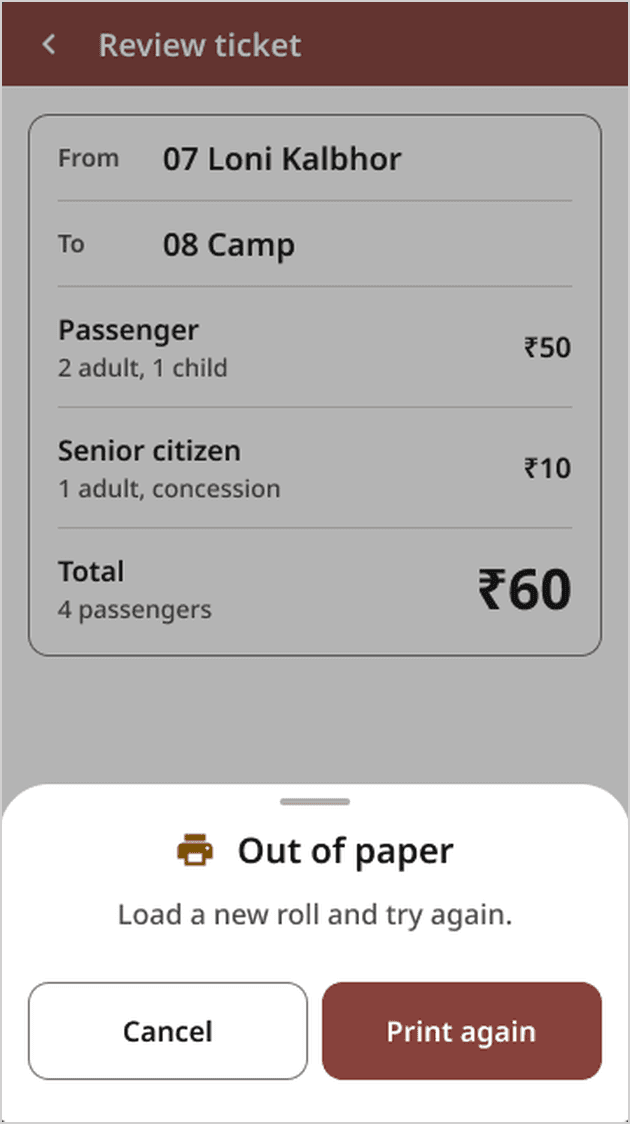
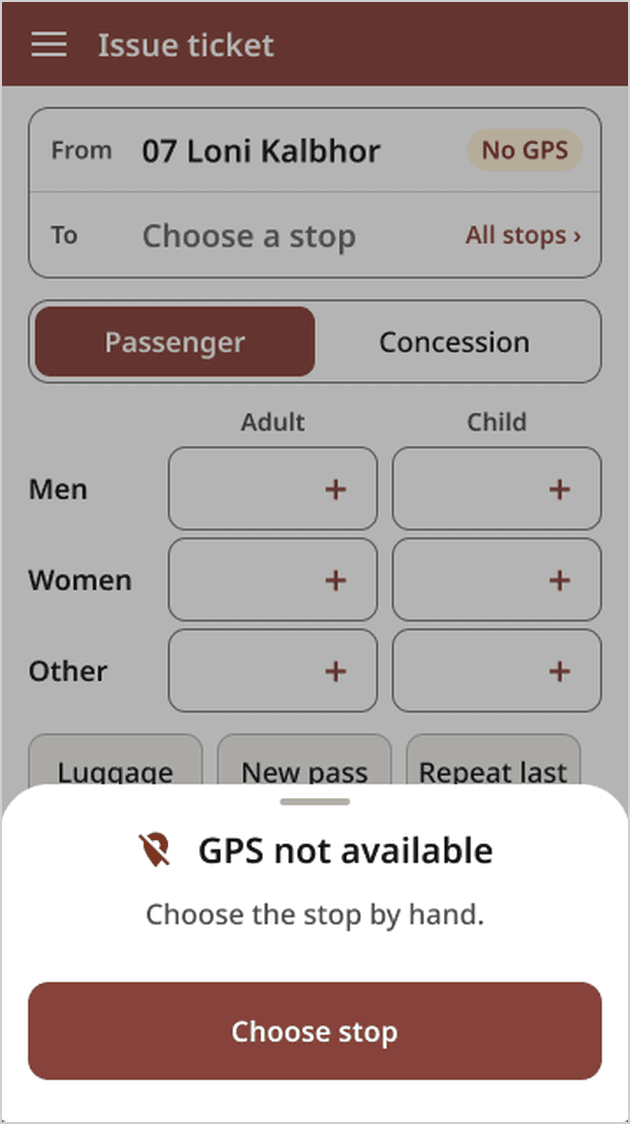
When something goes wrong
Problems slide up over the current screen with one line and the next step. The ticket in progress is never lost.

A first check, and what I learned.

I couldn’t get back to the depot, so my grandmother, 71, tried the prototype on a phone. She had never used a ticket machine.
What it doesn’t show: she sat at home and used two hands. One thumb, a moving bus and full sun are still untested.
Watch, then listen.
He told me search existed. I never once saw him use it. The gap between the two shaped the stop list.
The environment is a user too.
The pouch, the glare and the moving aisle ruled out voice, swipes and typing before any screen did.
Labels are design.
Renaming Cancel to Clear and Pass to New pass fixed problems no layout could.
What I’d test next
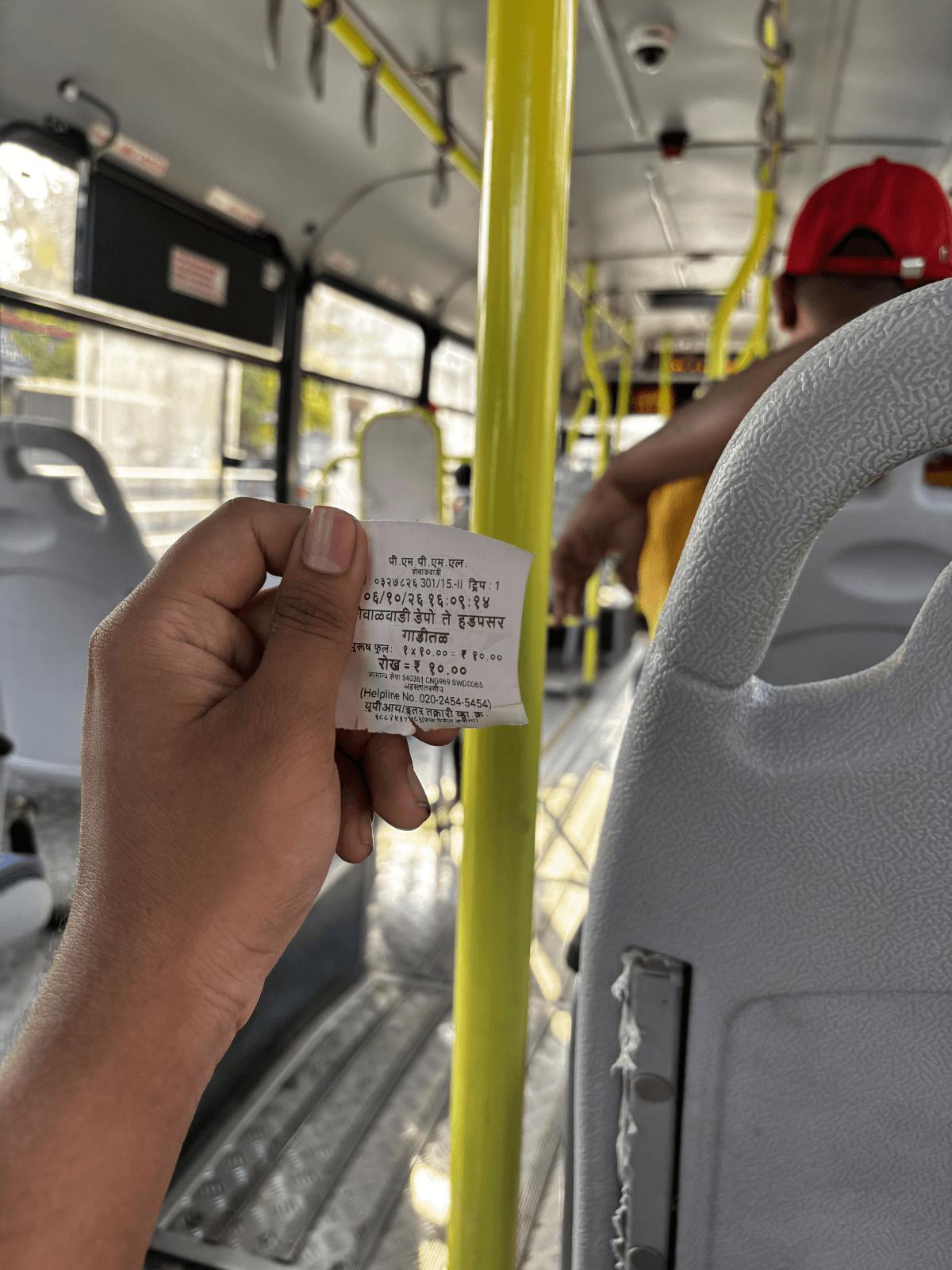
- Time the flow on a real machine, one-handed, on a moving bus.
- Read the screen at midday through the pouch. My glare test is simulated.
- Run the error pop-ups past conductors, not just the one I interviewed.
Research, photos, sketches, screens and design decisions are my own.